Locking the Consoles User Interface 145
500ML Lighting Control Console
Operation Guide
Value Triggers
Value Triggers are provided by Controller Events. They may control all On / Off Triggers. The On portion of the
command will be issued when the value is above 50% (For MIDI, this would be > Value 64), the Off is issued when
the value falls below 64 (or 50%). Table 7, “Value Triggers by Item Type” outlines the following events that can be
triggered by Value Triggers.
Table 7: Value Triggers by Item Type
12. Locking the Consoles User Interface
Set Desk Lock PIN
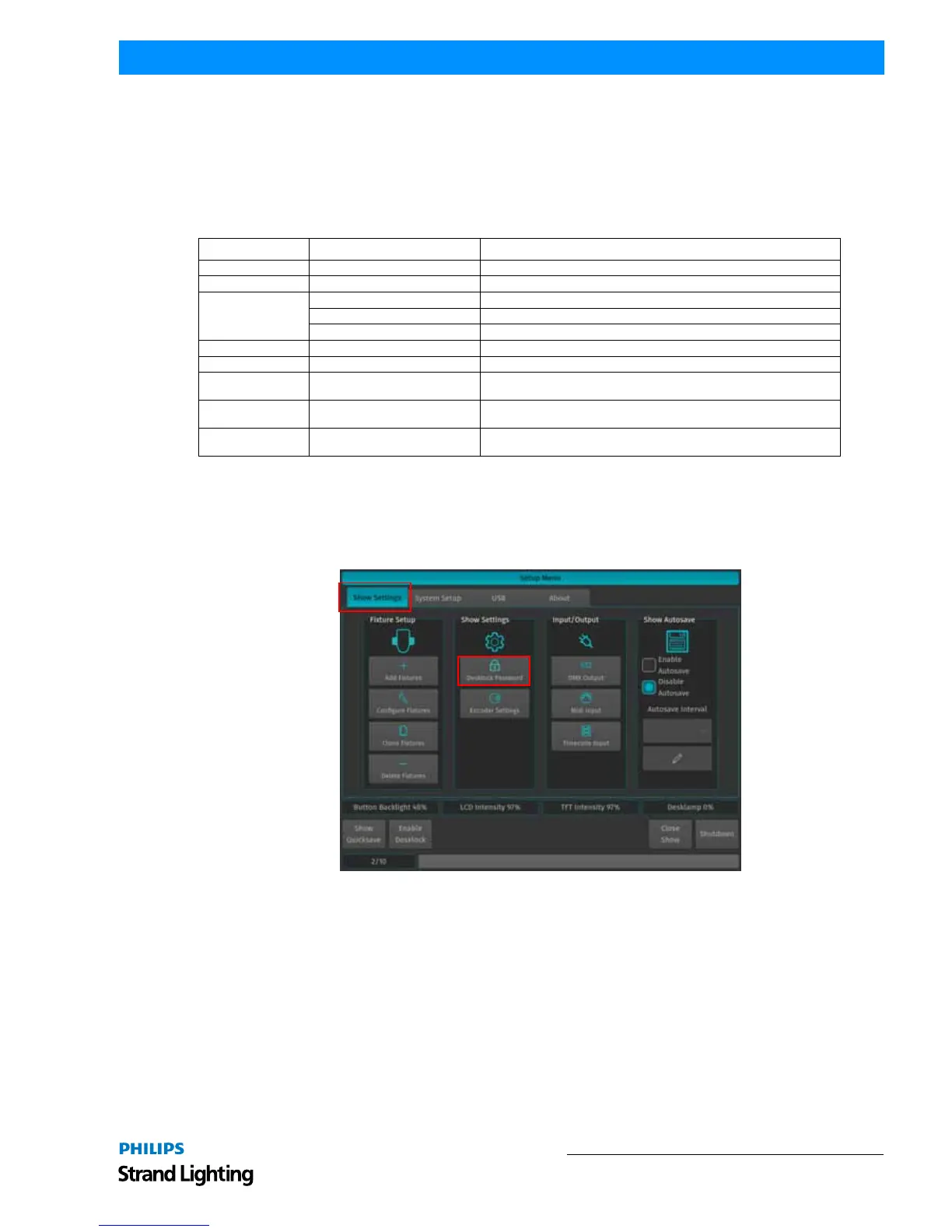
To set the Desk Lock PIN Code which is needed to lock and unlock the console, press [SETUP] and change to the
Show Settings Tab. In here, select the Desklock Password button (Figure 262).
Figure 262: Setup Menu - Desklock Password Button
A wizard assisting you in setting your personal PIN code (Figure 263 on page 146) will open. If you opened up a new
blank show, you may enter your desired PIN Code straight away. If you previously set a code, you need to enter it
Item Action Description
Fixture Dimmer Level The Controller Event Value will set the Fixture Master Dimmer level.
Group Dimmer Level The Controller Event Value will set the Group Master Dimmer level.
Cuelist
Dimmer Value The Controller Event Value will set the Cuelist Dimmer level.
Speed Value The Controller Event Value will set the Cuelist Speed level.
Infade Value The Controller Event Value will set the Cuelist Infade level.
Fader Fader Value The Controller Event Value will set the Fader level.
Grandmaster Grandmaster Value The Controller Event Value will set the Grandmaster level.
Master Speed Speedmaster Time
The Controller Event Value will set the Speedmaster time in a range of 0 to
10 seconds.
Master Fade Fademaster Time
The Controller Event Value will set the Fademaster time in a range of 0 to 10
seconds.
MIDI Out Control Change
The Controller Event Value will be Output as Controller Event through the
console’s MIDI Out Port.



 To Next Page