Operation Guide 500ML Lighting Control Console
32 OPERATION
Configuring System Settings
Before you start using the console, it is advised to make sure all basic settings are configured. This includes the USB
keyboard layout, time, date and network settings. These settings are saved in the console, not show files.
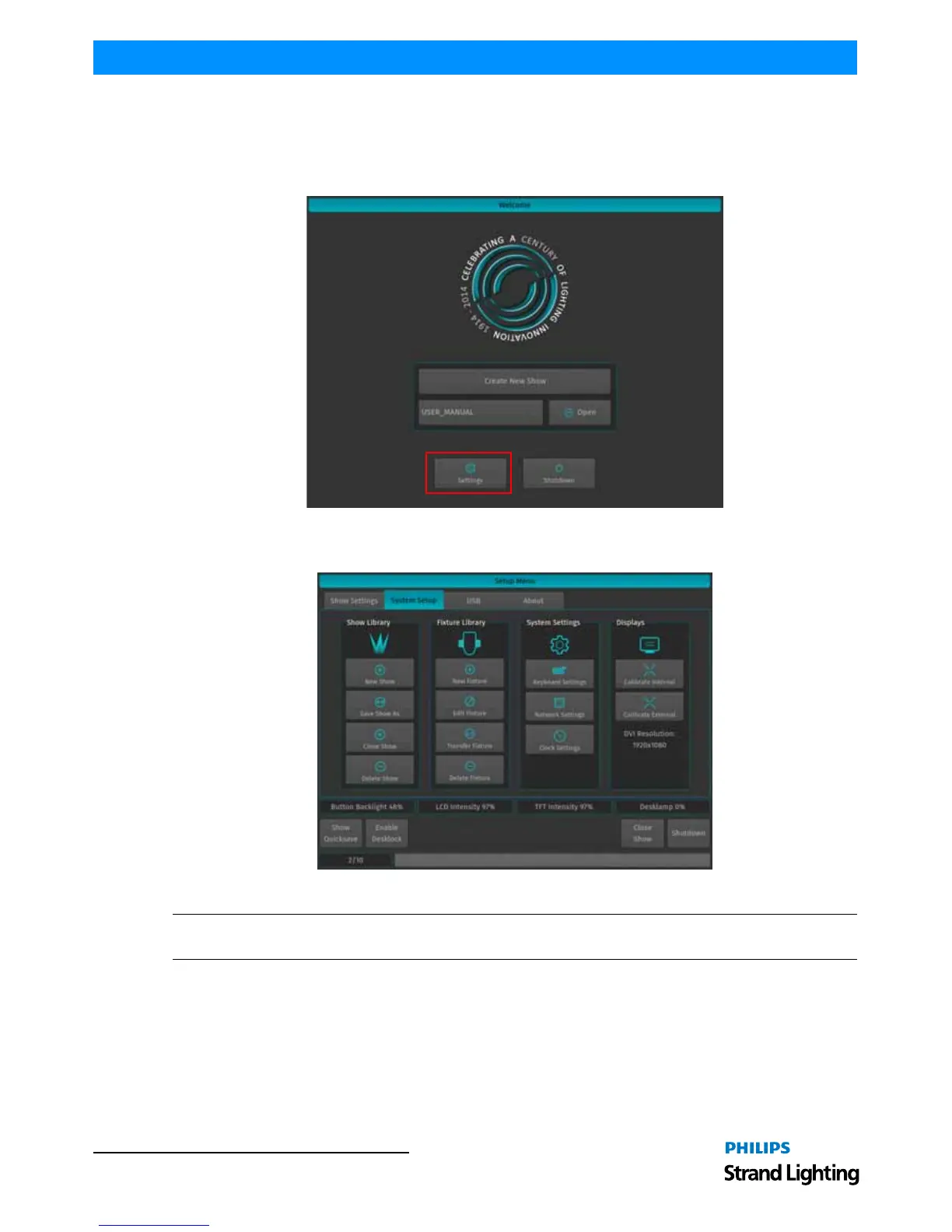
From the Welcome Screen (Figure 42), select the Settings button.
Figure 42: Welcome Screen - Settings
The System Setup Window (Figure 43) will open.
Figure 43: Setup Menu - System Setup Settings
Note: You may change system settings while a showfile is opened. To do this, press the [SETUP] key on the
faceplate and select the System Setup tab.



 To Next Page