Importing and Exporting Fixture Libraries 163
500ML Lighting Control Console
Operation Guide
MAINTENANCE
1. Importing and Exporting Fixture Libraries
Exporting Fixture Libraries
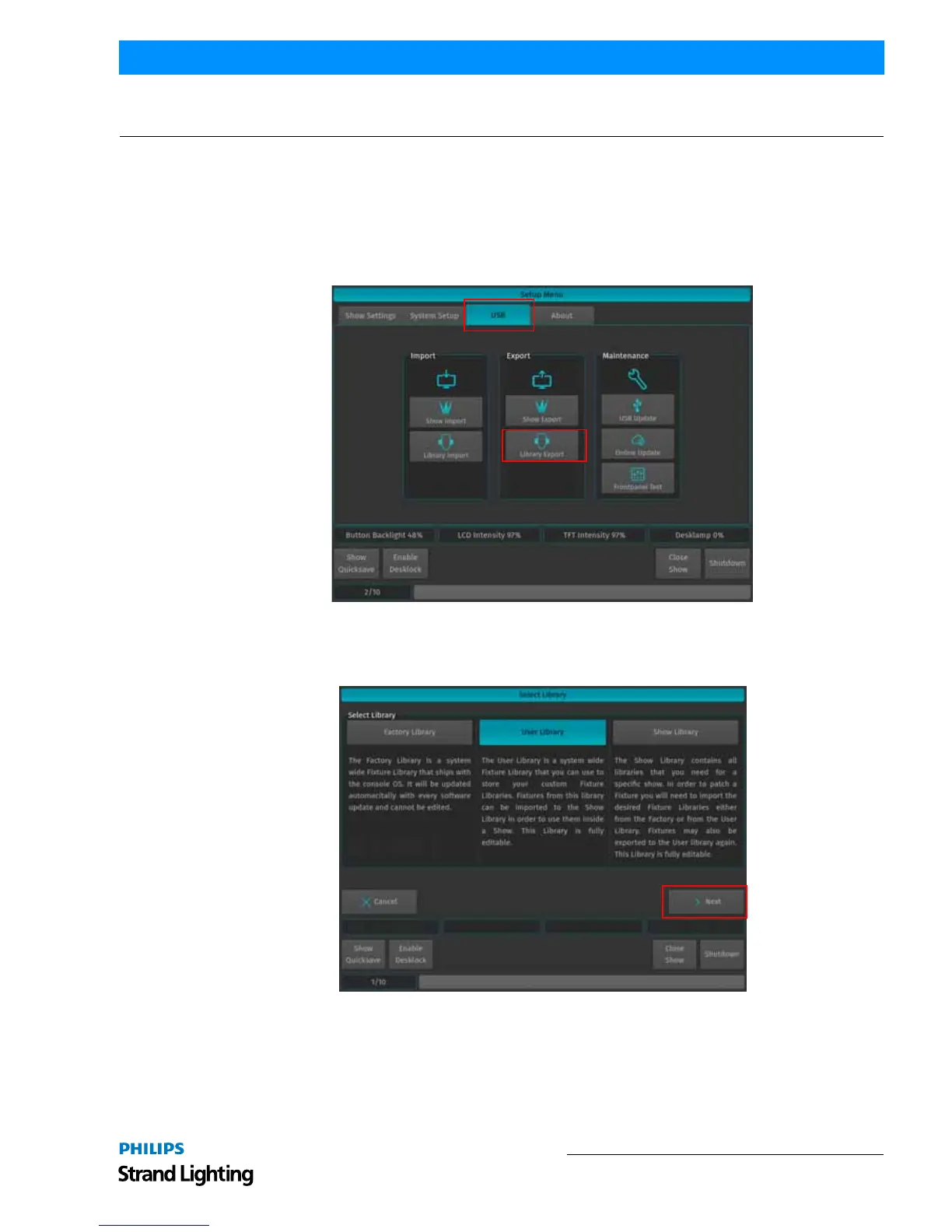
Connect USB key to console. From the Welcome Screen hit the Settings button as illustrated in Figure 297. Should a
show be open and running, open the Setup Dialog by striking the [SETUP] key on the console’s front panel instead.
Once the Setup Menu is shown, switch to the USB tab and hit the Library Export button.
Figure 297: Setup Menu - Library Export
You will now be presented with a list of libraries as shown in Figure 298. Select the Library Type you would like to
copy to the USB key and hit the Next button on the touchscreen display.
Figure 298: Select Library Window



 To Next Page