The Graphical User Interface 17
500ML Lighting Control Console
Operation Guide
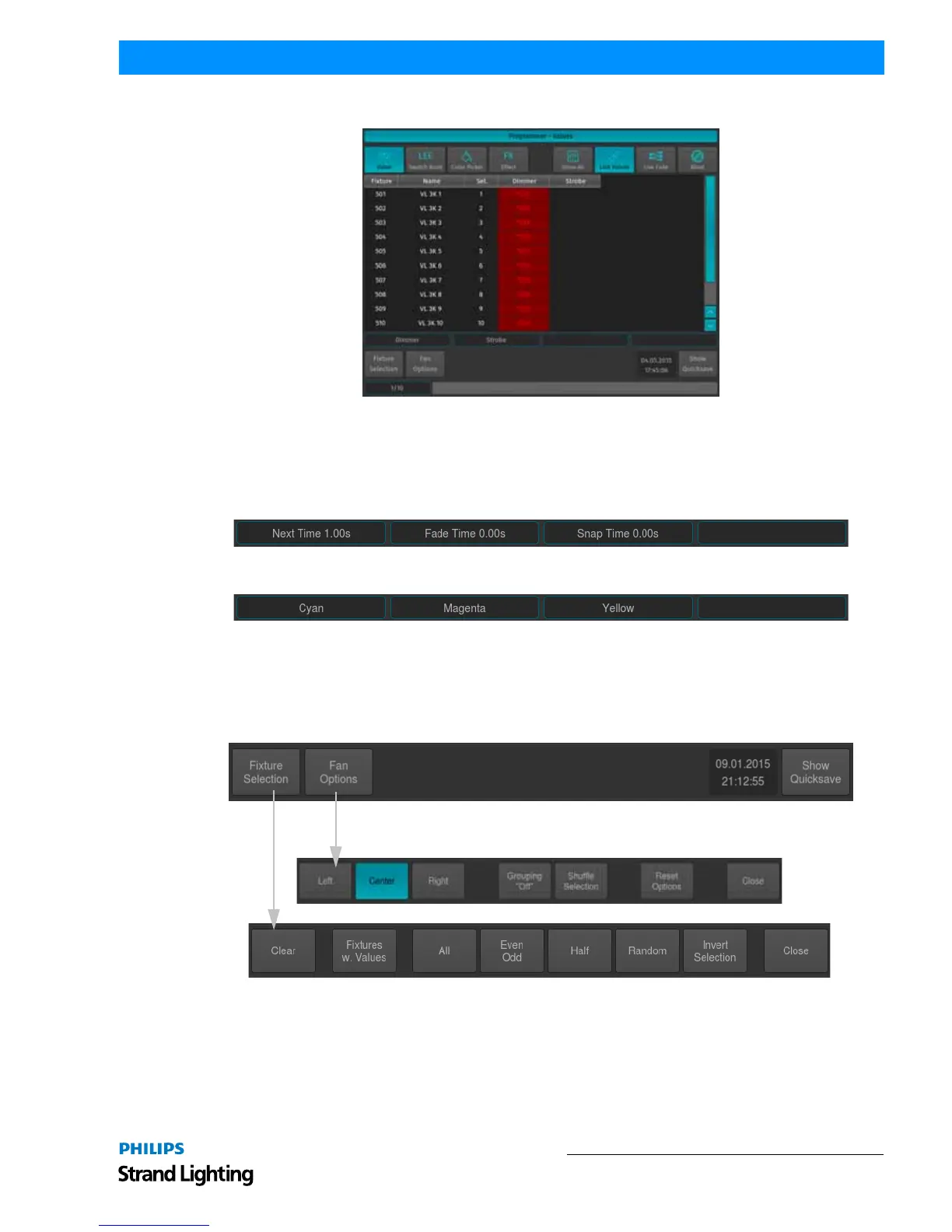
Figure 6: Programmer Values Window
Encoder Labels
The Encoder Labels show encoder function and values. Clicking on them toggles between a set of common values. In
the programmer screen, labels will not show values. Instead, the programmer window is used to display values.
Figure 7: Record Encoder Labels
Figure 8: Programmer Encoder Labels
Toolbars
Toolbars are context sensitive aid and provide quick access to multiple different functions. Some toolbars are stacked
on top of each other, such as the Default Toolbar:
Example: When the Default toolbar is shown, clicking on Fixture Selection will take you to the Fixture Selection
toolbar. To go back to the Default toolbar you need to close the Fixture Selection toolbar by clicking on Close.
Available Toolbars
Here is a quick overview over the available toolbars.



 To Next Page