Setting Inputs and Outputs 137
500ML Lighting Control Console
Operation Guide
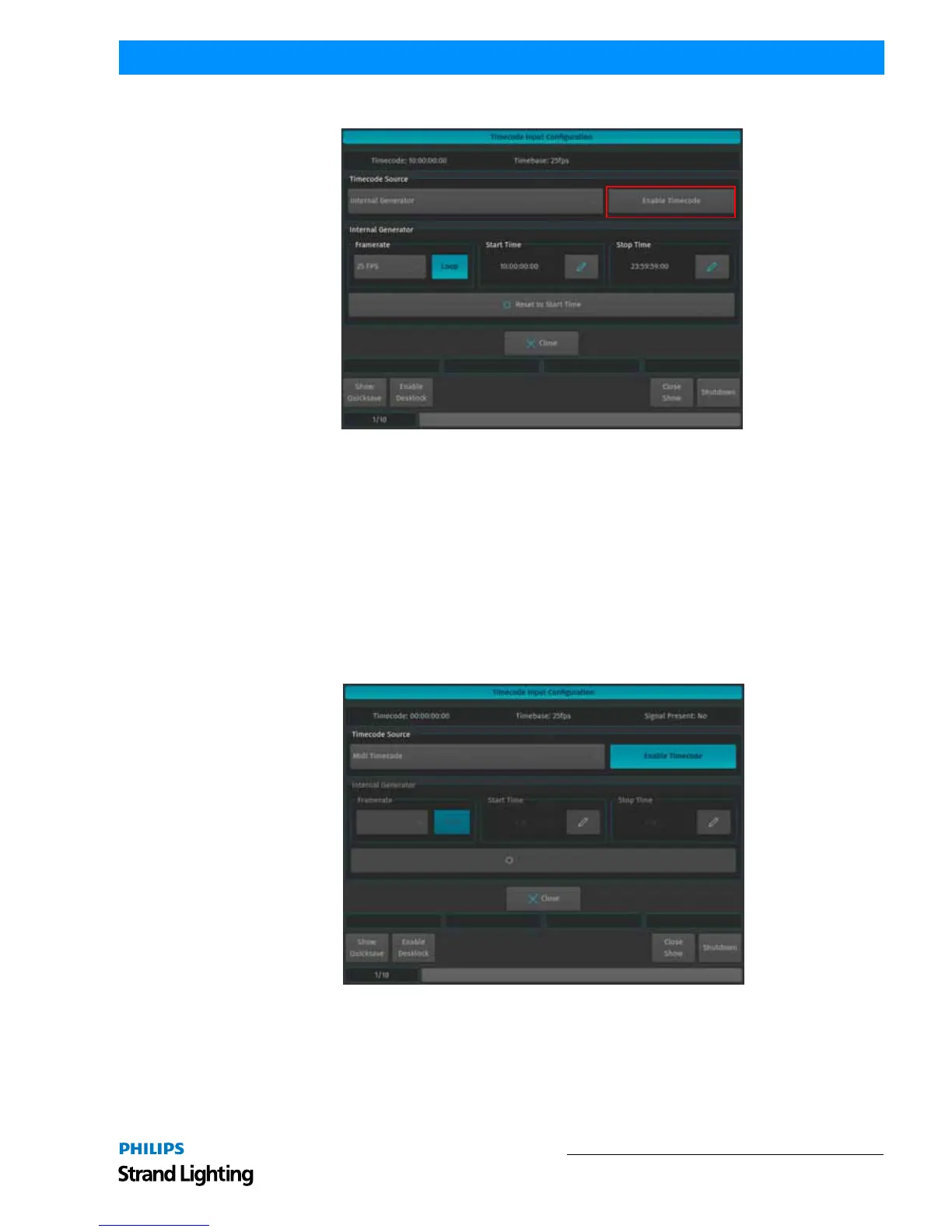
To start the timecode generator, click on Enable Timecode button. To disable it, click the button again.
Figure 250: Timecode Input Configuration Screen
External Timecode Source
To use an external Source to trigger the 500ML Console, connect the Timecode source to the console - either using
the SMPTE (Linear Timecode) connector on the back, or by connecting to the MIDI In for MIDI Timecode. After
that, navigate to the Timecode Input Configuration window and select the appropriate source from the Timecode
Source dropdown.
Please note that the console will auto-detect the framerate of the incoming signal, hence no further configuration is
needed. Any received Timecode will be output through the MIDI Out connector. That means the console converts
SMPTE Timecode to MIDI Timecode.
The console will always listen to timecode, however Cues are only triggered if the Timecode is enabled. To enable
the Timecode, make sure the Enable Timecode button within the Timecode Input Configuration menu is highlighted.
Figure 251: Timecode Input Configuration Screen
Timecode Options in Trigger Engine (used by MIDI)
Timecode may also be enabled using MIDI commands. For more information, please see Midi Input.



 To Next Page