Operation Guide 500ML Lighting Control Console
86 Programming
Altering Intensity (Dimmer Values) Using Multifunction Wheel
The Multifunction (dimmer) wheel on the right hand side of the console faceplate (as indicated in Figure 1 on page 8)
can be used to increment up or decrement down the dimmer values of the selected fixtures.
Altering Intensity (Dimmer Values) Using Keypad
Numerical dimmer values (levels) may be applied directly to selected fixtures using the command line interface by
typing [@] followed by either [FULL] or the intensity value (in percent) followed the [ENTER] key.
Keypad Syntax
Table 2: Keypad Value Syntax Entry (Fixture must be selected)
Examples:
Keypad Entry Meaning
[@] [FULL] Will set the selected fixtures to 100%
[@] [@] Will set the selected fixtures to 100%
[@] [.] [VALUE] Will set the selected fixtures Intensity DMX Value to [VALUE]
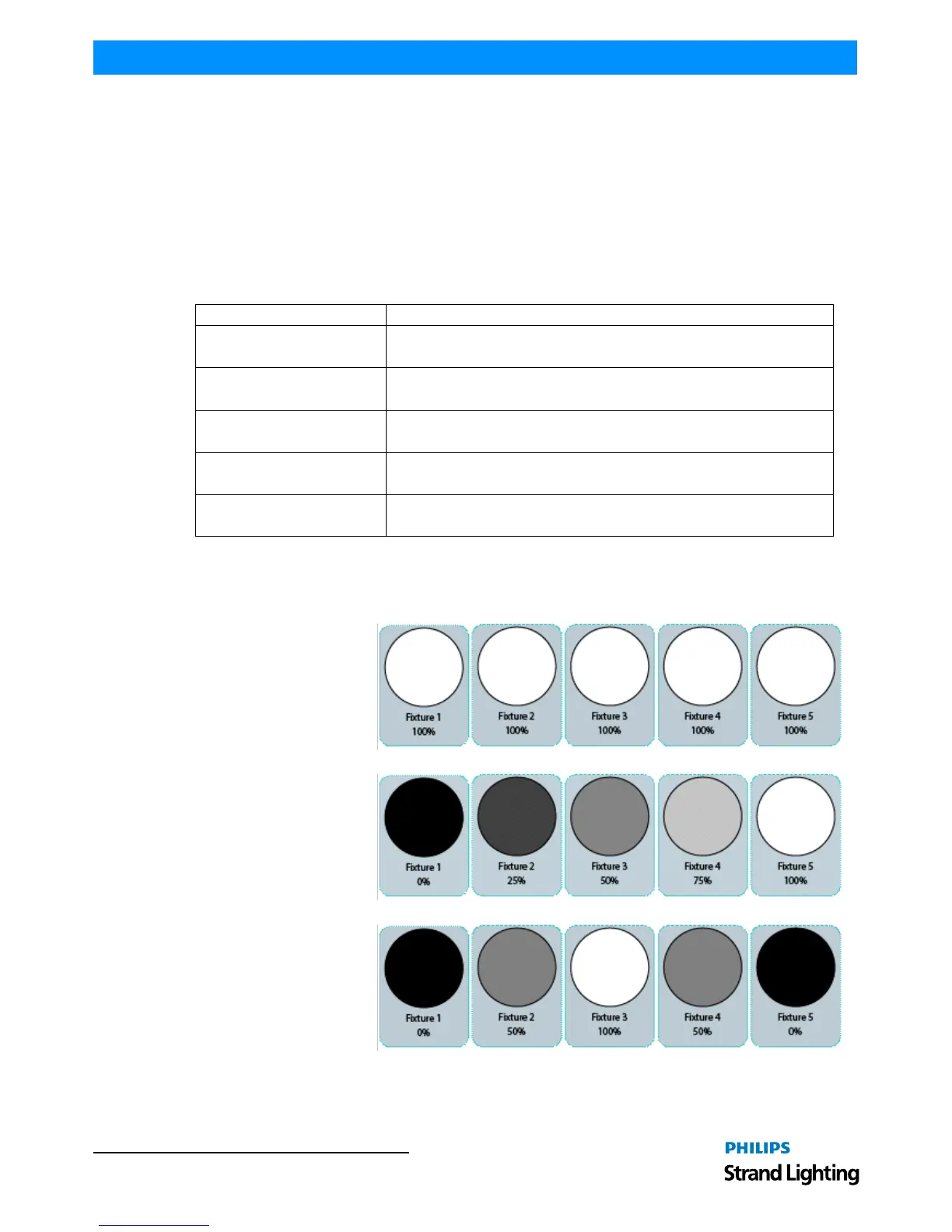
[VALUE A] [THRU] [VALUE B]
Will fan the Intensity for selected fixtures from [VALUE A] to [VALUE B]
For Example: [0] [THRU] [100] with 3 selected fixtures will set fixture 1 to 0%, fixture 2 to 50%
and fixture 3 to 100%.
[VALUE A] [THRU] [THRU] [VALUE B]
Will fan the Intensity for selected fixtures from [VALUE A] to [VALUE B] and back to [VALUE A].
For Example: [0] [THRU] [THRU] [100] with 5 selected fixtures will set fixture 1 and 5 to 0%,
fixture 2 and 4 to 50% and fixture 3 to 100%.



 To Next Page