Fixture Setup 53
500ML Lighting Control Console
Operation Guide
Change Fixture Name
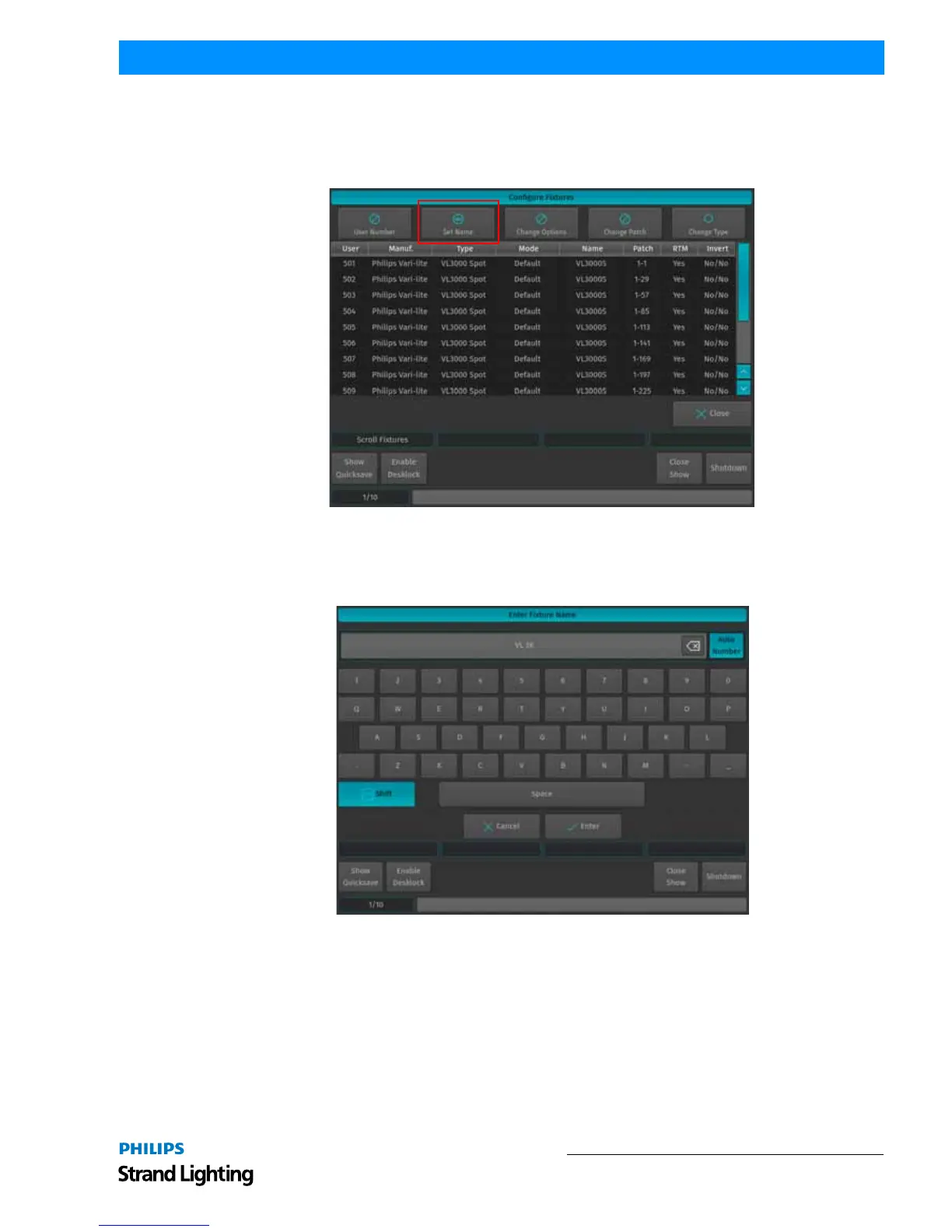
The Fixture Name will be shown in Fixture Pool Items and on Fixture-Submaster Fader-labels. To change the Fixture
Name for multiple fixtures at once, open the Configure Fixtures window as described in "Configuring Existing
Fixtures" on page 50 and hit the Set Name button as described in Figure 85.
Figure 85: Configure Fixtures - Change Fixture Name
An on-screen keyboard will be shown (Figure 85). Notice the Auto Number button next to the Fixture Name
Textfield. If Auto Number is active, 500ML console will automatically assign numbers to the Fixture Name based on
the selection order. Click on Enter when done. The console will ask for confirmation. Click on Ok.
Figure 86: Enter Fixture Name Window
Inverting Pan / Tilt (Reacting to Grandmaster Fader)
Sometimes it may be necessary to invert the direction of a fixture's Pan or Tilt attribute or define if a fixtures dimmer
should react to the Grandmaster.



 To Next Page