Working with Fixtures 67
500ML Lighting Control Console
Operation Guide
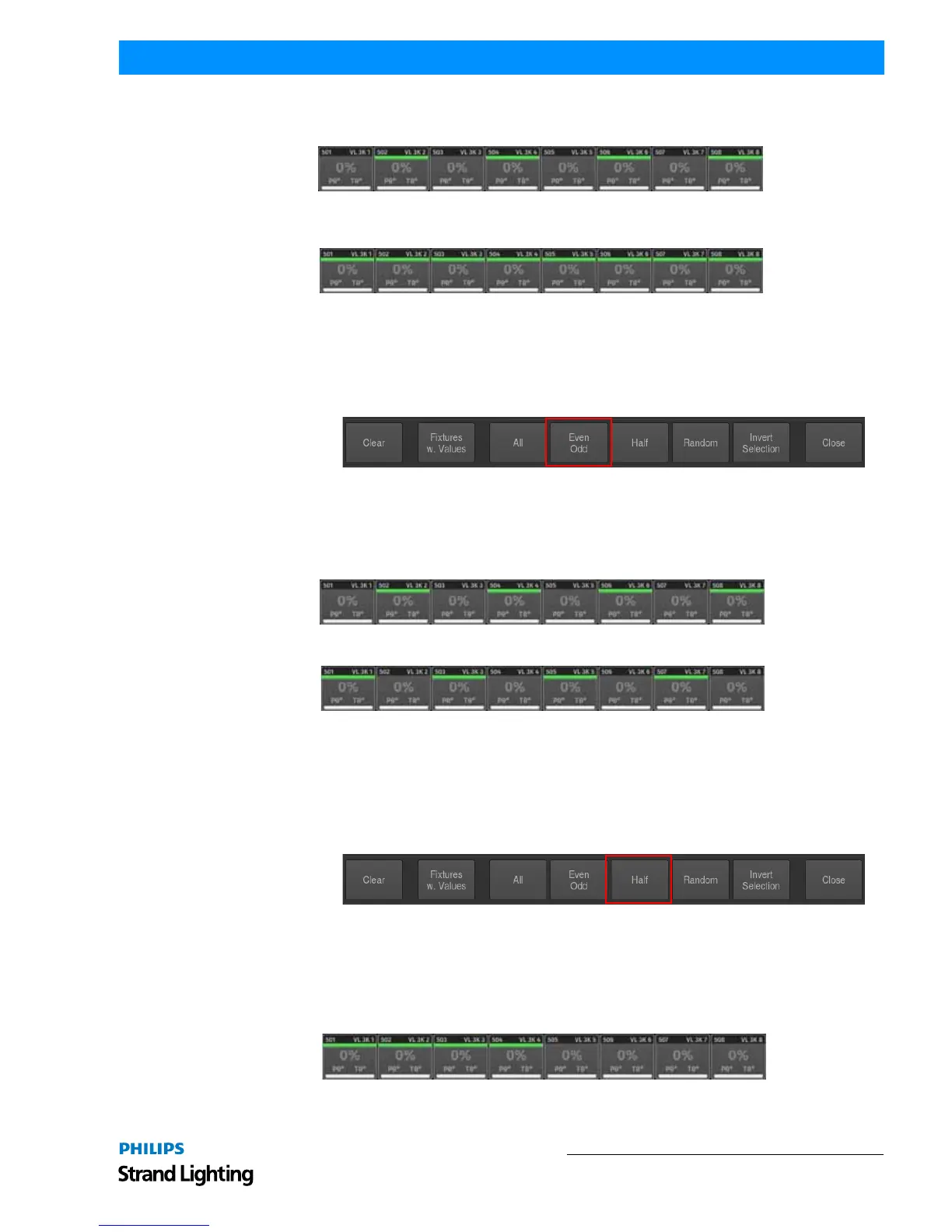
Step 2. Press the Even Odd button on the selection toolbar as described in "Even / Odd Fixture Selection". The
console will now select all even fixtures out of the selection you have previously made.
Step 3. Press the All button on the selection toolbar as shown in Figure 114 on page 66. The console will now select
all fixtures of your "memorized" fixture selection.
Even / Odd Fixture Selection
If no selection has previously been made, Even Odd will, on the first press of the button, select all even numbered
fixtures contained in the showfile. The second press on the Even Odd button will select the odd numbered fixtures.
If you previously made a selection using any of the selection methods, Even Odd will be applied to the selected
fixtures instead. The first press on the button selects all even, the second selects all odd fixtures.
Figure 115: Selection Toolbar - Even Odd Fixture Selection
Example:
1) Select Fixture 501 thru 510.
2) Press the Even Odd button on the selection toolbar.
3) To select all odd fixtures of the overall selection set (501 thru 510), press the Even Odd button again.
Half Fixture Selection
If no selection has previously been made, Half will, on the first press of the button, select the first half of the selected
fixtures contained in the showfile. The second press on the Half button will select the other half of all fixtures
contained in the showfile.
If you previously made a selection using any of the selection methods, Half will be applied to the selected fixtures
instead. The first press on the button selects the first, the second selects the second half of the fixtures.
Figure 116: Selection Toolbar - Half Fixture Selection
Example:
1) Select Fixture 501 thru 510.
2) Press the Half button on the selection. The console will now select the first half of fixtures out of the
selection you have previously made.



 To Next Page