Operation Guide 500ML Lighting Control Console
50 Programming
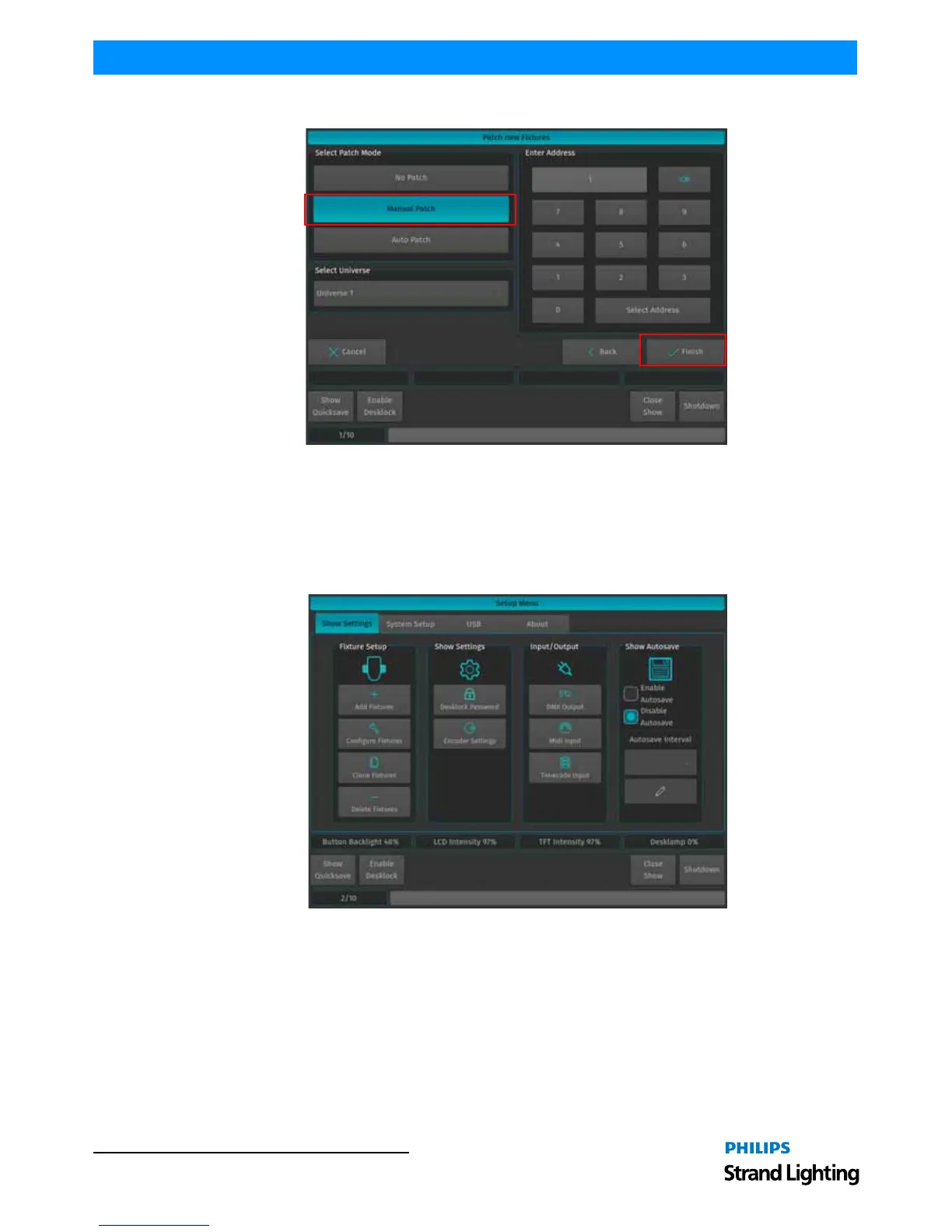
Figure 79: Patch new Fixtures Windows - Manual Patch
For now, choose "Manual Patch", select Universe 1 and set the start address to 1 and click on Finish.
Configuring Existing Fixtures
Should you desire to modify the User Number, Fixture Name, Options, Patch or Type for a fixture that has already
been added to the show, open up the Setup Menu by pressing [SETUP], select the Show Settings tab and click on
Configure Fixtures as illustrated in Figure 80.
Figure 80: Setup Menu - Show Settings Tab - Configure Fixtures



 To Next Page