Operation Guide 500ML Lighting Control Console
48 Programming
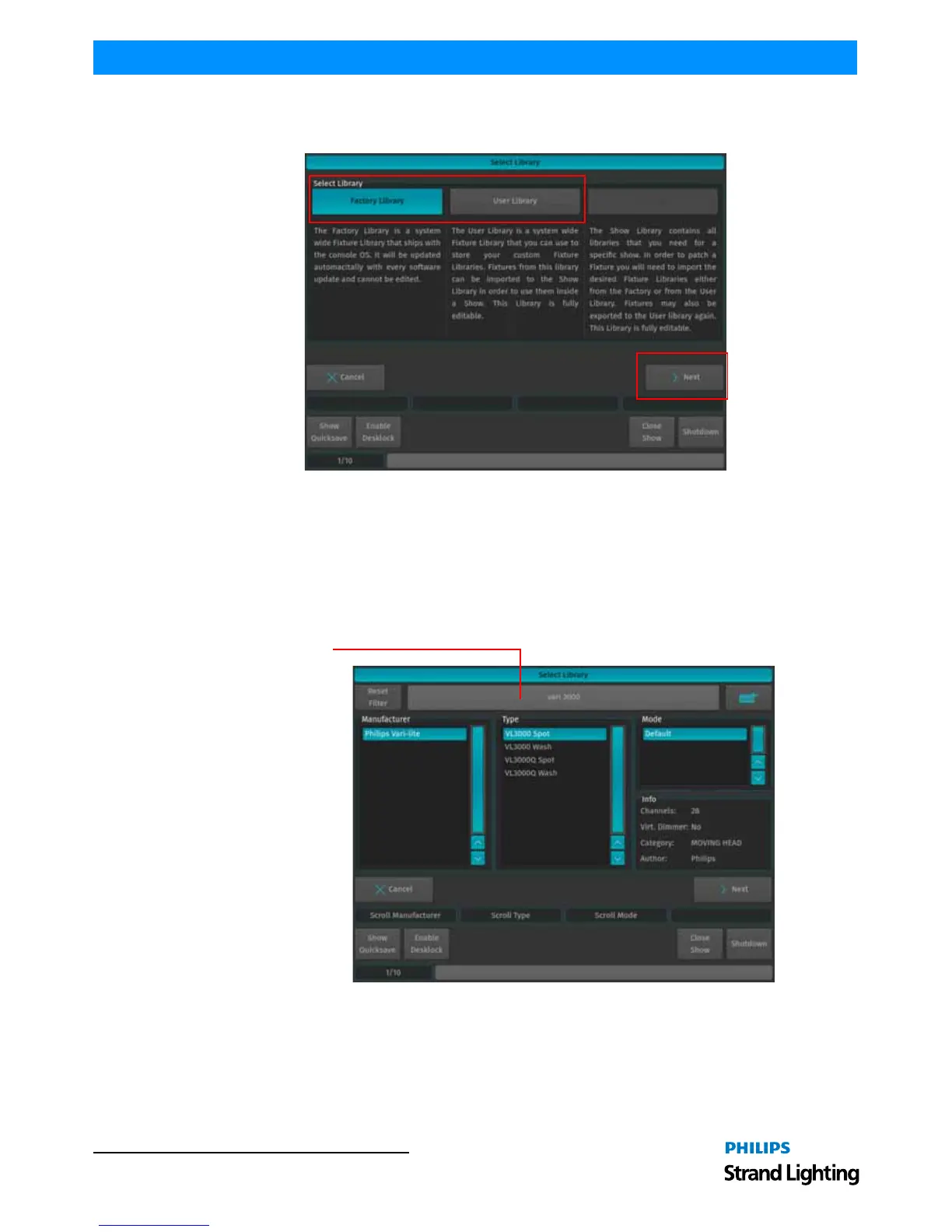
• If you would like to add a predefined Fixture Type, select on Factory Library.
• If you would like to add a User created or User modified fixture, select User Library. Click on Next when done.
Figure 76: Select Library Screen - Library Choices to Add Fixtures
After clicking Next for the Factory Library selection, a fixture selection screen as shown in Figure 77 will appear
allowing you to select a predefined fixture.
• You may search for fixtures using the search field shown in the top part of the screen. In order to complete the
examples shown in this guide, search for "vari 3000" and select the Philips Vari-Lite VL3000 Spot from the list. To
clear your search, click the Reset Filter button. After selection, click on the Next button.
• Alternatively, you may select the fixture by using the Manufacturer, Type and Mode fields.
Figure 77: Select Library - Fixture Search and Selection Screen
After selecting a fixture for your show, a new screen (Figure 78 on page 49) will appear confirming your fixture
selection. In this screen, you will be required to enter the following information:
• Fixture Count - The number of this type of fixture being added to the show.
• Set User Numbers - Starting DMX Address for the fixtures.



 To Next Page