User’s Manual of WGSD-10020 Series
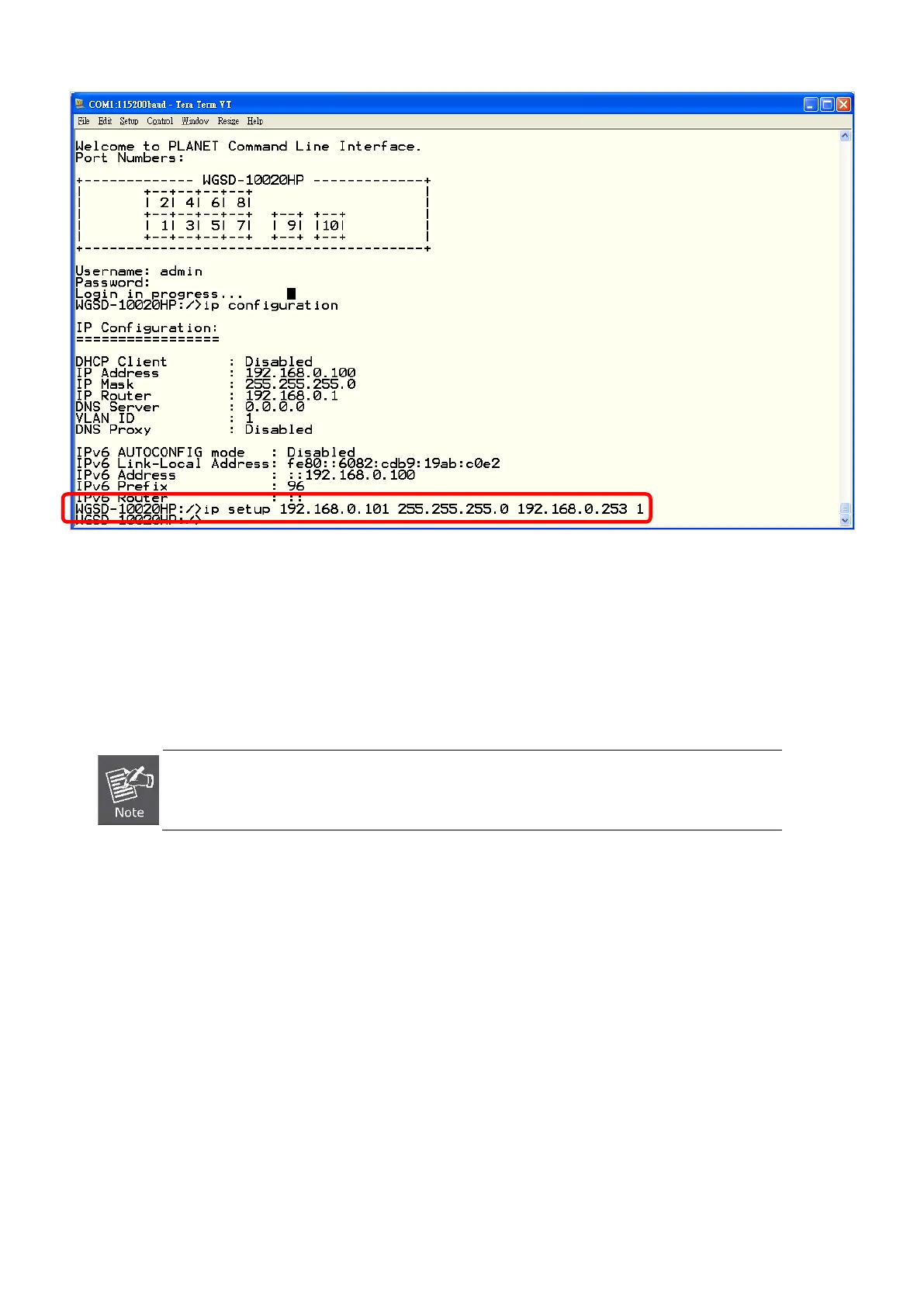
Figure 5-3 Set IP address screen
4. Repeat Step 1 to check if the IP address is changed.
If the IP address is successfully configured, the Managed Switch will apply the new IP address setting immediately. You can
access the Web interface of Managed Switch through the new IP address.
If you do not familiar with console command or the related parameter, enter “help” anytime in
console to get the help description.
You can change these settings, if desired, after you log on. This management method is often preferred because you can
remain connected and monitor the system during system reboots. Also, certain error messages are sent to the serial port,
regardless of the interface through which the associated action was initiated. A Macintosh or PC attachment can use any
terminal-emulation program for connecting to the terminal serial port. A workstation attachment under UNIX can use an emulator
such as TIP


 To Next Page
 Loading...











