User’s Manual of WGSW-28040 / 28040P
154
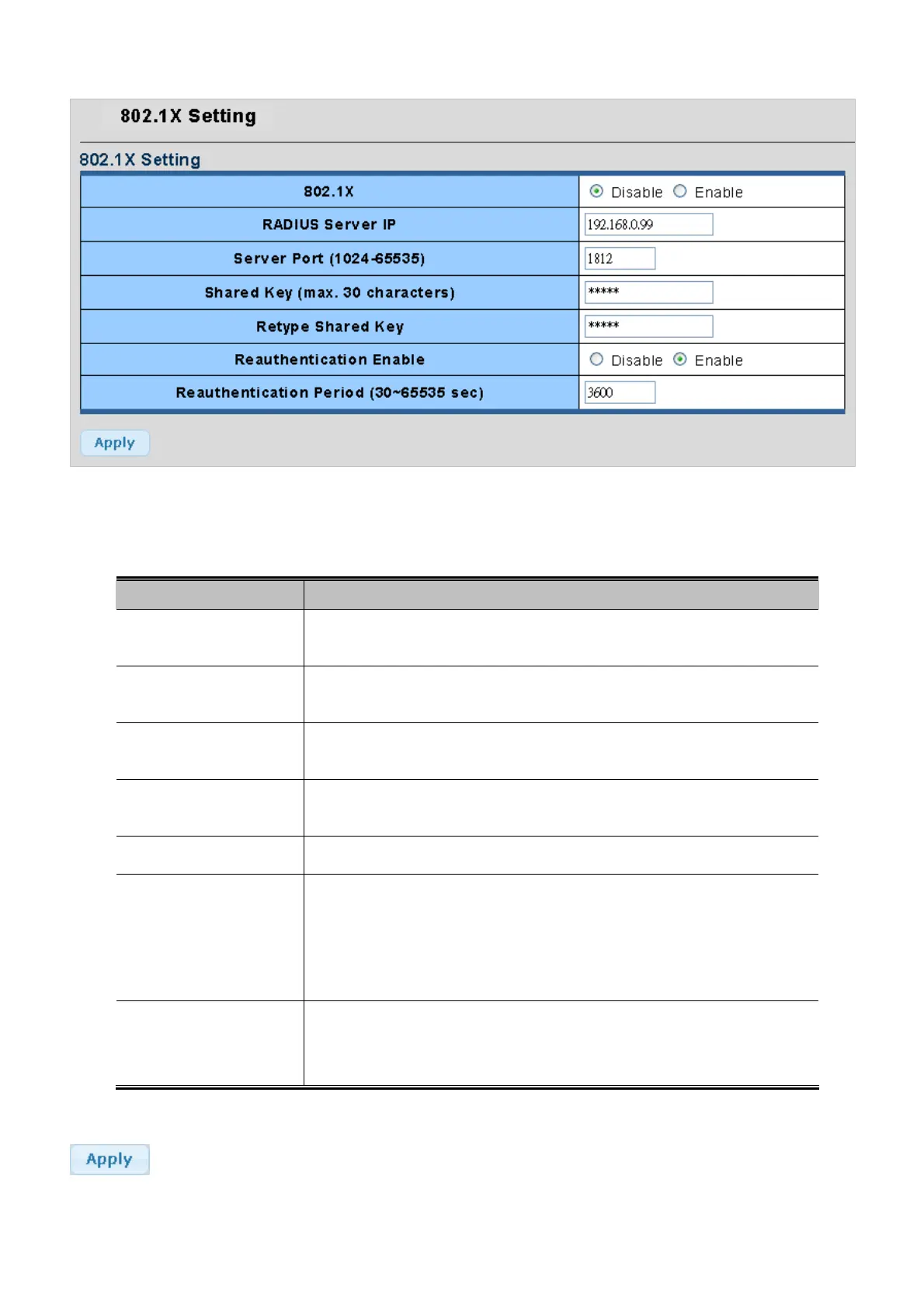
Figure 4-9-9 802.1X Setting page screenshot
The page includes the following fields:
Object Description
• 802.1X
Indicates if NAS is globally enabled or disabled on the switch. If globally disabled,
all ports are allowed forwarding of frames.
• RADIUS Server IP
The IP address or hostname of the RADIUS Authentication Server. IP address is
expressed in dotted decimal notation.
• Server Port
(1024-65535)
The UDP port to use on the RADIUS Authentication Serv
er
. If the port is set to 0
(zero), the default port (1812) is used on the RADIUS Authentication Server.
• Shared Key
• (max. 30 characters)
The shared key - up to 30 characters long - shared between the RADIUS
Authentication Server and the switch.
• Retype Shared Key
Please enter the shared key here again to confirm.
• Reauthentication State
If checked, successfully authenticated supplicants/clients are reauthenticated
after the interval specified by the Reauthentication Period. Reauthentication for
802.1X-enabled ports can be used to detect if a new device is plugged into a
switch port or if a supplicant is no longer attached.
• Reauthentication
Period (30~65535 sec)
Determines the period, in seconds, after which a connected client must be
reauthenticated. This is only active if the Reauthentication Enabled checkbox is
checked. Valid values are in the range 30 to 65535 seconds.
Buttons
: Click to apply changes.



 To Next Page
 Loading...











