User’s Manual of WGSW-28040 / 28040P
52
4.2.7.2 Remote Syslog
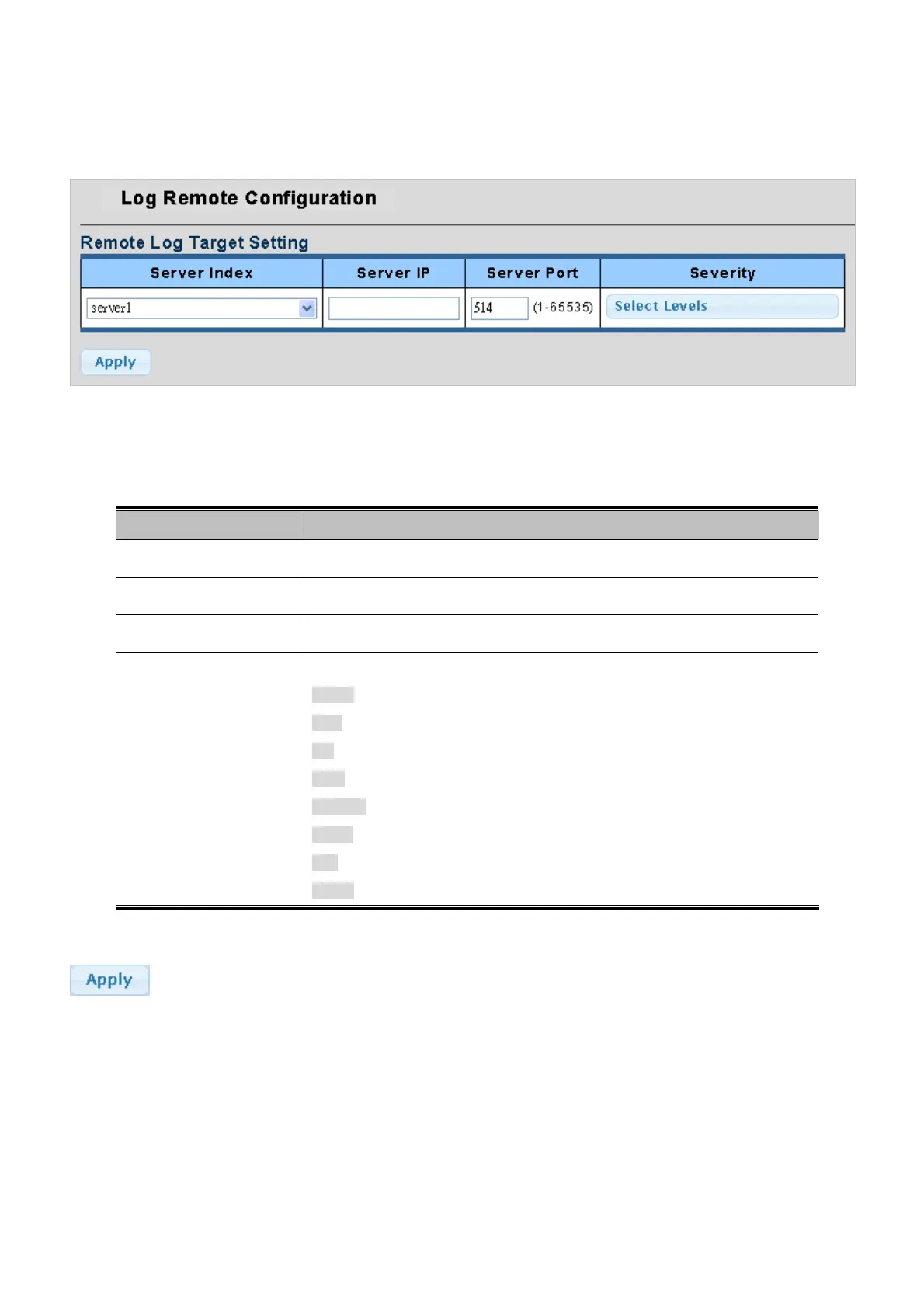
Configure remote syslog on this page. The Remote Syslog screen in Figure 4-2-14 & Figure 4-2-15 appears.
Figure 4-2-14 Remote Log Target page screenshot
The page includes the following fields:
Object Description
• Server Index
Select remote syslog server number for this drop down list.
• Server IP
Provide the remote syslog IP address of this switch.
• Server Port
Provide the port nimber of remote syslog server.
• Severity
The severity of the local log entry. The following severity types are supported:
emerg: Emergency level of the system unsable for local log.
alert: Alert level of the immediate action needed for local log.
crit: Critical level of the critical conditions for local log.
error: Error level of the error conditions for local log.
warning: Warning level of the warning conditions for local log.
notice: Notice level of the normal but significant conditions for local log.
info: Informational level of the informational messages for local log.
debug: Debug level of the debugging messages for local log.
Buttons
: Click to apply changes.



 To Next Page
 Loading...











