Chapter 1-First Time Installation and Configuration
Polycom, Inc. 1-7
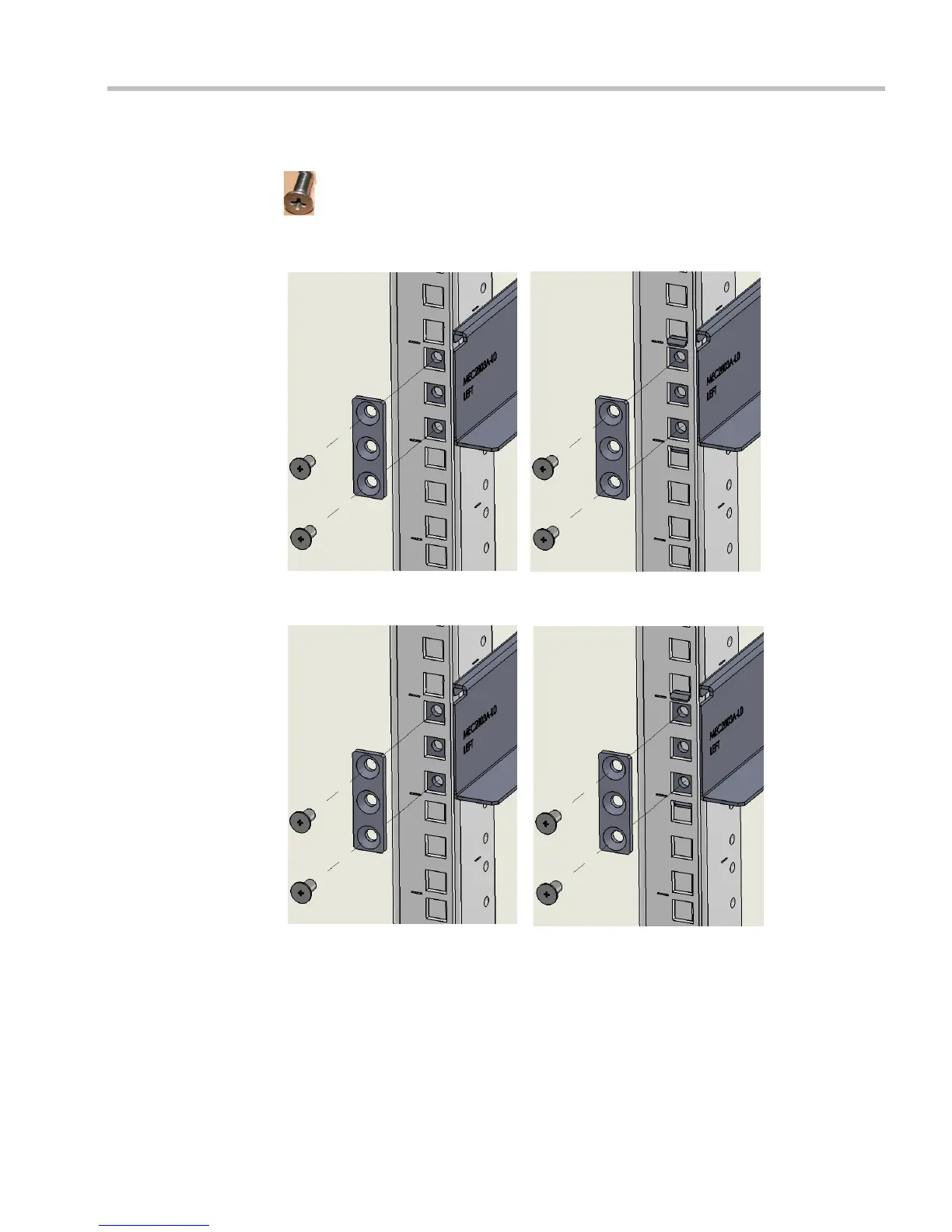
2 Position the Rack Spacer (item no. 3) onto the marked rack post together with left rack
rail runner (item no. 1 which is labeled LEFT) and fasten the flat head screws 3*10mm
(item no. 4) as shown in Figure 1-2.
RMX 1500 rack assembly view
without rail runner clip
RMX 1500 rack assembly view
with rail runner clip
RMX 4000 rack assembly view
without rail runner clip
RMX 4000 rack assembly view
with rail runner clip














 To Next Page