Polycom RealPresence Collaboration Server (RMX)1500/2000/4000 Deployment Guide for Maximum Security Environments
1-8 Polycom, Inc.
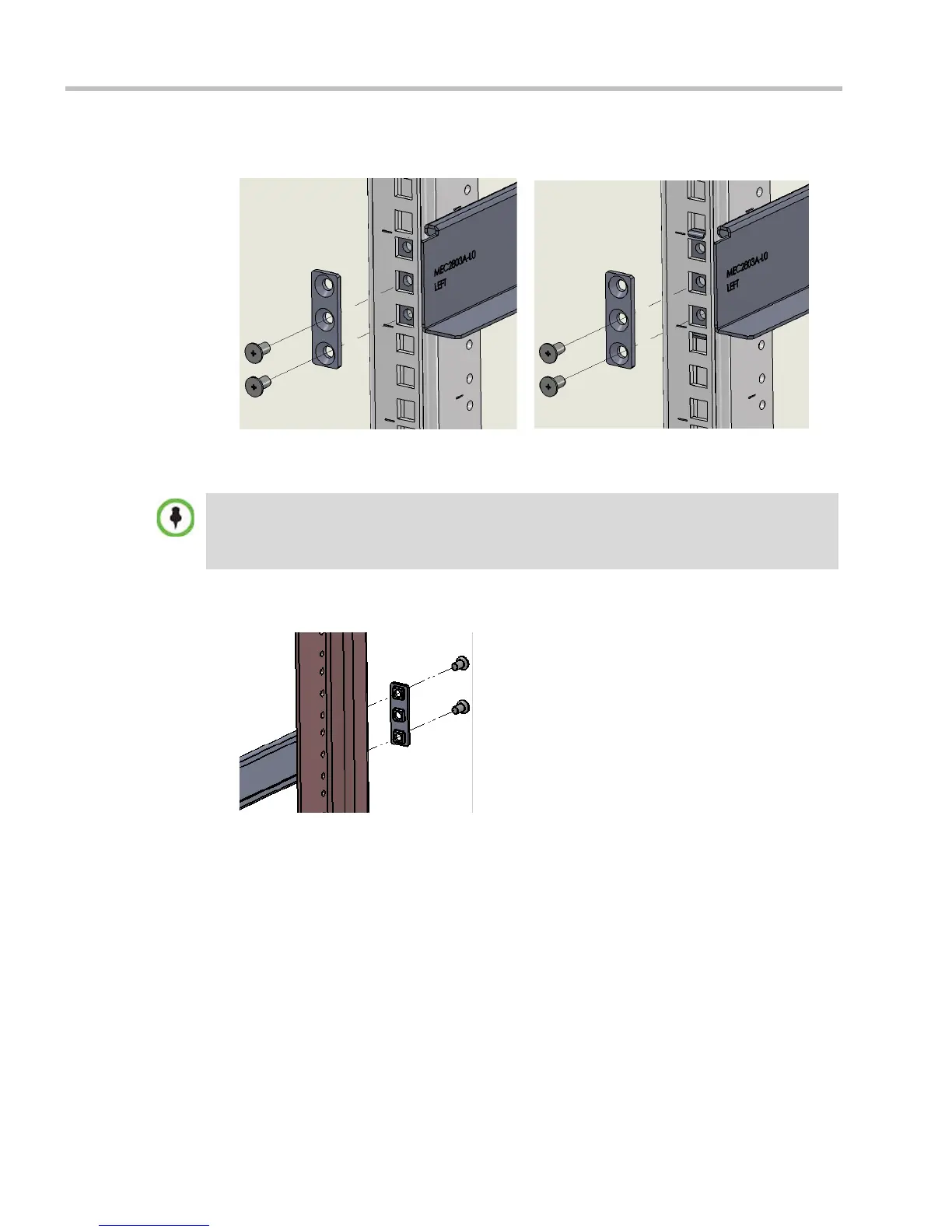
Figure 1-2 Detail of Front Rack Spacer Assembly (left rail runner is shown here) for all RMX
types
3 Adjust the telescopic rack rail runner to the rack opening and mount it onto the marked
position of the rear post as described in step 2.
Figure 1-3 Detail of Rear RMX 1500/2000/4000 Rack Spacer Assembly
RMX 2000 rack assembly view
without rail runner clip
RMX 2000 rack assembly view
with rail runner clip
• On the RMX1500/4000 the center hole on the Rack Spacer must be left clear as it is required for
fixing the RMX to the rack post. See Figure 1-2.
• On the RealPresence Collaboration Server (RMX) 2000 the top hole on the Rack Spacer must
be left clear as it is required for fixing the RMX to the rack post. See Figure 1-2.














 To Next Page