Polycom RealPresence Collaboration Server (RMX)1500/2000/4000 Deployment Guide for Maximum Security Environments
4-12 Polycom, Inc.
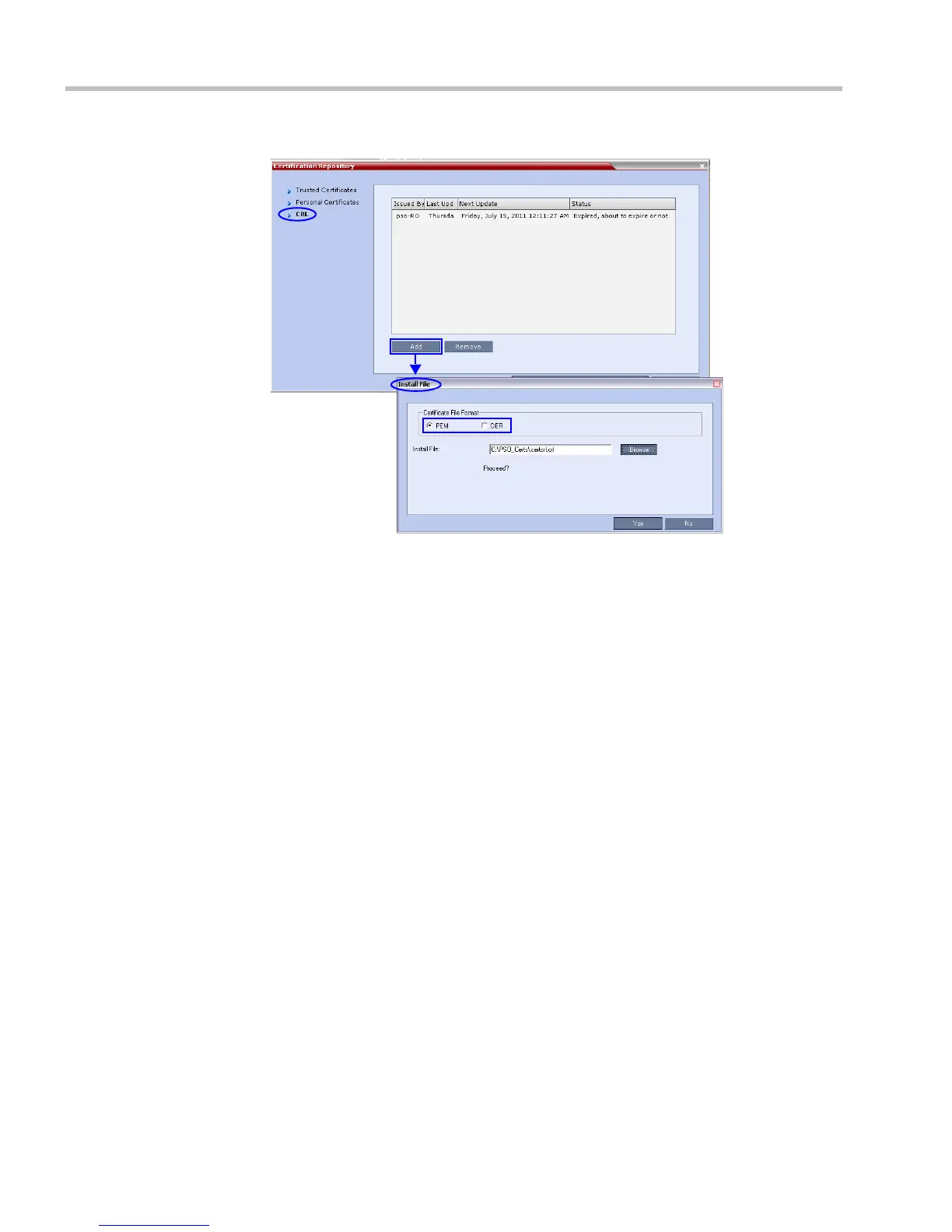
b Click Add.
c In the Install File dialog box, select the DER or PEM format depending on which
file format was chosen in Step 1 of this procedure.
d Click the Browse button to navigate to the folder on the workstation where you
saved the CRL files in Step 1 of this procedure.
e Select the CRL file that you want to upload.
f Click Yes to proceed.
The system checks the CRL file and displays a message that the certificate was
loaded successfully.
g Repeat Steps d through f until all of the required CRL files has been updated.
Step 5: Update the repository.
When all the CRL files have been updated as described in Step 4:
a Click Update Repository.
A repository update confirmation message is displayed.
b Click OK to update the repository.
Step 6: Re-connect to the RMX.
a Remove the USB device that was connected in Step 2a.
b Restart the RMX.
c In the RMX Management pane, click the Hardware Monitor button.














 To Next Page