Chapter 5-Deploying a Polycom RMX™ Serial Gateway S4GW
Polycom, Inc. 5-7
12 Click the Security tab.
a Select Independent.
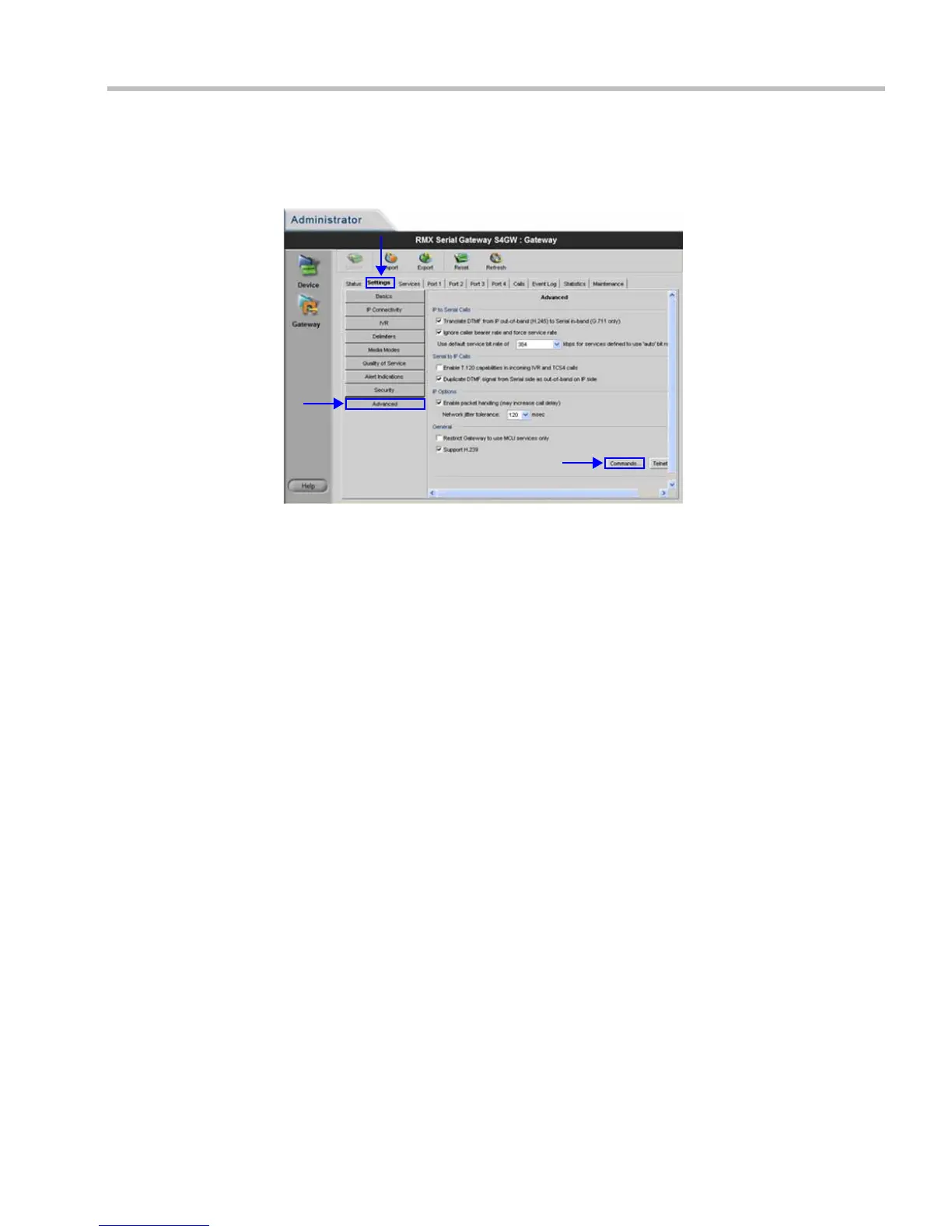
13 Click the Advanced tab.
a Verify the following settings:
• IP to Serial calls:
- Translate DTMF from IP... Selected.
- Ignore caller bearer... Selected.
- Use default service bit rate of 384 kbps ...
• Serial to IP calls:Table 5-3
- Enable T.120 capabilities ... Un-selected.
- Duplicate DTMF signal ... Selected.
• IP Options:
- Enable packet handling... Selected.
- Network jitter tolerance... 120 msec.
• General:
- Restrict Gateway to use ... Un-selected.
- Support H.239 Selected.
14 Click the Commands button.
a Enter the advanced commands as set out in Table 5-2 on page 5-14.
b Set command embeddedMode to Enable
c Set command IsdnCapsTimeout to 15
d Set command h239OlcPatch to Enable
15 For each port in use un-check IVR.














 To Next Page