Polycom RealPresence Collaboration Server (RMX)1500/2000/4000 Deployment Guide for Maximum Security Environments
1-34 Polycom, Inc.
10 Click the Next button.
The IP Network Service is created and confirmed.
11 Click OK.
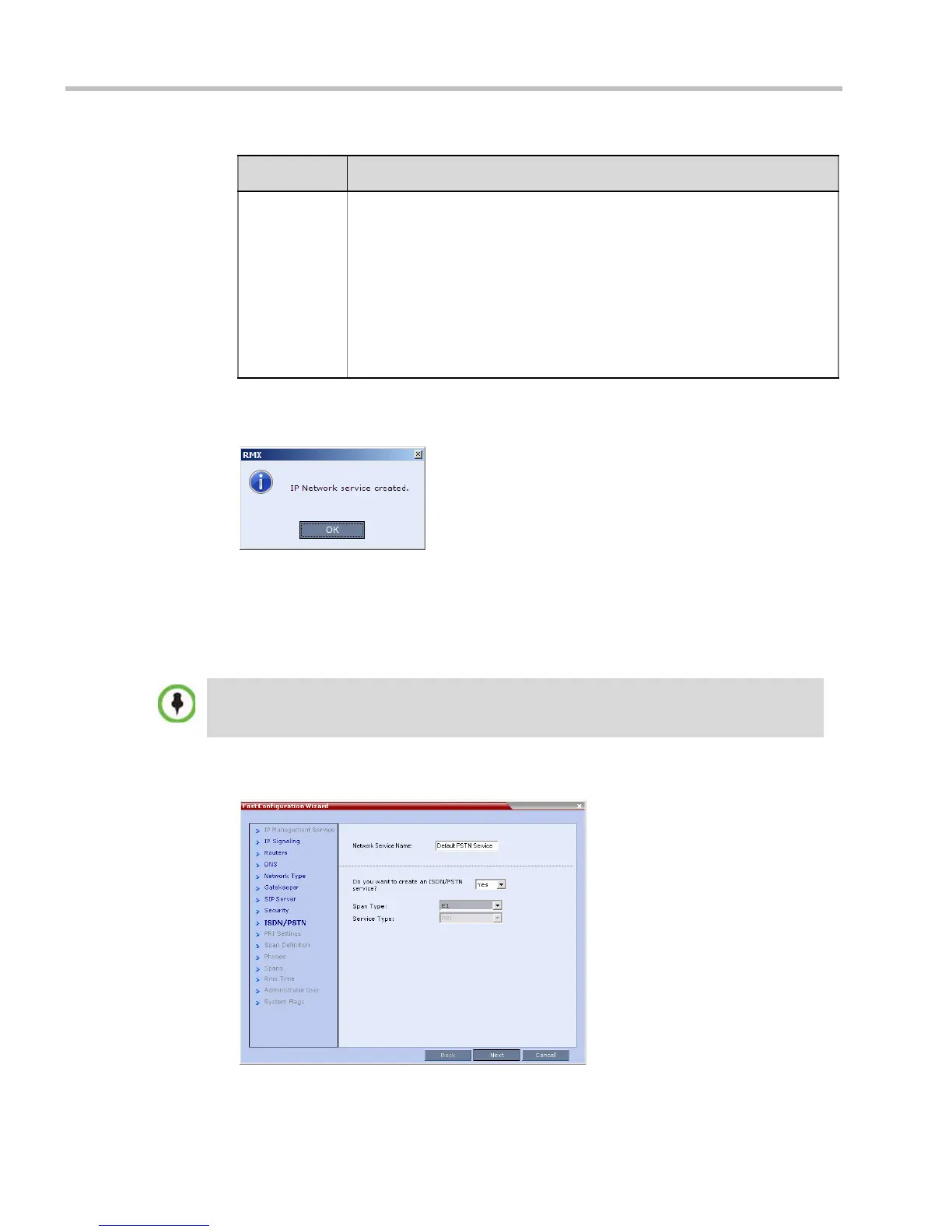
During the initial RMX setup, if the system detects the presence of the RTM ISDN card, the
ISDN /PSTN Network Service definition screens of the Fast Configuration Wizard are enabled.
If there is no RTM ISDN card in the RMX or if you do not want to define an ISDN/PSTN
Network Service, go to Step 26.
The Fast Configuration Wizard’s ISDN/PSTN configuration sequence begins with the
ISDN/PSTN dialog box:
Type The type defines the format in which the card’s alias is sent to the
gatekeeper. Each alias can be of a different type:
• H.323 ID (alphanumeric ID)
• E.164 (digits 0-9, * and #)
• Email ID (email address format,
e.g. abc@example.com)
• Participant Number (digits 0-9, * and #)
Note: Although all types are supported, the type of alias to be used depends
on the gatekeeper’s capabilities.
Table 1-8 Signaling Network Service – Gatekeeper Parameters (Continued)
Field Description
• The RMX does not support ISDN connections using restricted line rates (56k B channels).
• A new ISDN/PSTN Network Service can be defined even if no RTM ISDN card is installed in
the system but only via the ISDN/PSTN Network Service ->Add New Service dialog box.














 To Next Page