3. Installation and setup ABL800 FLEX Operator's Manual
Communications, Continued
LIS/HIS
Connection
Setup
(continued)
Step Action
2.
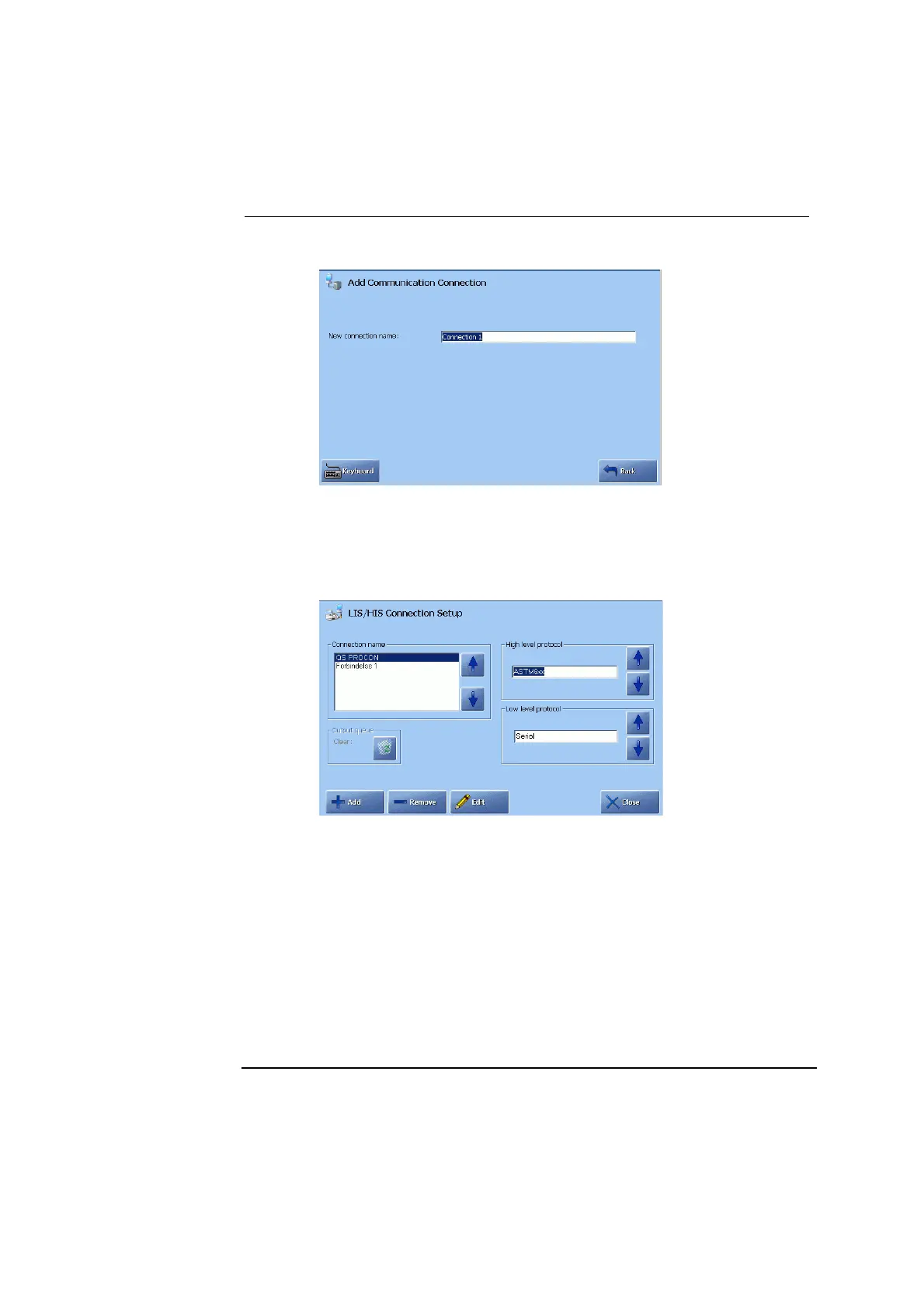
Press Keyboard, type the name of the connection instead of the default
one, and press Enter.
Press Back to return to LIS/HIS Connection Setup screen.
3.
Select the high-level protocol according to the requirements of the
connected device.
Select between: ASTM, ASTM6xx, HL7 version 2.2, HL7 version 2.5
or POCT1-A DML, using the up/down arrows in the box.
4.
Select the low-level protocol as follows:
− Use “Serial” or “Serial (RAW)” for the serial connection.
− Use “Network (TCP/IP)” for the network connection.
− Use “Network (TCP/IP)ASTM" for additional serial connection (not
all combinations of high-level protocols and low-level protocols are
possible).
Continued on next page
3-70



 To Next Page