Auxiliary Software
CS210 Rev. B4 Feb 2015 101
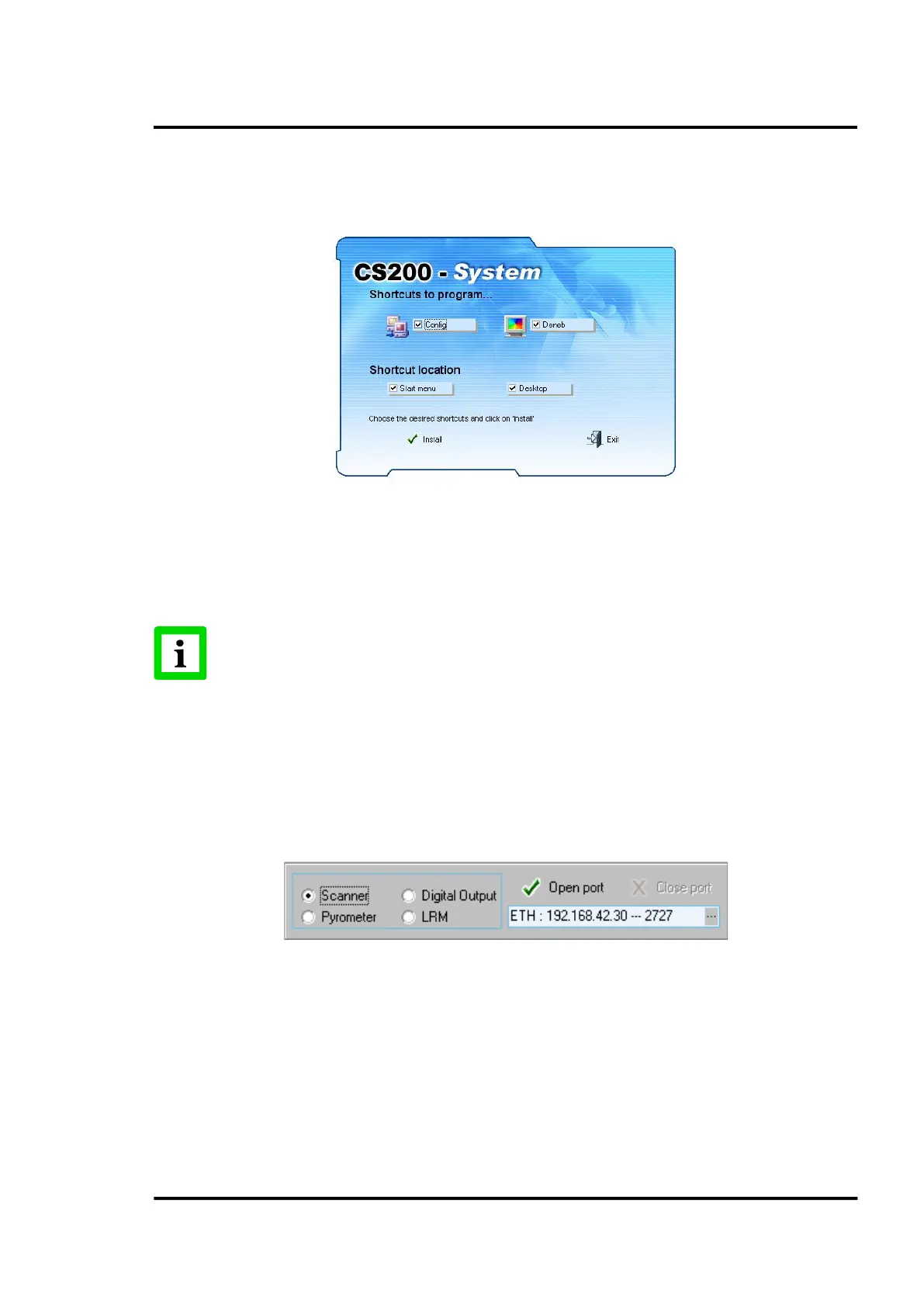
Enter the shared folder <DataTemp CS> on the server PC (PC with running CS software) from that
client PC. Once there, run the <Icons> program, which will create the shortcuts for network access
automatically.
Figure 94: Window of the Icons program
11.3 Device Testing Programme: PComm
In order to verify the device connections to the PC, use the <PComm> auxiliary program. To run it,
you must click on the program executable which can be found in the CS installation folder.
Make sure that the <Readscan> application is stopped b
efore launching the <PComm>
programm!
11.3.1 <Check operation> Window
Under <Main> you can find the <Check operation> menu showing the communication parameters for
all possible serial devices.
To verify the device connection to the PC, select the device to be connected, the port and the baud rate
for the connection.
Figure 95: Options detail
Once the options have been selected, click on the <Open port> button.
11.3.1.1 Scanner
If the selected device is a scanner and its options have been correctly configured, the system will start the
connection to the device. If the connection wouldn’t go through, an error message will be displayed.
The vertical bar on the right-hand side of the thermal image (see red arrow) shows the on/off status of the
kiln trigger.



 To Next Page