Operation
CS210 Rev. B4 Feb 2015 61
Figure 59: Main screen: <Log> Tab
7.2 CS Runtime Software: Deneb
To run Deneb you must click on its icon, located on the desktop or in the program group CS.
7.2.1 <Main> <Real time>
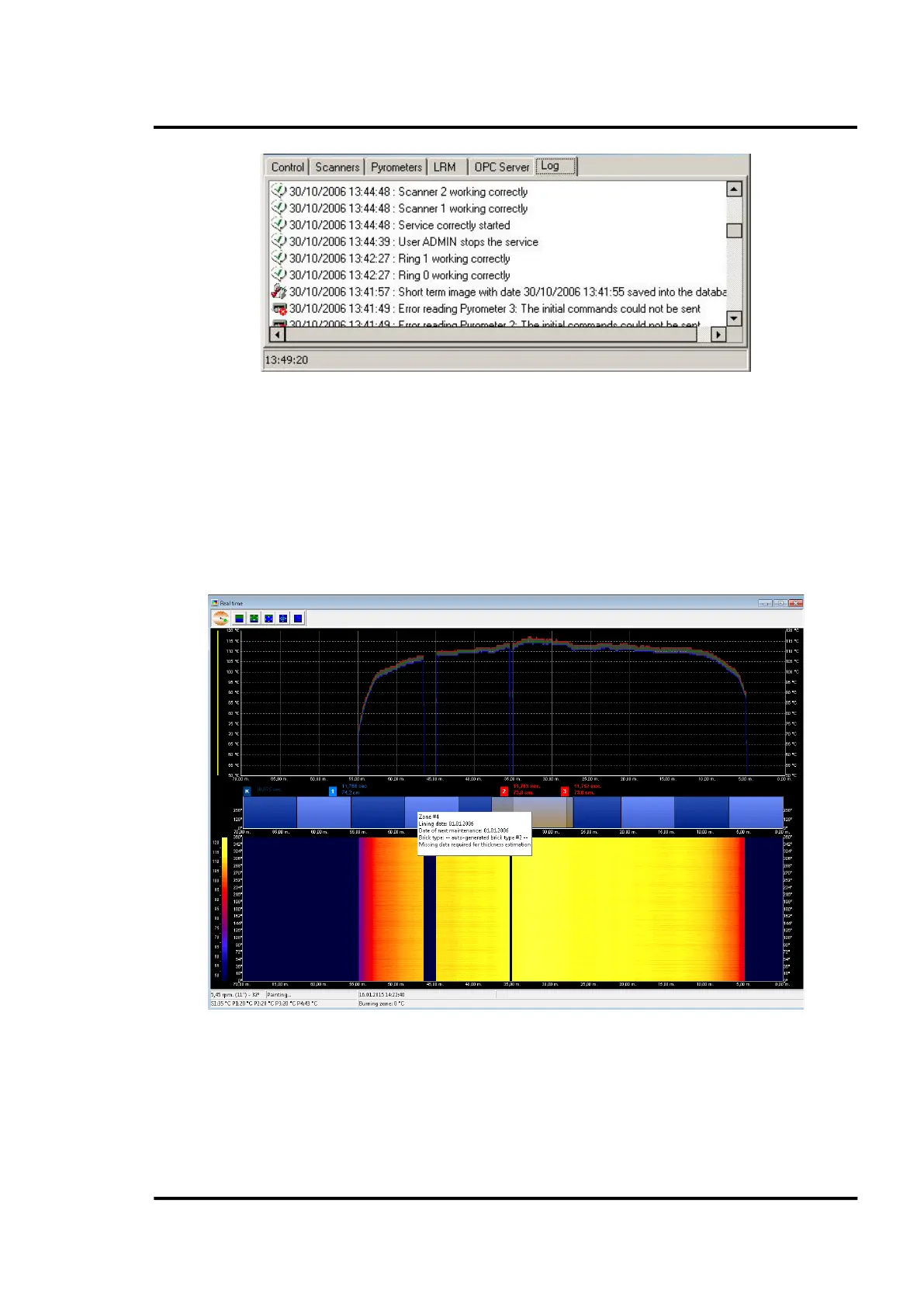
This screen shows the temperature status of the kiln’s surface in real time. There are the following
main components to this screen: temperature chart, refractory zones, thermogram and lower status
bar.
Figure 60: Real time screen
The temperature chart is located in the upper screen area. This chart provides a plot of the kiln surface
temperature with three data sets representing maximum, minimum and average temperatures at each
data point along the length of the kiln. Overlaid on this image are the user-defined alarm zones (with
maximum limits). Highlighted in red color would be those alarm areas where there is any active alarm
caused by too hot temperatures.



 To Next Page