Auxiliary Software
96 Rev. B4 Feb 2015 CS210
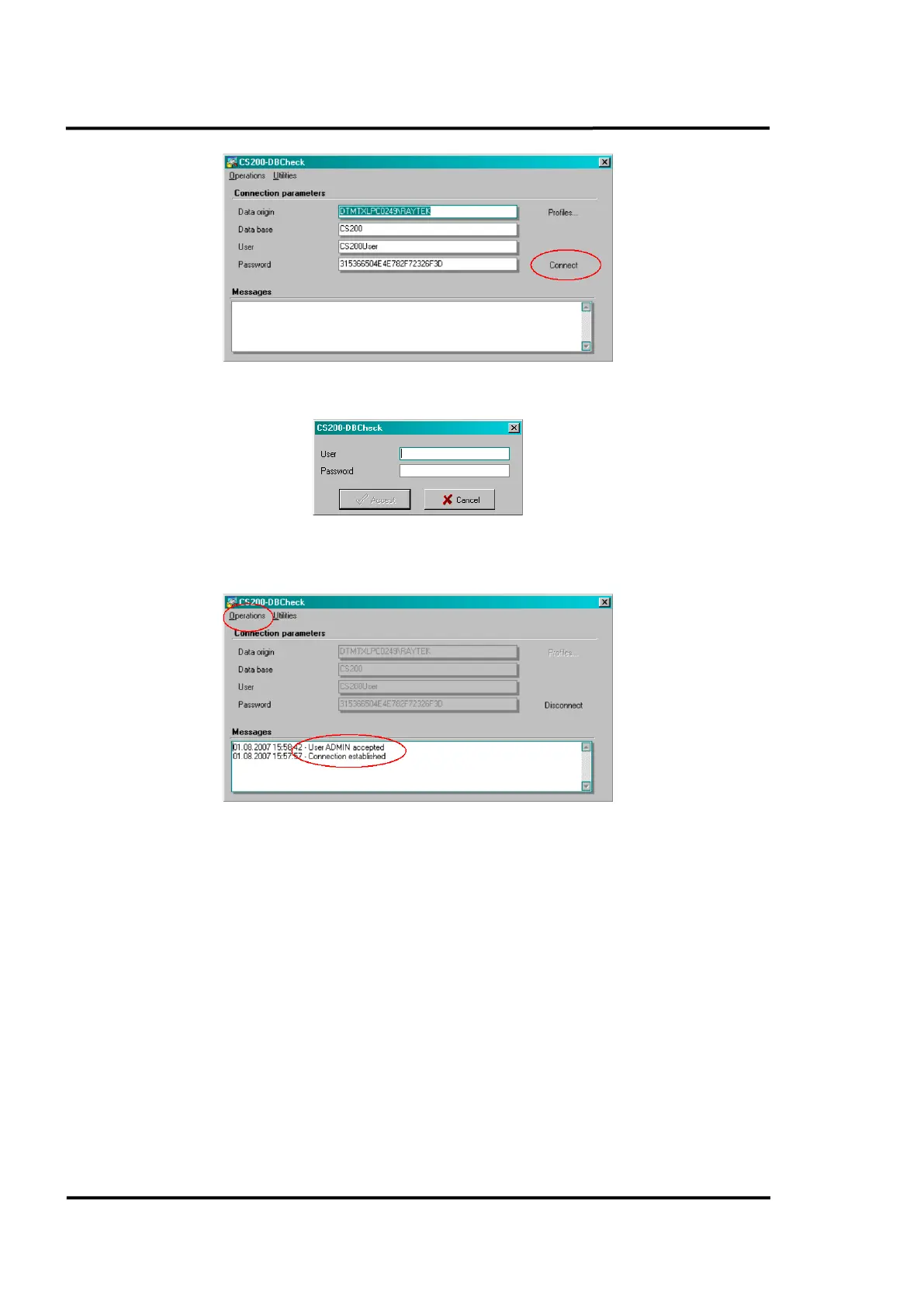
Click on <Connect>
Once you insert a valid user name and password, you will get the following screen. Under the
<Messages> view make sure that connection has been established to the database.
11.1.3 Migrating pre-existing CS100 data
You can migrate pre-existing CS100 data to the newer system.
Go to <Operations> and select <Migrate old version>. The following screen appears. Under <Old
CS100 Deneb.ini> you have to browse until you find the CS100 configuration file to be migrated.
Under <Origin MDB-File> you have to select the old CS100 database. Additionally, you can select
which information to migrate: <Settings> (refractory zones and alarms, scanner’s position, …) and/or
<Temperatures> (saved images subsequent to the date shown).
Click on <Migrate> button to start the migration process. Depending on the amount of data to be
migrated, the migration process could take twenty or thirty minutes or more.



 To Next Page