Configuration
28 Rev. B4 Feb 2015 CS210
Once these 3 boxes are correctly filled, the user will proceed to a new screen and select the different
menu options.
When ReadScan is active, any changes made in the configuration settings won’t be
effe
ctive until ReadScan restarts automatically later. For more information on this topic
see section 7.1.1 <Control> Tab, page 58.
6.2.1 <General options>
6.2.1.1 <General settings> Tab
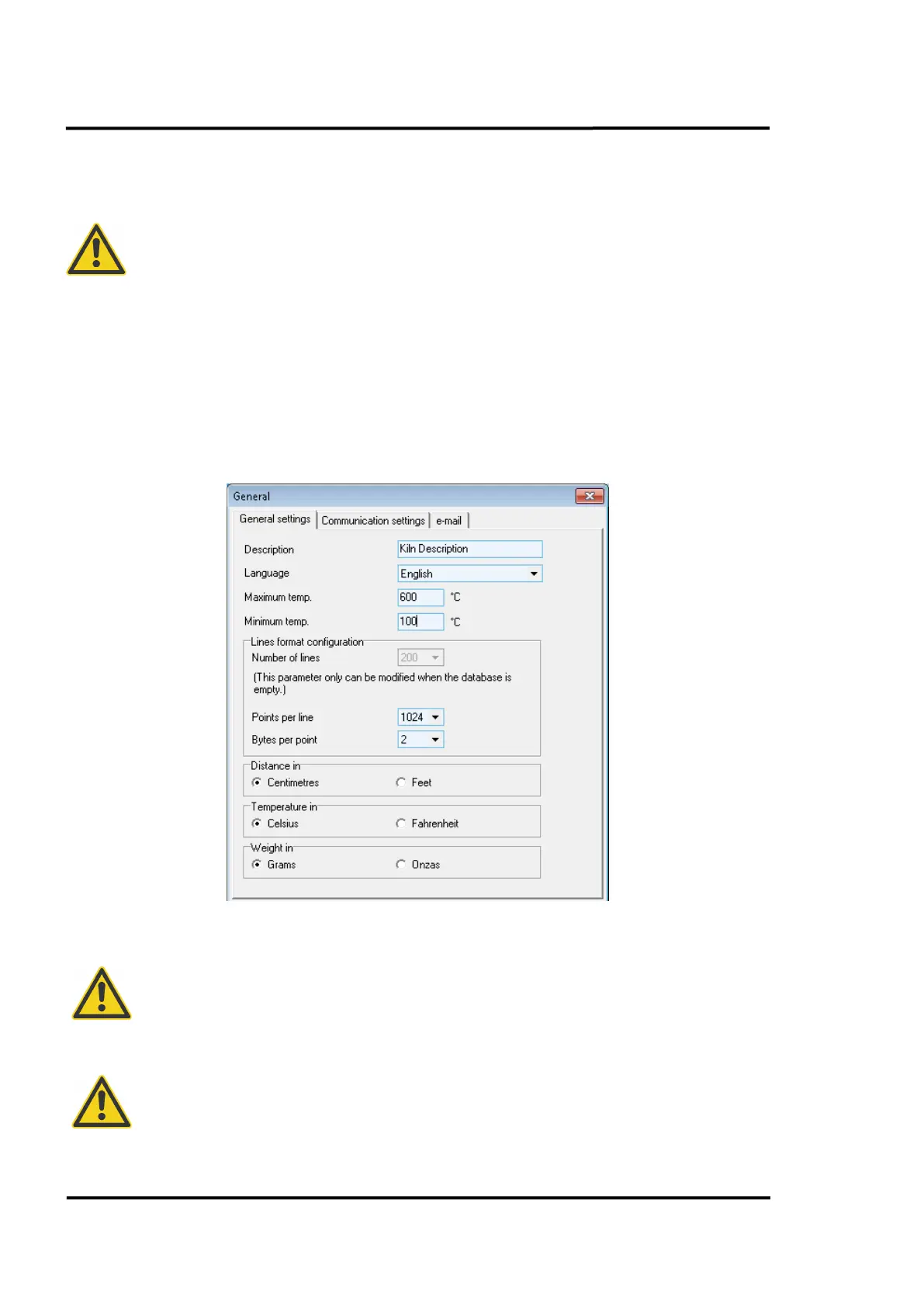
This tab allows the user to configure the general aspects of the system, such as description, language,
maximum and minimum temperature to be seen from Deneb, the amount of lines formed per
thermogram and metric or imperial units. In standard installations the scanner communicates via
Ethernet, there are no speed restrictions to consider.
Figure 15: General options: <General Settings> Tab
It is strongly recommended to select the req
uested physical units (distance and
temperature) before all others changes!
The configured scanner data format <points per line> applies to all scanners and
database backups. The data format (256 pixel / 512 pixel / 1024 pixel, 1 byte / 2 byte and
100 /
200 lines) must not be mixed. The same resolution is used for every scanner
connected and all database backups loaded into the system!



 To Next Page