Configuration
32 Rev. B4 Feb 2015 CS210
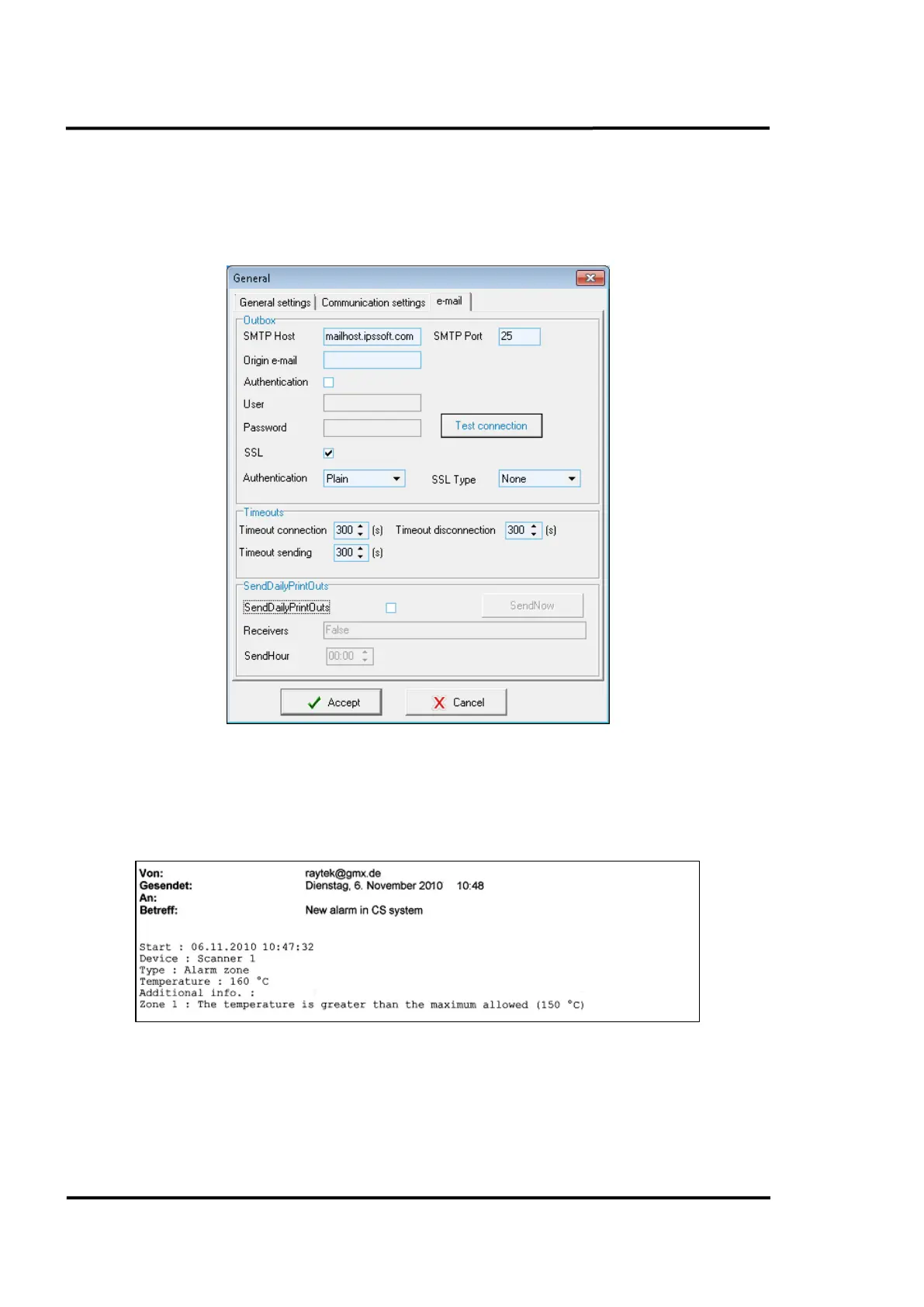
6.2.1.3 <e-mail> Tab
This tab lets you define the properties of the outgoing mail server to be used by the system. A typical
setting for the SMTP port is 25.
For your correct Email settings, ask your network administrator.
Figure 18: General options: <Mail setup> Tab – Configuring Outgoing Emails
To configure the email address for the recipient see section 6.2.14.2.1 <General> Tab, page 53.
To configure an email be sent in the event of an alarm see section 6.2.14.2.3 <Others> Tab, page 55,
under <Readscan>.
Figure 19: Example for an Outgoing Alarm Email



 To Next Page