Auxiliary Software
CS210 Rev. B4 Feb 2015 105
11.4 Refractory Management
The Refractory Management helps customers using rotating kilns make a decision on when to change
the refractory of the kiln. The Refractory Management Module is based on an enhanced data
management system that can monitor the installed brick, including gathering, storing and analyzing
all necessary data to indicate refractory wear during use.
11.4.1 Configuration
To configure the Refractory Management, start the configuration tool <CS Config>, select <Settings>
from the main menu and activate the <Refractory> entry. In the following sections, each of the
submenu entry is described.
11.4.1.1 Kiln State
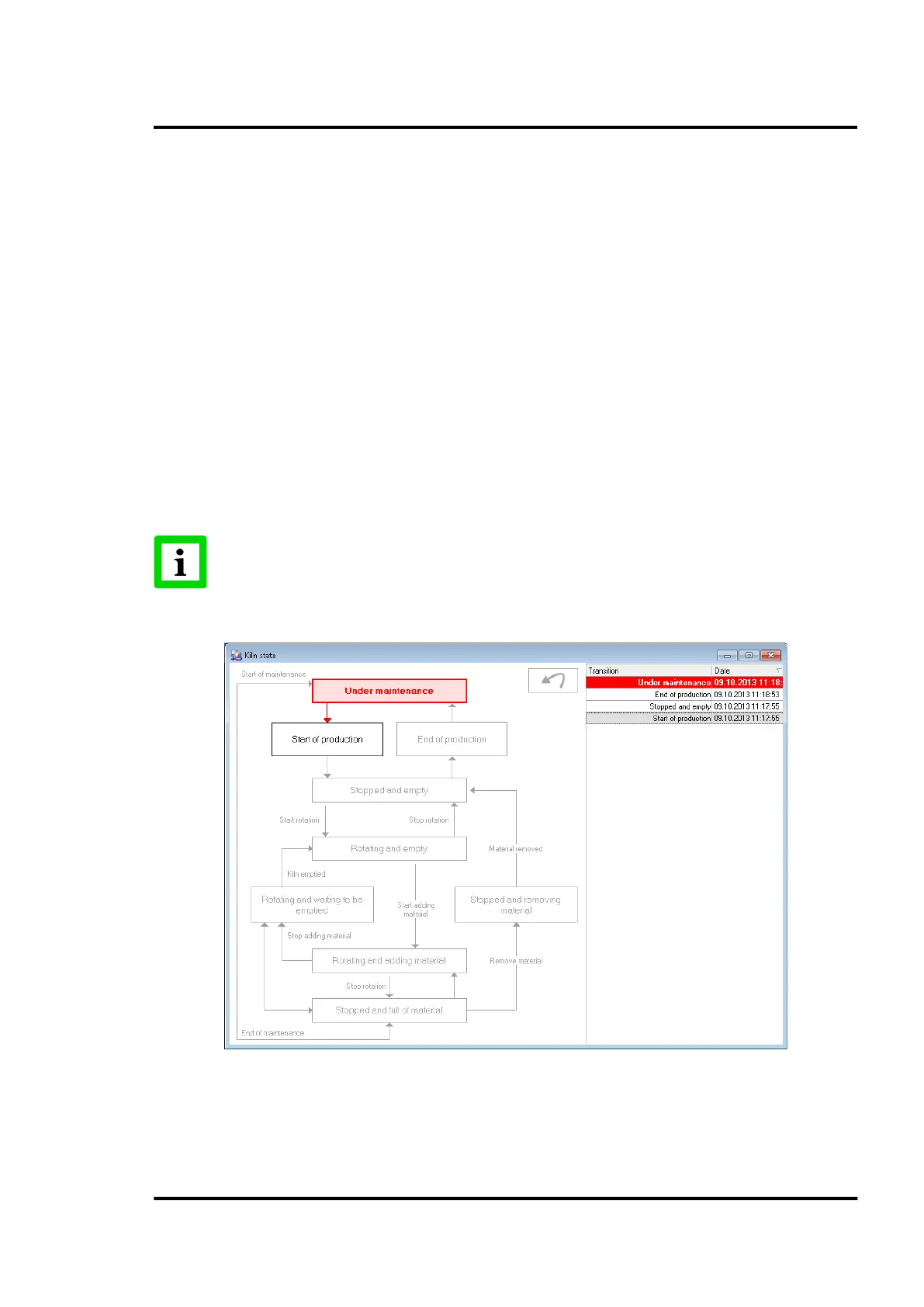
The <Kiln State> dialog allows for an easy change of the kiln state. All state changes are recorded for
reporting. The example shows a flow from start to production end. The given arrows show the
allowed state transitions. You are allowed to undo the last transition by clicking on the <Undo> button
or by a right mouse click.
The only way to modify the current refractory is by editing the active configuration.
Be sure that the kiln is in the <Under maintenance> state. This is the only kiln state
where the refractory configuration can be modified!
Figure 100: Kiln State Chart
Once you finish with a new configuration and everything is ready for a new production, you can click
on the <Start production> state in the kiln state chart. The system will automatically apply the
refractory operations in the database. If you go to the Refractory Management, you will see in the



 To Next Page