Auxiliary Software
98 Rev. B4 Feb 2015 CS210
It is always highly recommended to revise every imported parameter using CS Config!
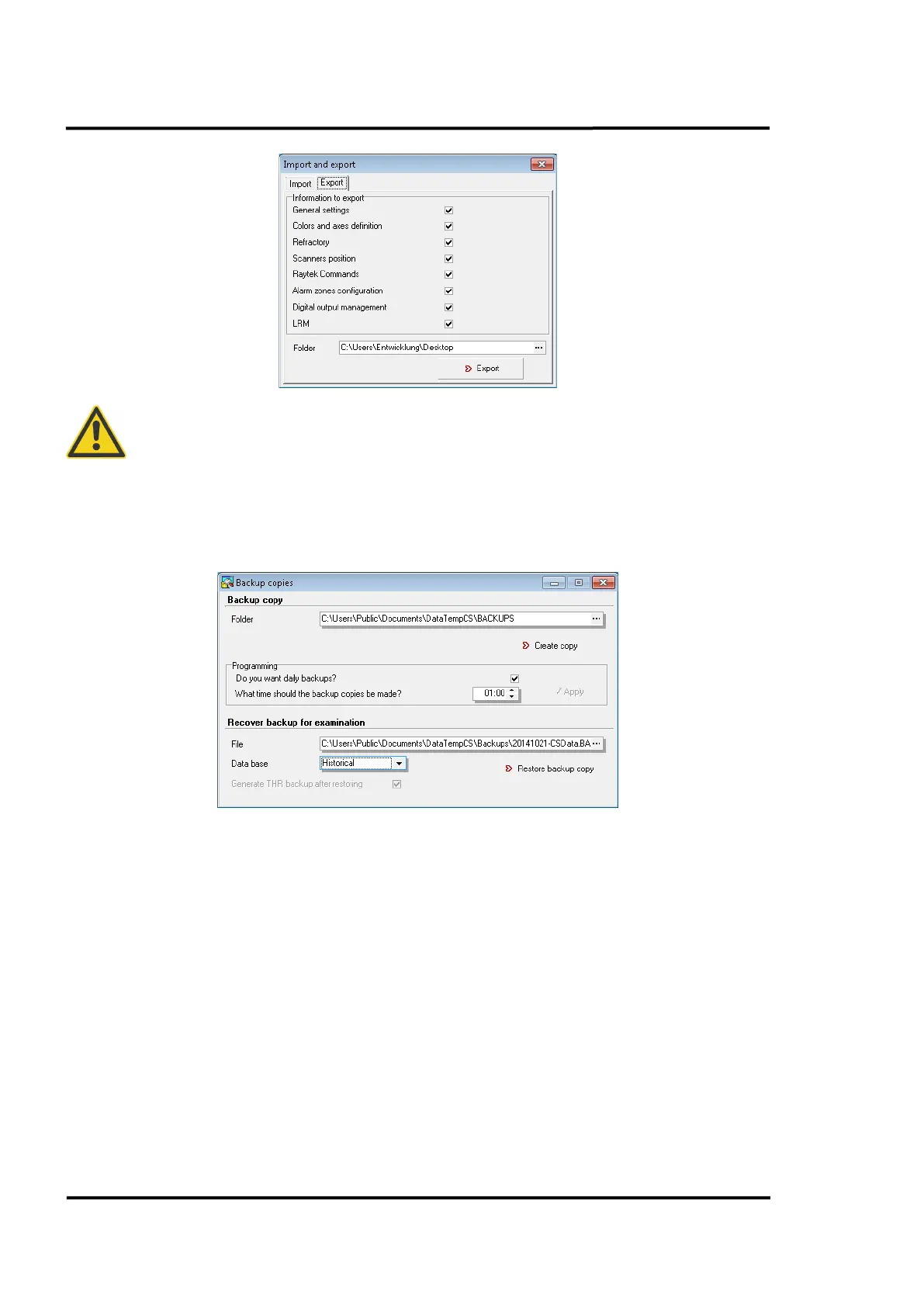
11.1.5 Creating a backup file
Go to <Operations> and select <Backup copies>.
In the <Folder> edit box, enter the path where you wish to save the backup copy of the database.
Click on the <Create copy> button to start the operation immediately which could take several
minutes. Finally you will get a *.bak file in your folder as a copy of the current CS database.
If you wish to restore a database backup copy, type the name of the file where the copy is stored in the
<File> edit box, and then click on the <Restore backup copy> button.
Automatic backup copy
To program a backup copy execution, follow the steps below:
• Activate the checkbox for making a backup copy every day
• Set the time for the execution of the automatic backup copy in <What time should the backup
copies be made>.
From this moment, a daily backup copy will be automatically created on the set time.
The folder entered for the backup copy must not be edited, removed or deleted since ReadScan must
recognize it in order to periodically access it.



 To Next Page