Operation
CS210 Rev. B4 Feb 2015 75
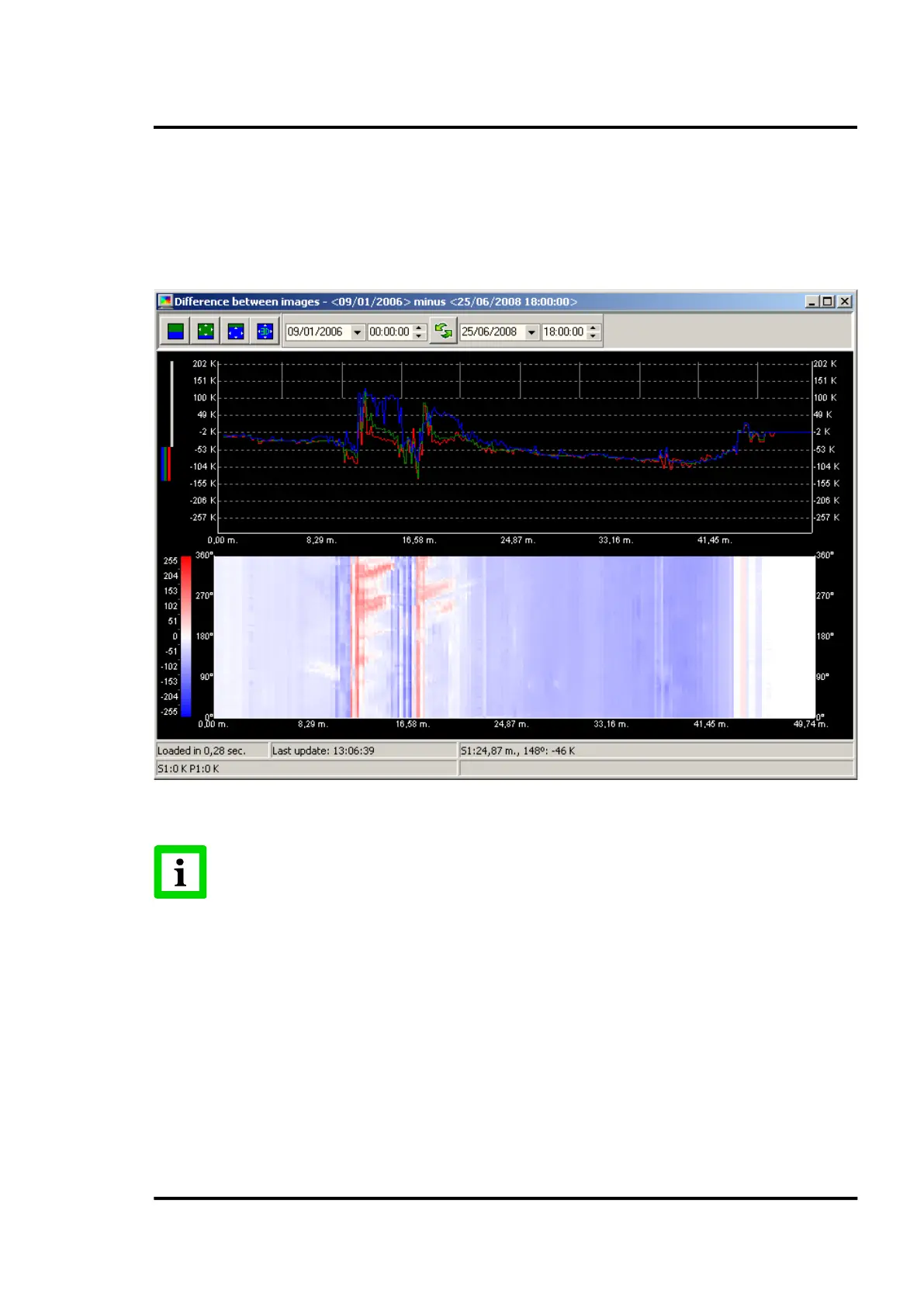
7.2.13 <Graphic> <Difference between images>
This screen permits the operator to directly compare two complete images from two unique time
periods. Simply define the start points of the two periods and click on the <Load Images> button to
display the difference image. The difference image is based on the calculated temperature difference
between image 1 and image 2 for each pixel at the same position.
Figure 78: Difference between images screen
The range of temperatures to be shown can be defined in CS Config as desc
section 6.2.2 <Colours and axes definition>!
7.2.14 <Reports>
7.2.14.1 Report Production History
Under the <Report Production History> dialog, the operator can select the desired report for the
current or past days. The output generates a summary for the considered days in regard to the
refractory zones and the kiln states.



 To Next Page