Configuration
48 Rev. B4 Feb 2015 CS210
6.2.12 <Management of Errors>
6.2.12.1 Repository of errors
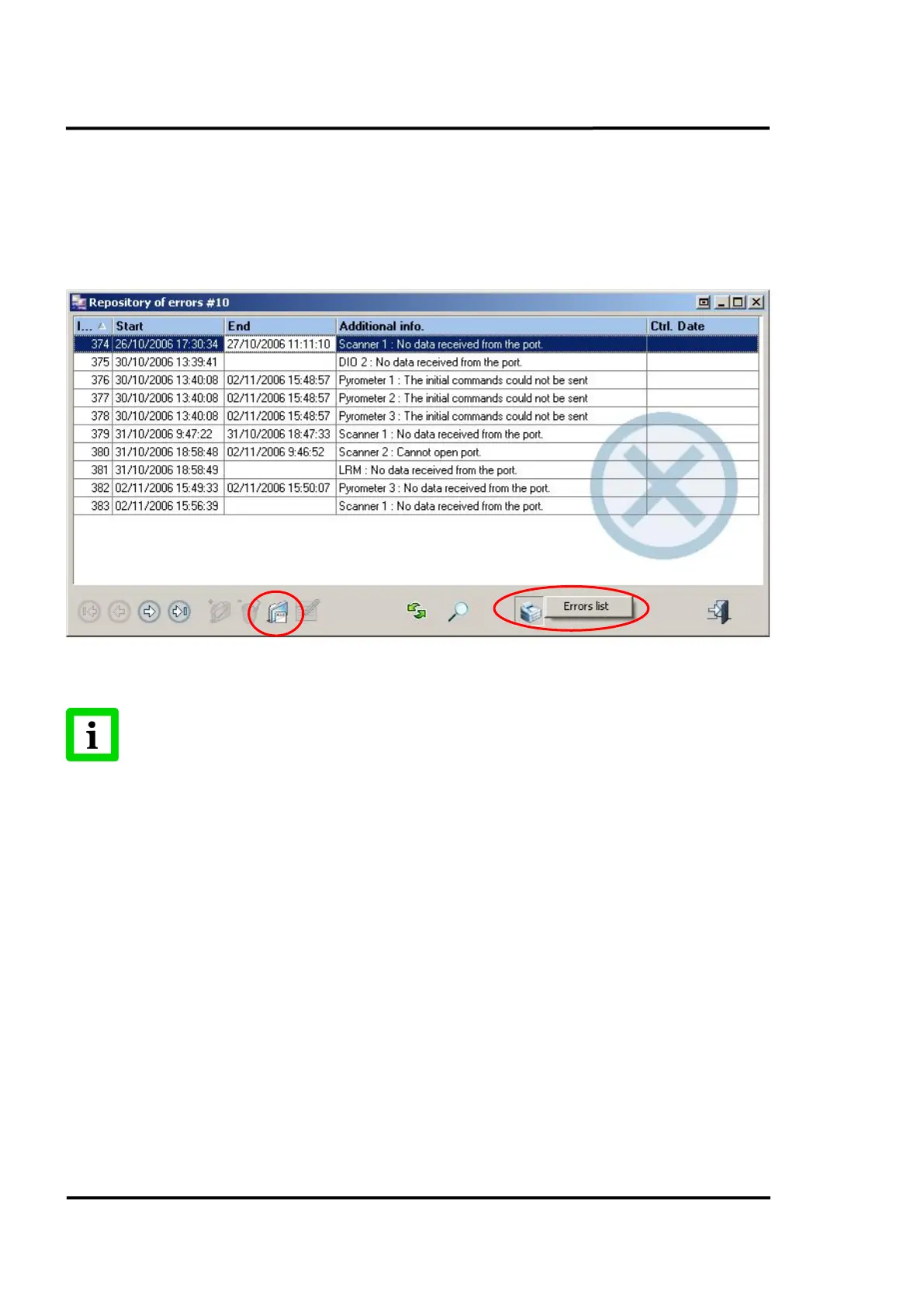
The following screen shows the errors registered in the system. From this screen, you can see details
from each error. Also try thru the option <Error list>, the one shown in the pop-up menu when
clicking on the printer icon.
Figure 41: Repository of errors
It is not possible to add, edit or delete any error from this repository. Errors are
periodically and automatically era
sed based on the settings in the Historical
Management under <Others> Tab, page 44!
6.2.12.2 Error detail
Clicking the <Look up> button in the <Repository of errors> view will launch the <Error detail> view.
In the <Error detail> view you can see all details for each single error: the period of time that the error
existed (there’s a chance that it’s still active), which device experienced the error, a brief comment
about the problem and its control status (the user, the date and the comment).



 To Next Page