ENERGY SAVER MODES
B039/B040/B043 6-72 SM
6.15 ENERGY SAVER MODES
6.15.1 OVERVIEW
When the machine is not used, the energy saver function reduces power
consumption by lowering the fusing temperature.
This machine has two types of energy saver modes:
1) Low power mode
2) Night/off mode
These modes are controlled by the following User Tools.
• Energy saver timer (Low power timer)
• Auto off timer
• Energy saver level
• Auto off disabling
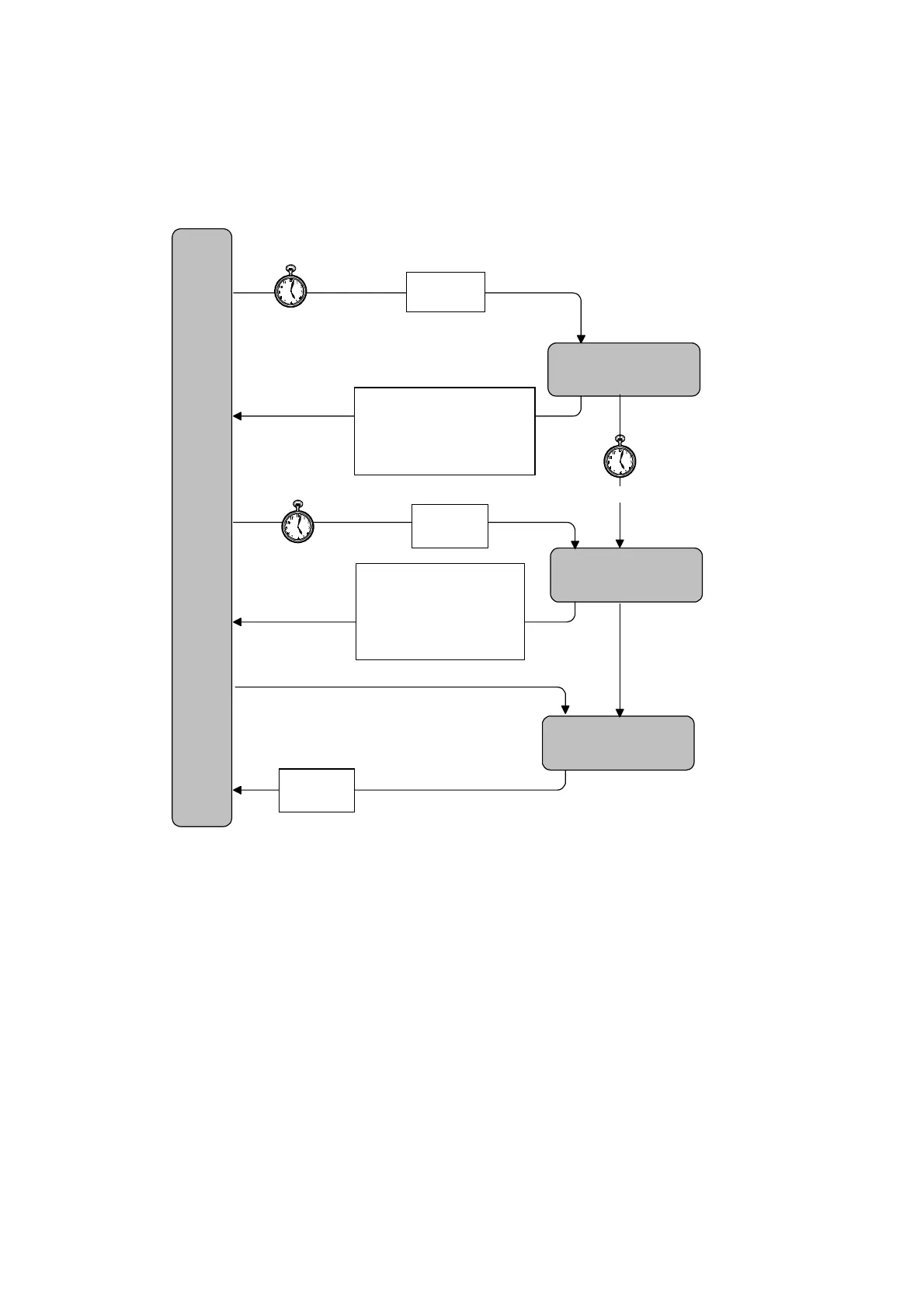
The way that the machine operates depends on the combination of equipment
installed (i.e. copier only, fax and/or printer installed).
Main Power Off
Low Power Mode
Night/Off Mode
Stand-by
Mode
Auto Off Timer
(UP: System 6)
Default: 30 min
- Main Power Switch On
If there is no fax or
printer option, the main
power switch is turned
off immediately.
- Main Power Switch Off
(Auto Off Timer) - (Energy Saver Timer)
- Energy Saver Timer
(UP: System 4)
- Default: 15 min (NA),
1 min (Others)
- Operation switch on
- Off signal from PC
- Operation switch is pressed
- An original is placed in the ADF
- The platen cover or ADF is lifted
- The machine receives a wakeup
signal from a PC (Smart Net
Monitor)
- An error or SC condition occurs
- Operation switch is pressed
- An original is placed in the
- The platen cover or ADF is lifted
- The machine receives a
signal from a PC (Smart
Monitor)
- An error or SC condition occurs
Preferential
Application
(UP2-1)
Preferential
A
lication
(UP2-1)
System Reset Timer (UP: System 3-2)
The machine returns to the
referred a
lication mode
fax
printer, copier) that was selected with UP 2-1.
Preferential
Application
(UP2-1)
B039D011.WMF



 To Next Page