Document
Feeder
B387
STAMP SOLENOID
SM 8-21 B387
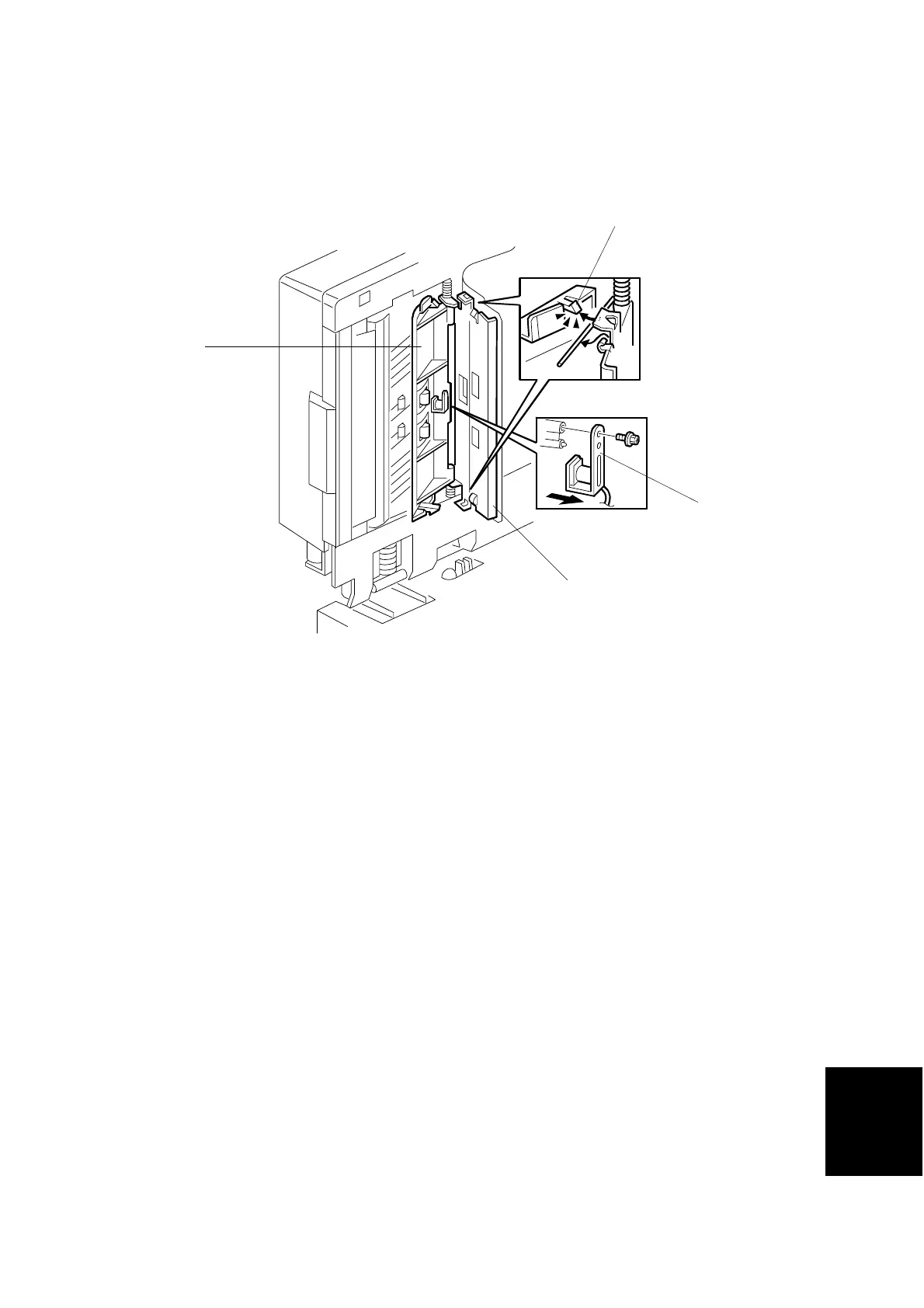
1.12 STAMP SOLENOID
1. Rear cover (☛ 3.1.1)
2. Disconnect the stamp solenoid connector.
NOTE: Pull out the small connector piece from the large connector. (The large
connector itself cannot fit through the hole in the frame.)
3. Lift the ADF upright and pull open the exit guide [A]. Release the front and rear
hooks [B] and open the cover [C].
4. Remove the stamp solenoid [D] (! x 1), and pull it out together with the wire.
B387R114.WMF
[C]
[D]
[A]
[B]



 To Next Page