PCU SECTION
B039/B040/B043 3-22 SM
3.6 PCU SECTION
3.6.1 PCU
1. Toner bottle holder (☛ 1.2.3, step 2)
2. Open the right door.
3. Press in on the latch, and pull out the PCU. (☛ 1.2.3, step 3)
NOTE: Do not touch the OPC drum surface with bare hands.
4. Load new developer. (☛ 3.6.7)
5. After reinstalling, run SP2-214 to reinitialize the TD sensor.
6. Do steps 1 to 6 of the procedure in section 3.6.8.
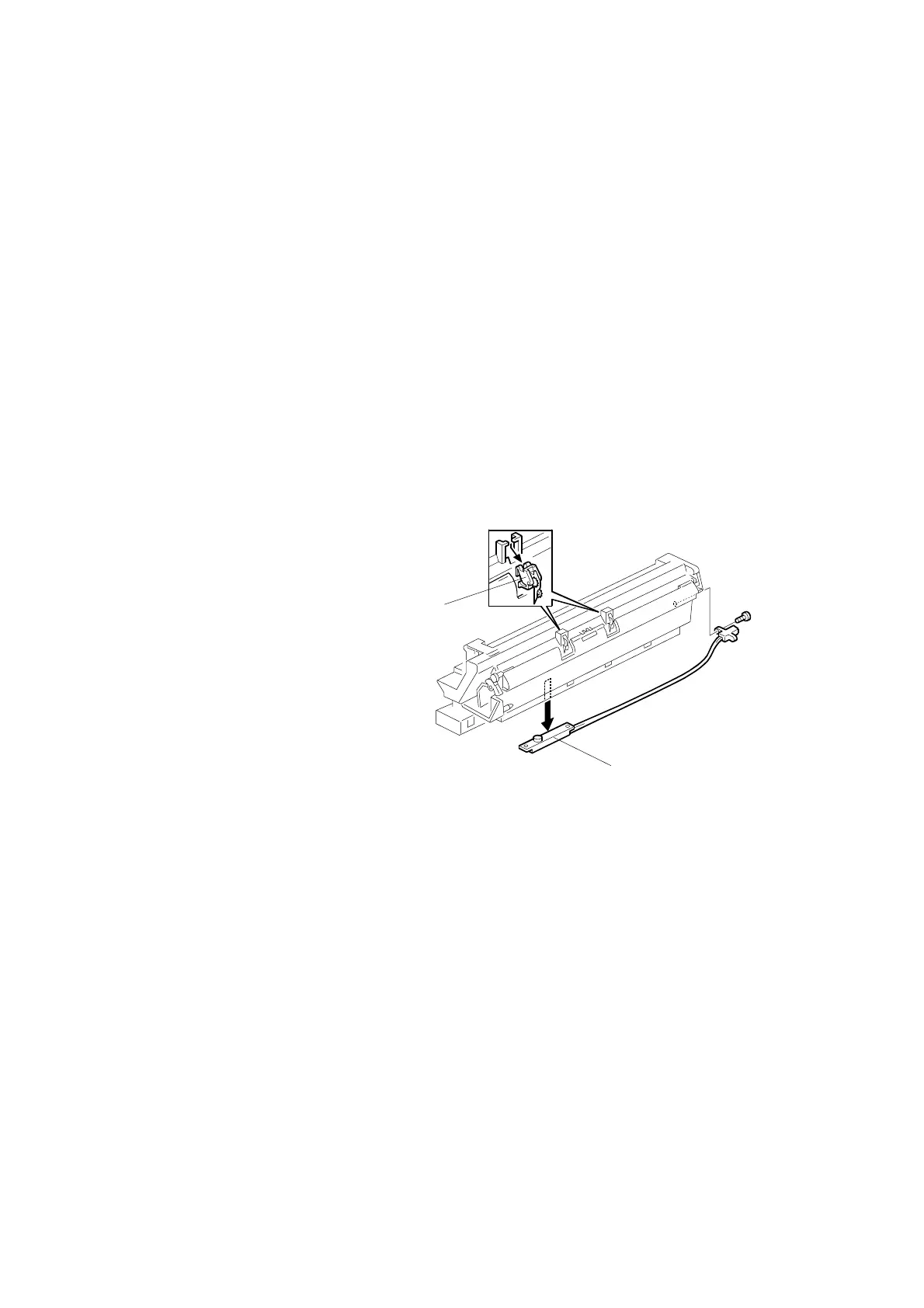
3.6.2 PICK-OFF PAWLS
1. Take out the PCU (☛ 3.6.1)
or open the right door.
2. Pull each pawl [A] out from
the bottom.
3. Do the procedure in section
3.6.8.
3.6.3 TONER DENSITY SENSOR
1. PCU (☛ 3.6.1)
2. The toner density sensor [B] is taped to the bottom of the PCU. Pry it off with a
regular screwdriver (! x 1).
NOTE: Do not turn the PCU upside down, as doing so will cause toner and
developer to spill out.
4. Do the procedure in section 3.6.8.
B039R205.WMF
[A]
[B]



 To Next Page