Installation
TWO-TRAY PAPER TRAY UNIT INSTALLATION
SM 1-13 B039/B040/B043
1.6 TWO-TRAY PAPER TRAY UNIT INSTALLATION
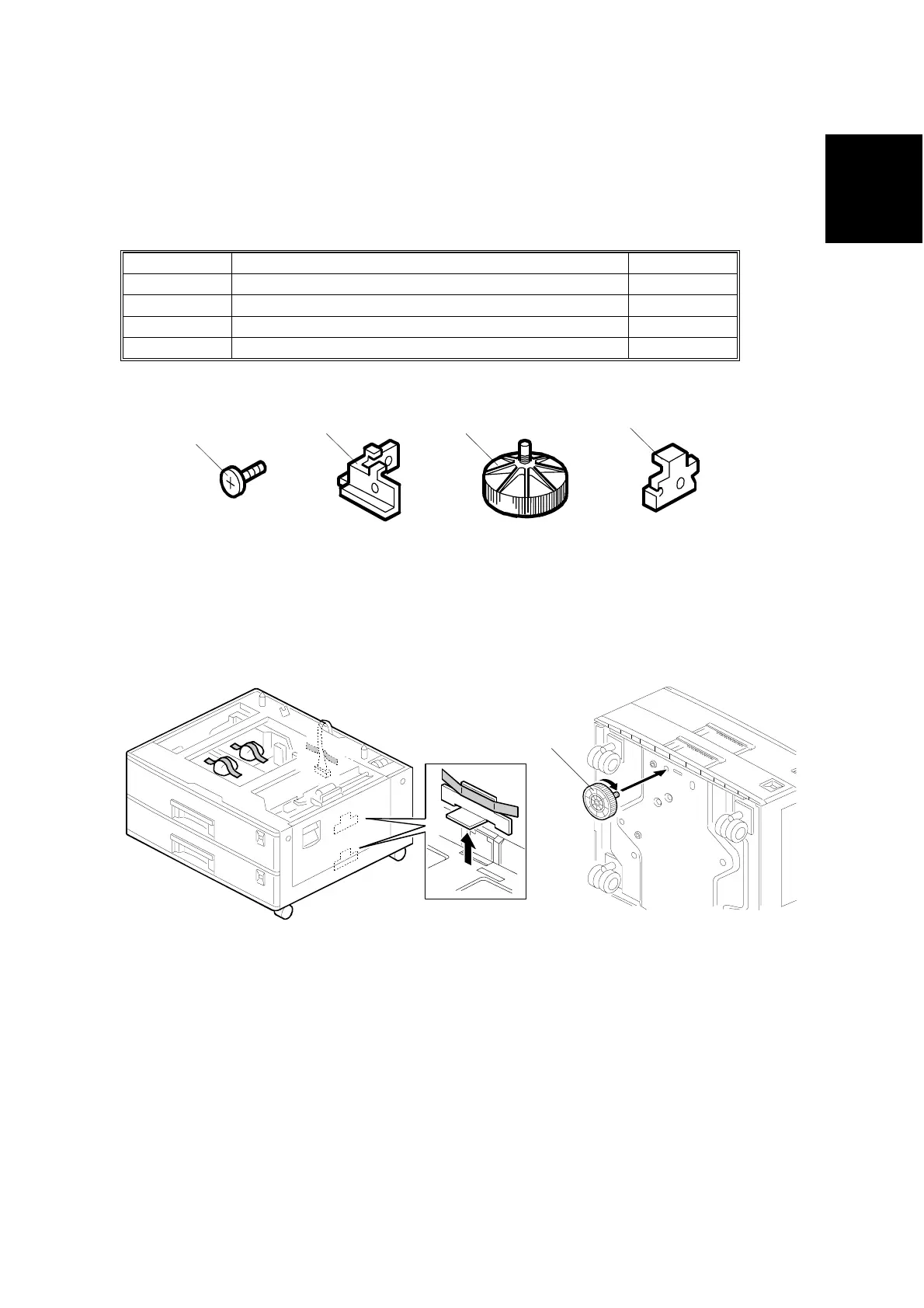
1.6.1 ACCESSORY CHECK
Check the quantity and condition of the accessories against the following list.
No. Description Q’ty
1 Screw – M4x10 10
2 Unit Holder 4
3Adjuster 1
4 Unit Holder 2
1.6.2 INSTALLATION PROCEDURE
1. Remove the strips of tape.
NOTE: After removing the tape that secures the peripheral components and
cardboard to the paper tray, make sure that there is no tape and/or
tape residue remaining on the tray.
2. Attach the adjuster [A] to the base plate, as shown.
NOTE: If a table is installed, this step is unnecessary.
B384I500.WMF
B384I001.WMF
B384I158.WMF
1
3
4
2
[A]



 To Next Page