EXTERIOR COVERS & OPERATION PANEL
B039/B040/B043 3-8 SM
3.3.13 BY-PASS TRAY
1. Rear cover (☛ 3.3.1)
2. Right rear cover (☛ 3.3.11)
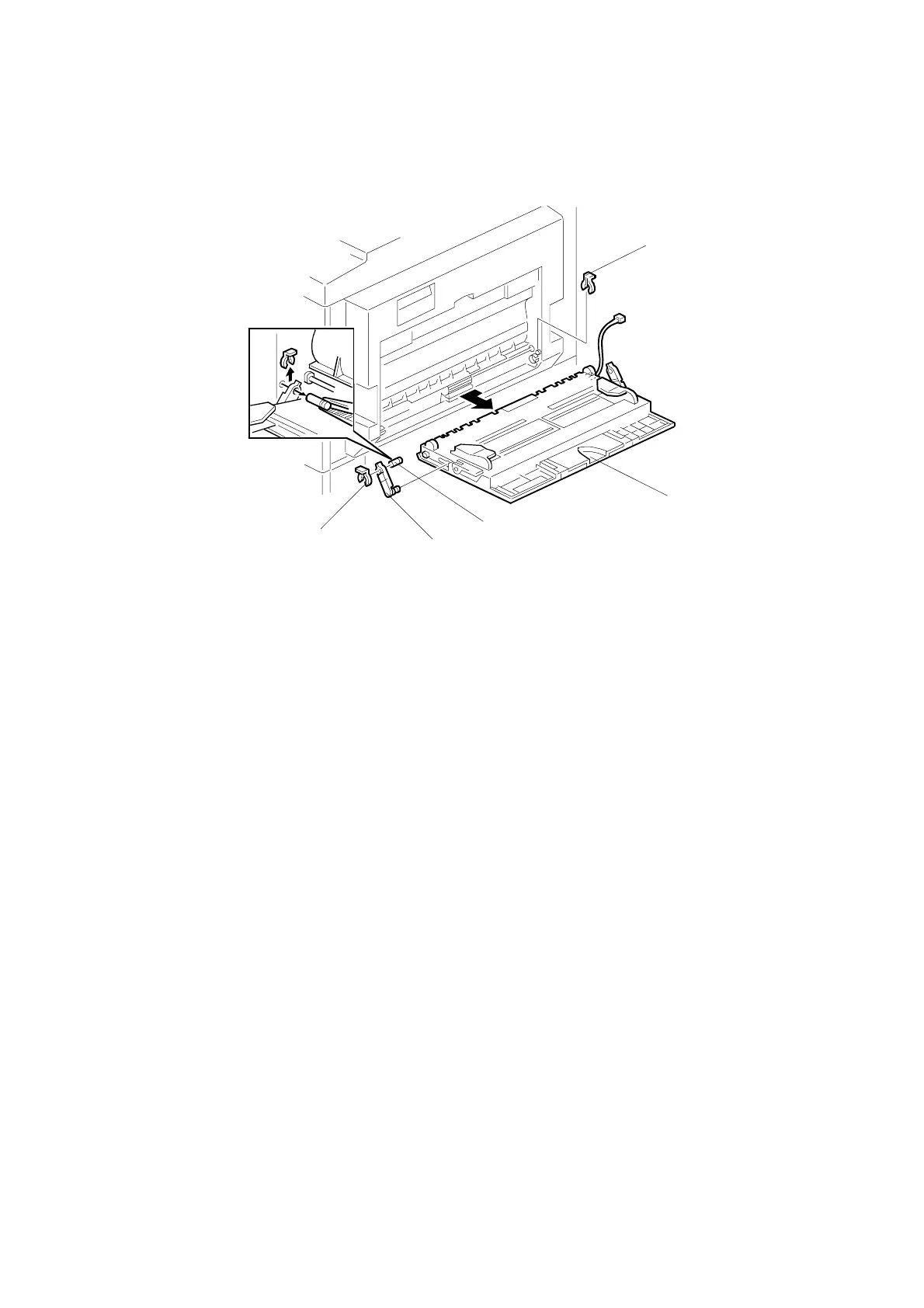
3. Open the two clamps (see [C] on preceding page) and disconnect the
connector coming from the by-pass tray (5-pin connector with colored wires).
Move the connector clear of the other wires, so that it will come out without
snagging when you take off the by-pass tray.
4. Lower the right door. (☛ 3.3.12)
5. Open the wire harness on the inside of the right door (B043 model only).
6. Close the right door again temporarily (you do not need to refasten the strap).
7. Front-side clip ring [A], front-side pin [B], front-side tray holder arm [C], and
rear-side clip ring [D]
8. By-pass tray [E]
B039R803.WMF
[C]
[A]
[E]
[D]
[B]



 To Next Page