DATA TRANSFER
B404 5-8 SM
5.2 DATA TRANSFER
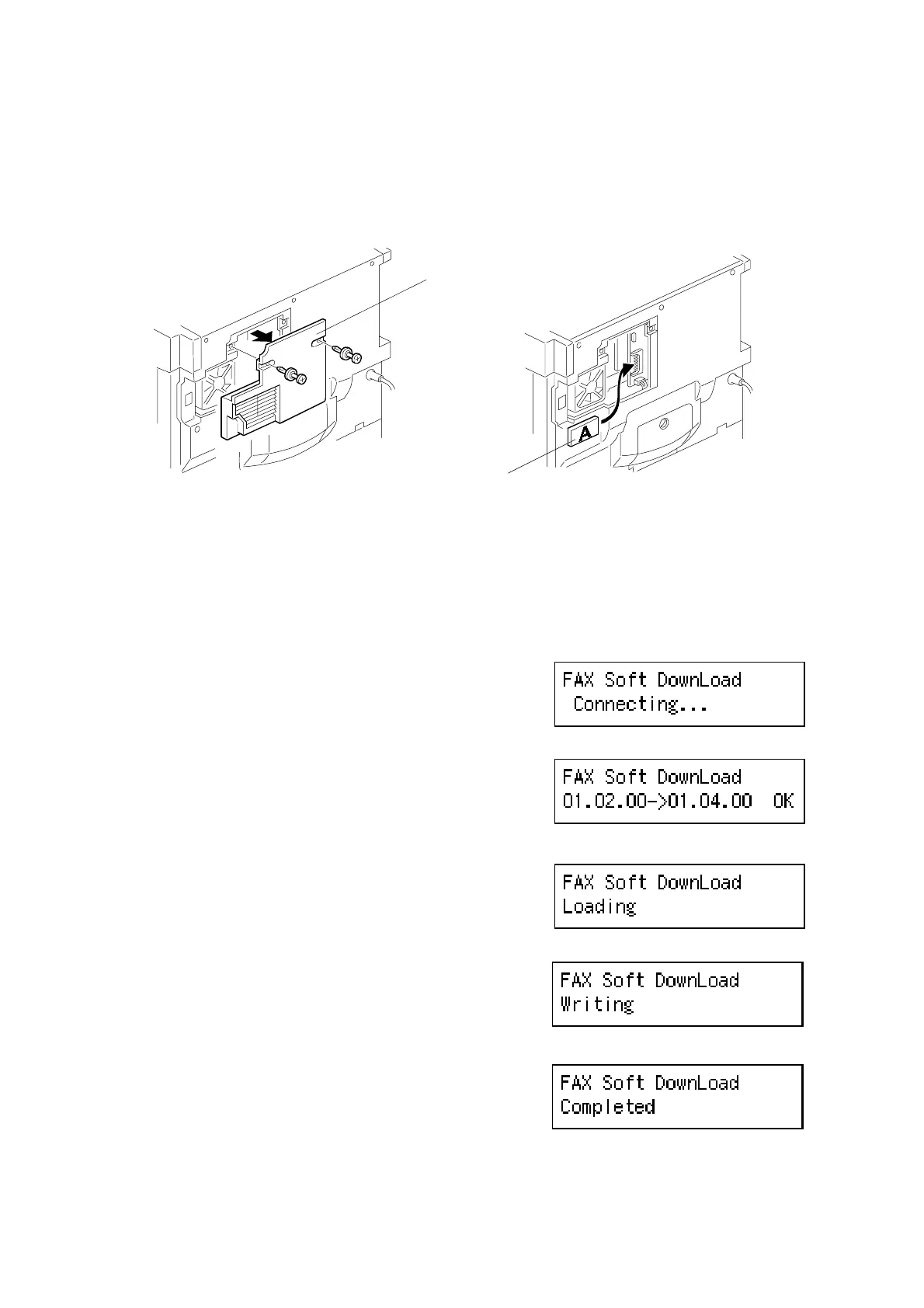
5.2.1 FAX SOFTWARE DOWNLOAD
1. Turn off the main switch.
2. Remove the small rear cover [A].
3. Connect the IC card [B] that contains the firmware to the BiCU.
4. While holding the ‘Tone’ key down, turn on the main switch.
5. The machine goes to fax soft download mode
automatically.
6. Press ‘OK’.
7. Turn off the main switch and disconnect the
IC card.
If the download fails, an SC code (SC 695)
appears. Retry the procedure.
B039R934.WMF
B039R935.WMF
B404M553.BMP
B404M554.BMP
B404M555.BMP
B404M556.BMP
B404M557.BMP
[A]
[B]



 To Next Page