Replacement
Adjustment
PCU SECTION
SM 3-23 B039/B040/B043
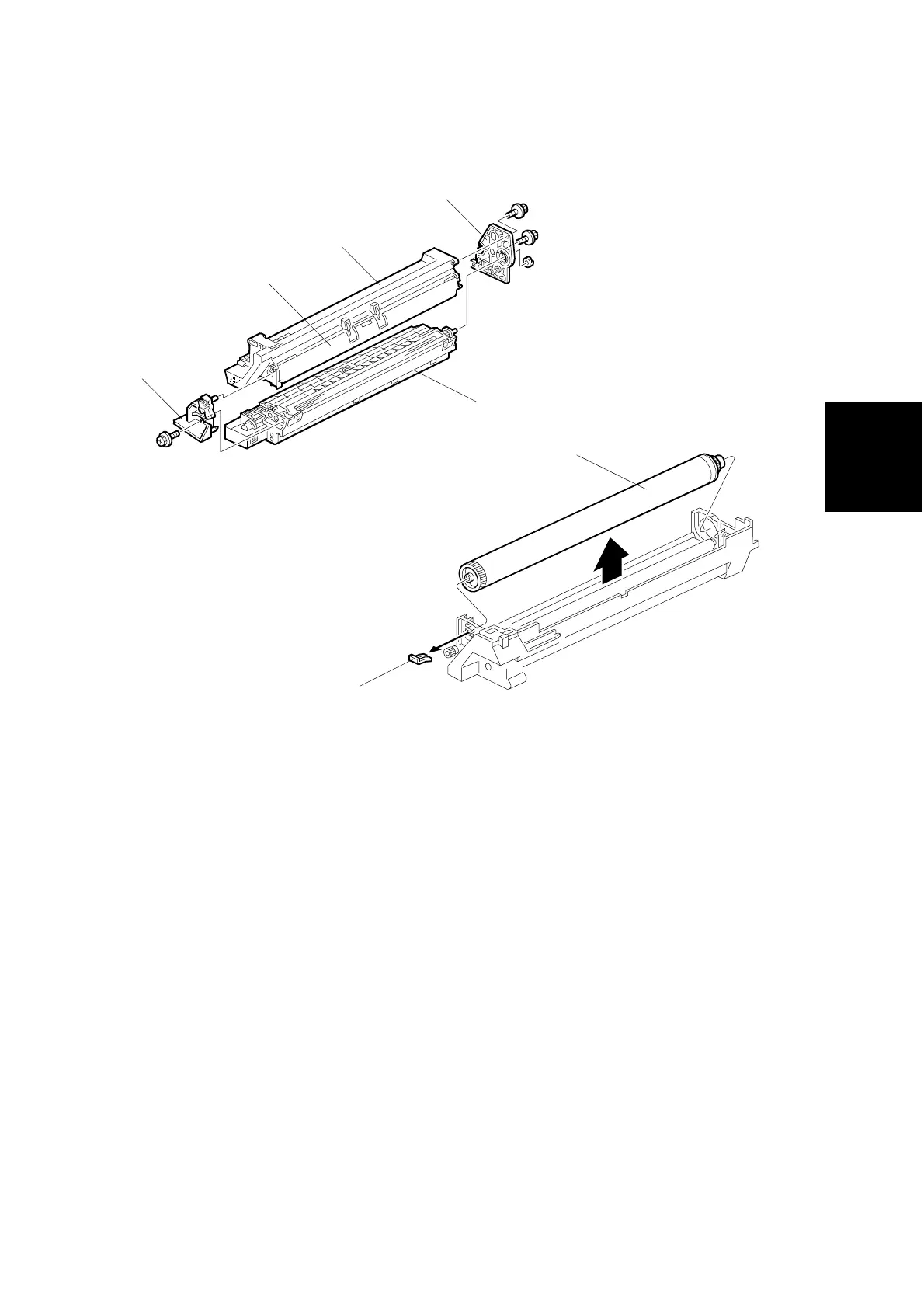
3.6.4 OPC DRUM
1. PCU (☛ 3.6.1)
2. Remove the front side piece [A] (! x 1) and rear side piece [B] (! x 2,
1 coupling), and separate the PCU top part (drum section) [C] from its bottom
part (developer section) [D]. Carry out the remaining steps on the drum section.
NOTE: To ensure that the left-side gears line up, be sure that the drum cover
[E] is closed when reinserting the front side piece.
3. Pry out the drum retaining clip [F].
NOTE: Be sure to reinstall the clip in the same orientation (with the lip facing
away from the drum shaft).
4. Pull out the front end of the OPC drum [G], and remove.
5. Do the procedure in section 3.6.8.
B039R206.WMF
B039R201.WMF
[F]
[A]
[B]
[C]
[E]
[D]
[G]



 To Next Page