Installation
KEY COUNTER INSTALLATION
SM 1-27 B039/B040/B043
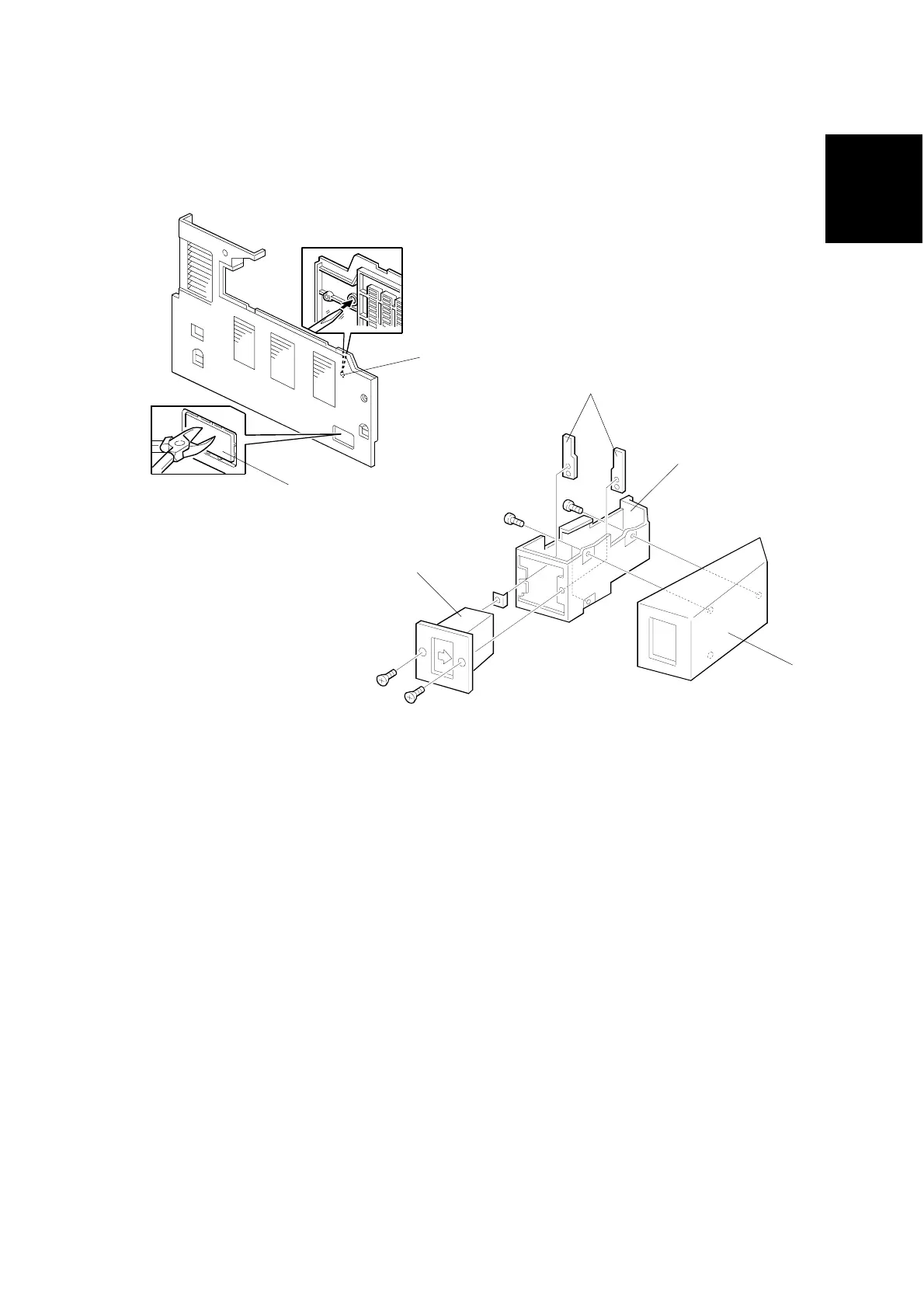
1.12 KEY COUNTER INSTALLATION
1. Remove the left cover (☛ 3.3.8).
2. Remove the rear cover (☛ 3.3.1).
3. Remove the cap [A] with nippers.
4. Punch out the small hole [B] using a screwdriver.
5. Hold the key counter plate nuts [C] on the inside of the key counter bracket [D]
and insert the key counter holder [E].
6. Secure the key counter holder to the bracket (2 screws).
7. Install the key counter cover [F] (2 screws).
B039I128.WMF
B039I100.WMF
[B]
[A]
[E]
[F]
[D]
[C]



 To Next Page