Fax Unit B404
DATA TRANSFER
SM 5-9 B404
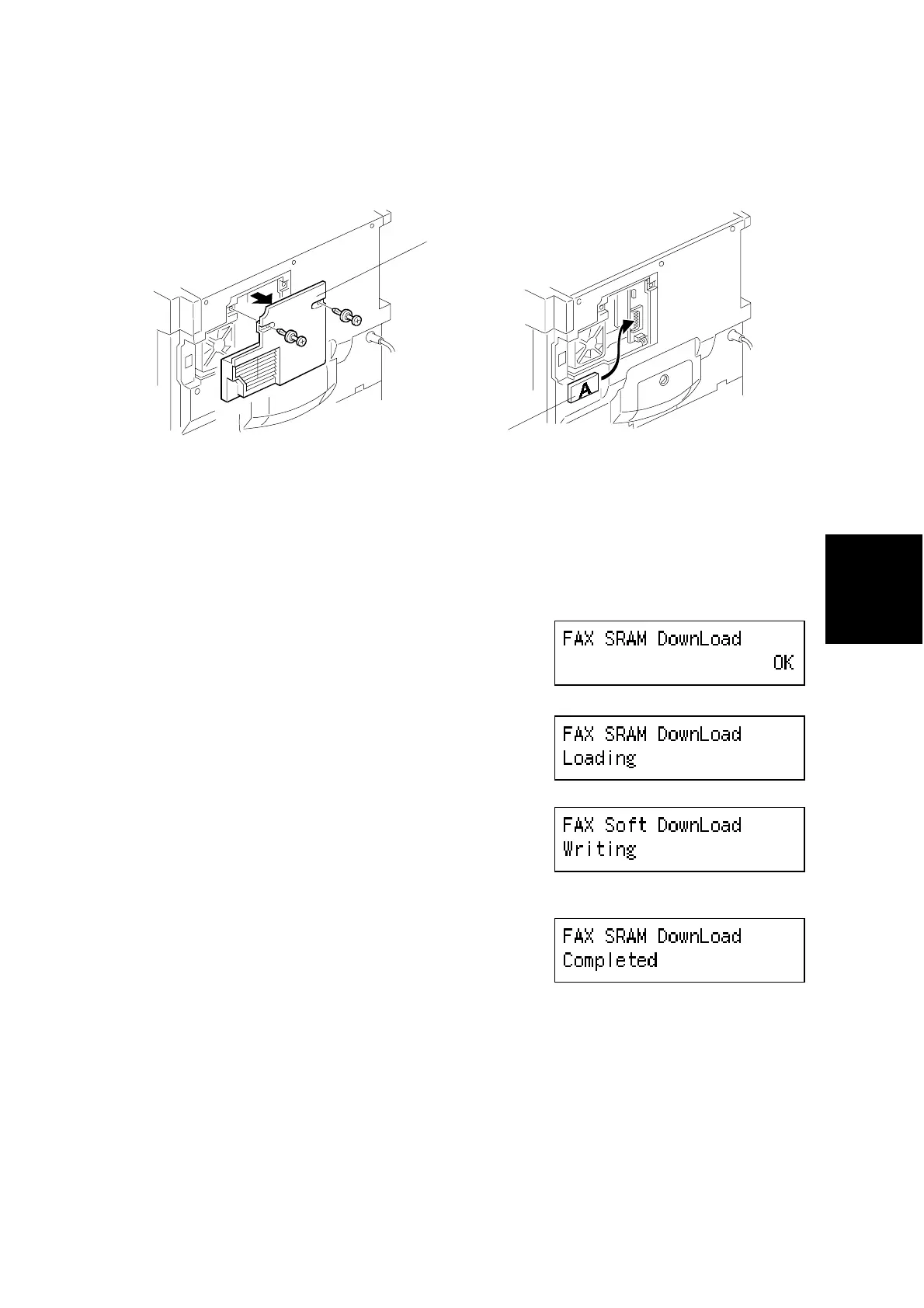
5.2.2 FAX SRAM DOWNLOAD
1. Turn off the main switch.
2. Remove the small rear cover [A].
3. Connect the IC card [B] that contains the required SRAM data to the BiCU.
4. While holding the ‘Tone’ key down, turn on the main switch.
5. Select “FAX SRAM Download” using the
arrow key .
6. Press ‘OK’.
7. Turn off the main switch and disconnect the
IC card.
B039R935.WMF
B039R934.WMF
B404M564.BMP
B404M565.BMP
B404M556.BMP
B404M566.BMP
[A]
[B]



 To Next Page