Replacement
Adjustment
EXTERIOR COVERS & OPERATION PANEL
SM 3-7 B039/B040/B043
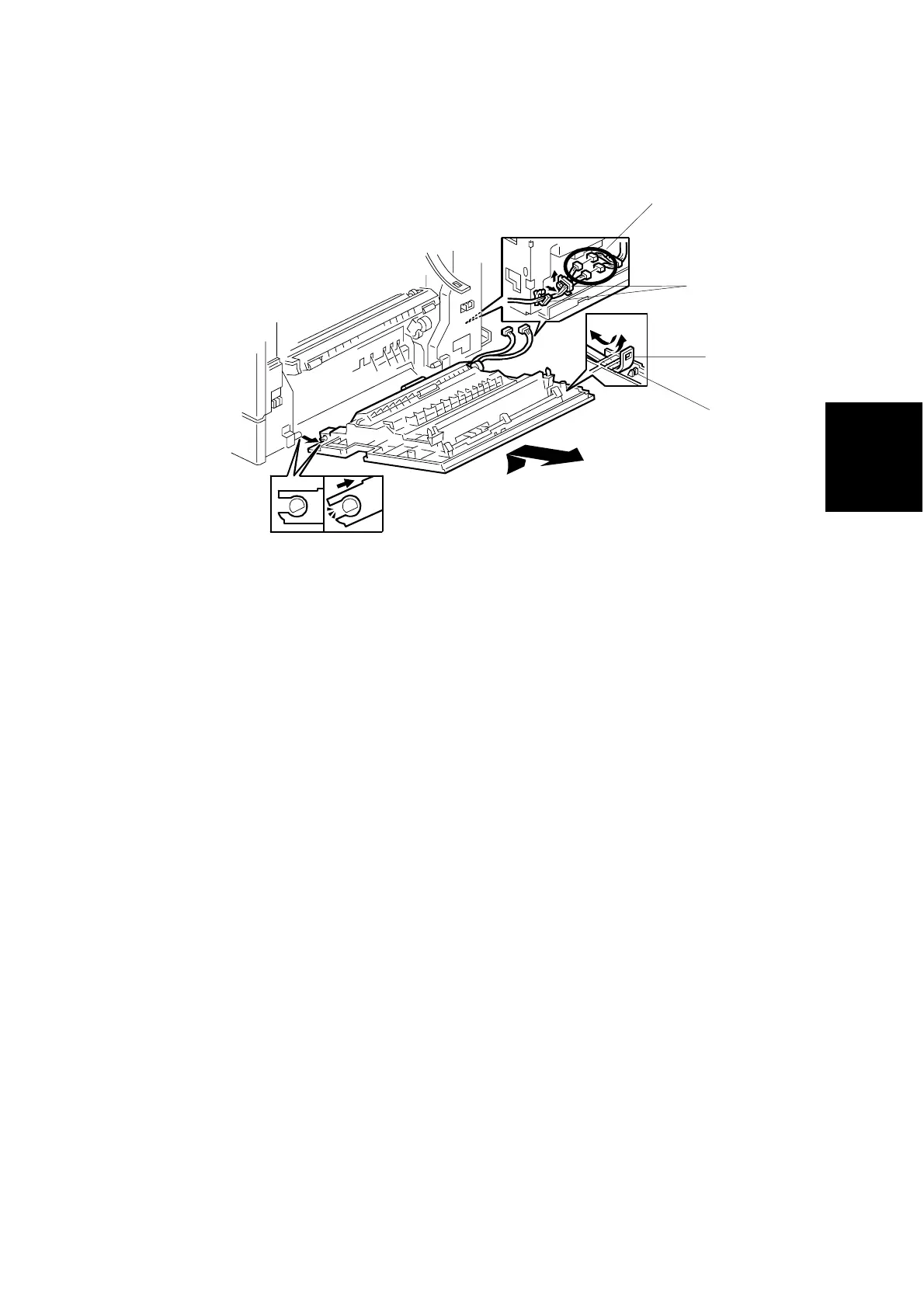
3.3.12 RIGHT DOOR
1. Undo the strap [A] and lower the right door.
NOTE: On non-duplex models (shown in the drawing above), hold the door
open part way and push the strap toward the door so that it comes
loose from the peg [B] on the door. On duplex models (not shown),
unscrew the strap (! x 1) from the main unit.
2. Rear cover (☛ 3.3.1)
3. Right rear cover (☛ 3.3.11)
4. Open the 2 clamps [C] and disconnect the connectors [D].
NOTE: On non-duplex models (shown in the drawing above), disconnect 2
connectors. On duplex models, disconnect 3 connectors.
5. Pull the door off at an angle, so that it comes free of the hinges.
B039R915.WMF
[B]
[C]
[A]
[D]



 To Next Page