TWO-TRAY PAPER TRAY UNIT INSTALLATION
B039/B040/B043 1-14 SM
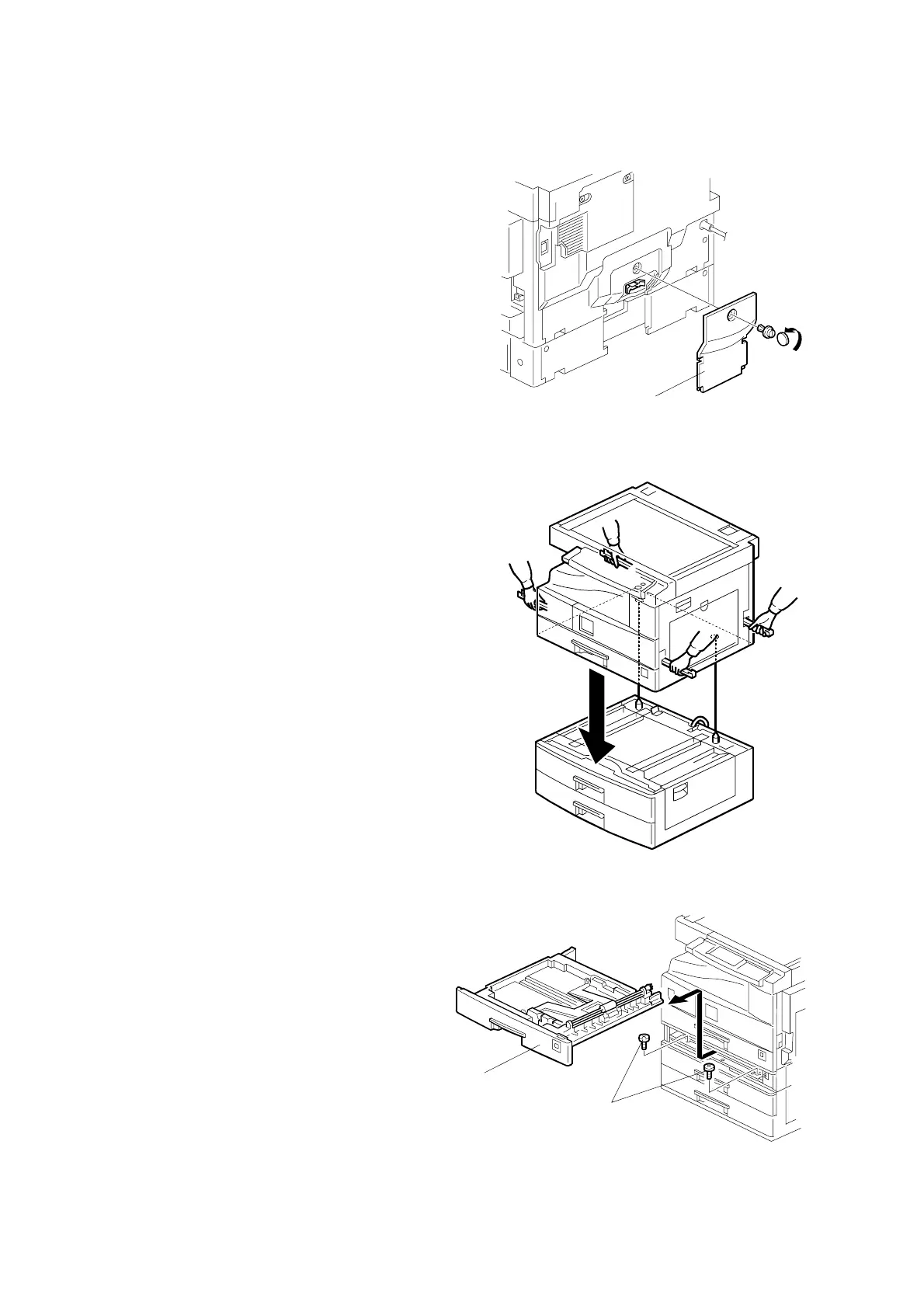
3. Remove the cover [A] (1 rivet).
4. Set the copier on the paper tray unit.
NOTE: When installing the copier, be
careful not to pinch the
connecting harness.
5. One-tray copier model (B039):
Remove the 1st tray cassette [B].
Two-tray copier models
(B040/B043):
Remove the 2nd tray cassette
[B].
6. Install the two screws [C].
7. Reinstall the tray cassette.
B384I109.WMF
B384I117.WMF
B384I106.WMF
[A]
[B]
[C]



 To Next Page