Print Settings
87
3
H
HH
H
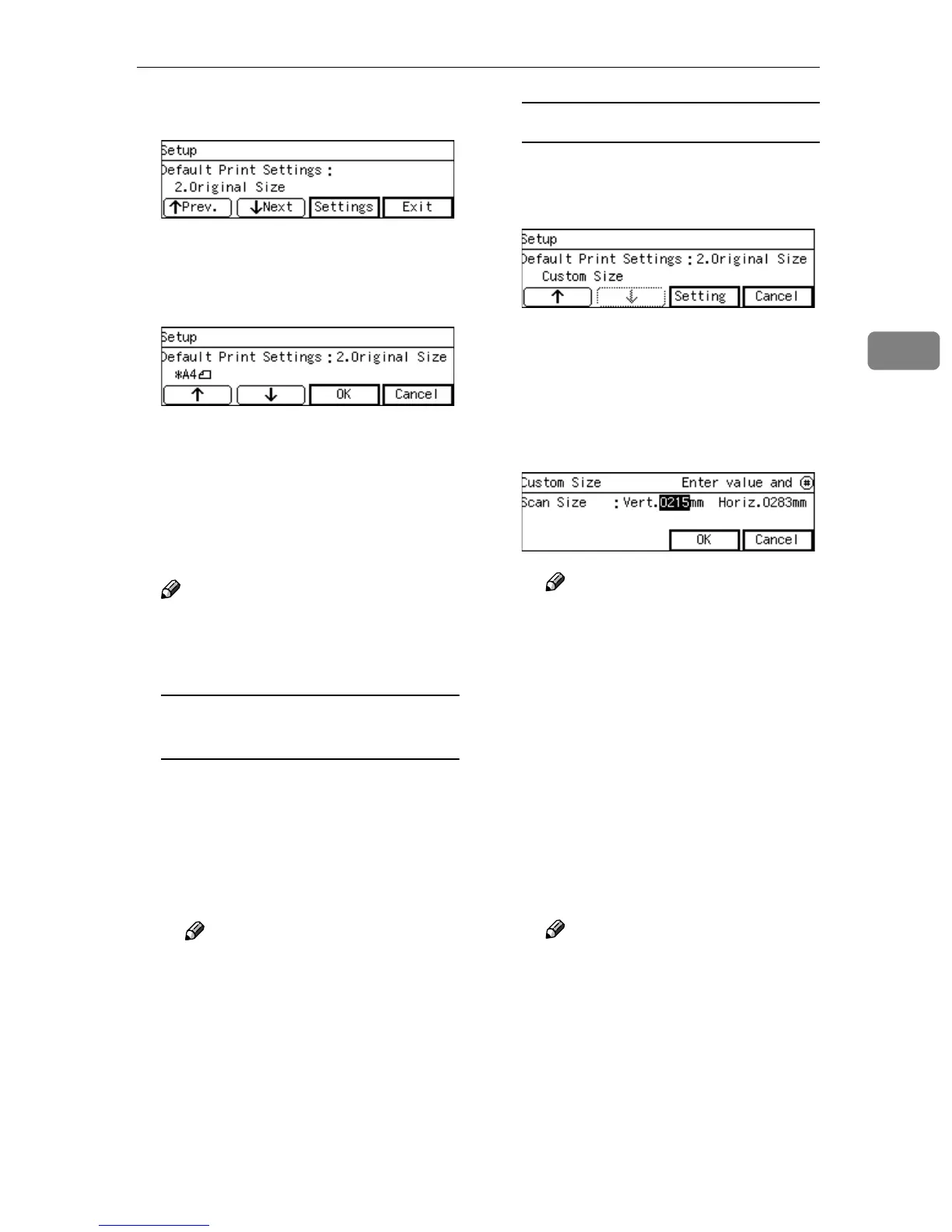
Press [Settings].
The setting screen for “2. Original
Size” appears.
I
II
I
Select the original size.
• The option that is currently se-
lected is displayed first.
•“*” mark appears along with the
option currently selected.
• Use [↑
↑↑
↑] and [↓
↓↓
↓] to display the
option you want to select.
Note
❒ Pressing [Cancel] discards the
selected option, and returns to
the Default Print Settings menu.
To select an original size from
preset sizes
A While the preset original size
you want to select is displayed,
press [OK].
This saves the setting you have
selected, and returns to the De-
fault Print Settings menu.
Note
❒ Pressing [Exit] discards the
selected option, and returns
to the Default Print Settings
menu.
To set a custom size
A While the option “Custom
Size” is displayed, press [Set-
ting].
The setting screen for “Custom
Size” appears.
B Use the {
{{
{1
11
1}
}}
} and {
{{
{0
00
0}
}}
} keys to
highlight the item you want to
input, and then use the num-
ber keys to input the value.
Note
❒ To correct the number you
have entered, use the {
{{
{1
11
1}
}}
}
and {
{{
{0
00
0}
}}
} keys to highlight it,
and then press the
{
{{
{Clear/Stop}
}}
} key to clear the
number.
❒ You can also use the {
{{
{#}
}}
} key
as well as the {
{{
{1
11
1}
}}
} and {
{{
{0
00
0}
}}
}
keys to move selection.
C Press [OK].
This saves the setting you have
entered, and returns to the De-
fault Print Settings menu.
Note
❒ Pressing [Cancel] discards the
values you have entered, and
returns to the Default Print
Settings menu.
J
JJ
J
Press [↓
↓↓
↓Next], and then select an
option for “3. Duplex” in the
same way that you have done in
the steps
H
HH
H
through
I
II
I
.



 To Next Page