4.Replacement and Adjustment
80
1. Remove the fusing unit. (Fusing Unit)
2. Remove the fusing upper cover. (Fusing Upper Cover)
3. Remove the fusing lower cover. (Fusing Lower Cover)
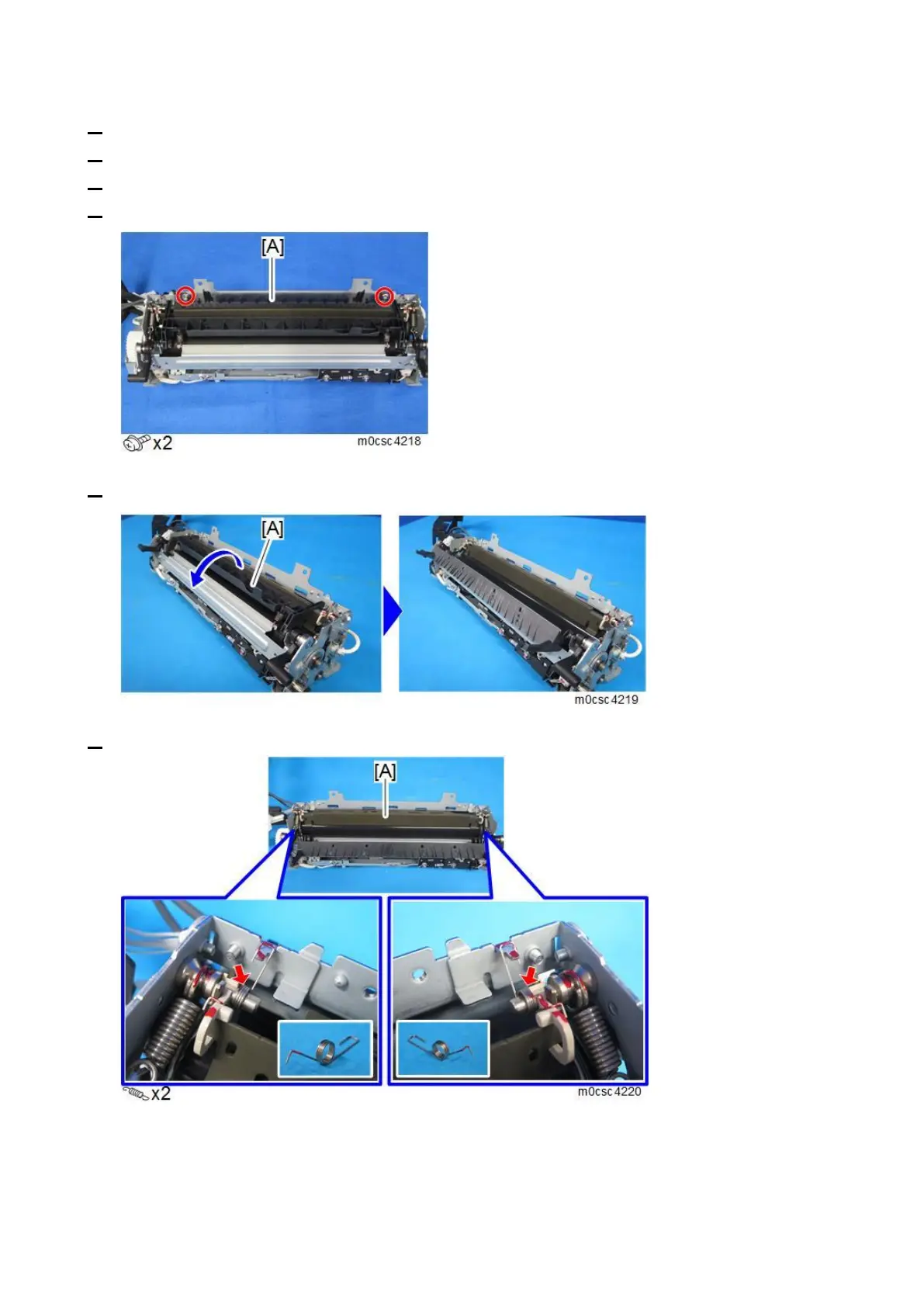
4. Remove the separation pawl [A].
5. Open the fusing exit guide plate [A].
6. Remove the two springs [A] on both sides.



 To Next Page
 Loading...