Cooking
You
can
view various recipes that
you
can
then easily follow step
by
step.
Enjoy these contents which give
you
great ideas
for
meals.
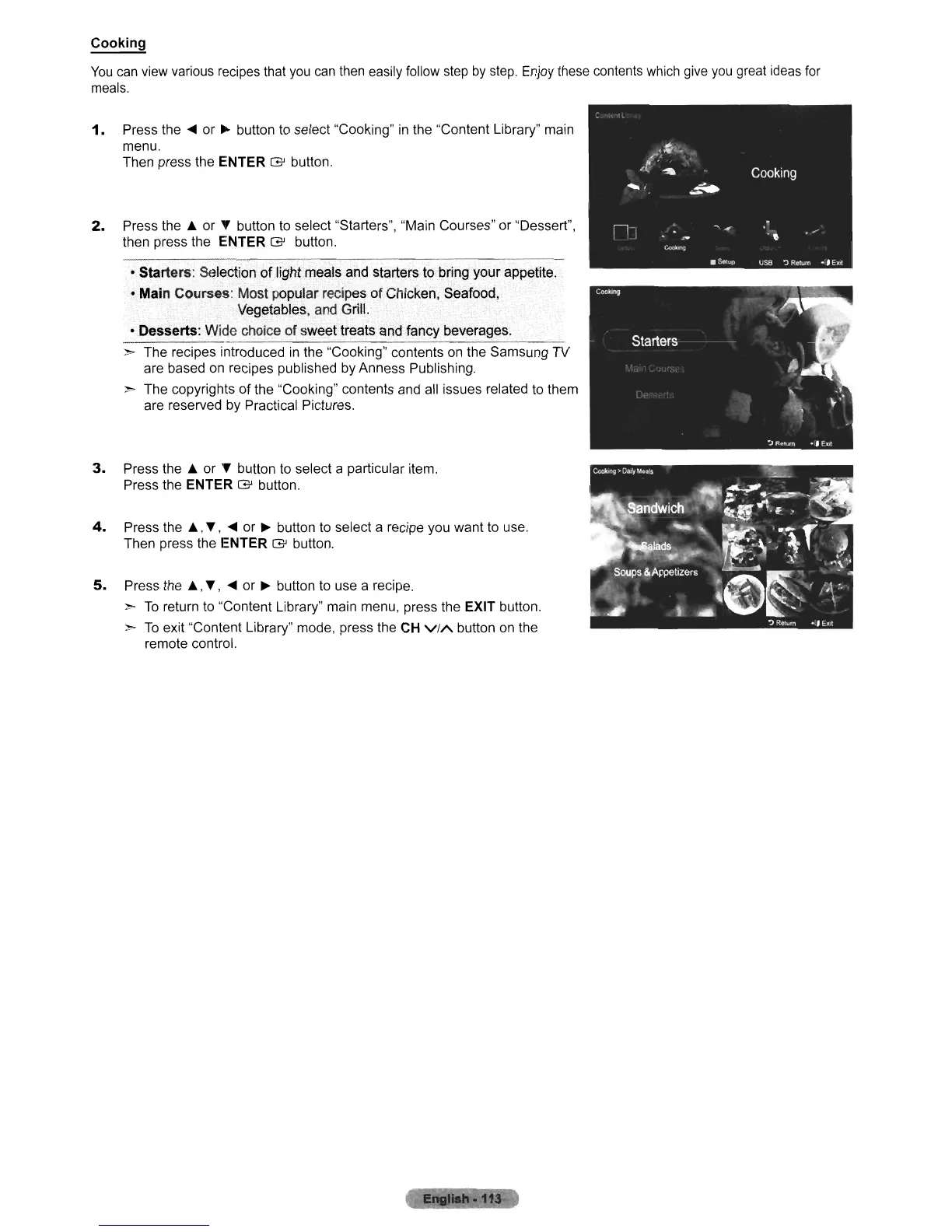
1.
Press the
....
or
~
button to select "Cooking"
in
the "Content Library" main
menu.
Then press the ENTER
G'
button.
2.
Press the J;. or T button to select "Starters", "Main Courses" or "Dessert",
then press the ENTER
G'
button.
• Starters: Selection
of
light meals and starters to bring your appetite.
• Main Courses: Most popular recipes
of
Chicken, Seafood,
Vegetables, and Grill.
• Desserts: Wide choice
of
sweet treats andJancy beverages.
> The recipes introduced
in
the "Cooking" contents on the Samsung TV
are based on recipes published by Anness Publishing.
> The copyrights
of
the "Cooking" contents and all issues related to them
are reserved
by
Practical Pictures.
3.
Press the J;. or T button to select a particular item.
Press the ENTER
G'
button.
4.
Press the
J;.,
T,
....
or
~
button to select a recipe you want to use.
Then press the ENTER
G'
button.
5.
Press the J;.,
T,
....
or
~
button to use a recipe.
>
To
return to "Content Library" main menu, press the EXIT button.
>
To
exit "Content Library" mode, press the CH
ViA
button on the
remote control.
1!
;11












 To Next Page