When Double ( , =)mode has been set
in
PIP,
the Picture Size cannot
be
sel.
~
Temporary image retention may occur when viewing a static image
on
the set for more than two hours.
After
selecting
"Zoom1",
"Zoom2"
or
"Wide
Fit":
Press the
....
or
..
button
to
select "Position", then press the ENTER G
button. Press
the.
or
,.
button
to
move the picture up and down.
Reset: Press the
....
or
..
button
to
select "Reset", then press the
ENTER G button.
You
can initialize the setting.
-
After
selecting
"Just
Scan"
in HDMI (1080i/1080p)
or
Component
(1080i/1080p)
mode:
Press the
....
or
..
button
to
select "Position", then press the ENTER G
button. Press
the.,
",
...
or
..
button
to
move the picture.
Reset: Press the
....
or
..
button
to
select "Reset", then press the
ENTER G button.
You
can initialize the setting.
HD
(High Definition)
16:9
..
1080i/1080p (1920x1080), 720p (1280x720)
~ Settings can
be
adjusted and stored for each external device you have connected
to
an input
of
the
TV
1~.J:>.~.t~ource_
-.'~-~
._-___
.-----.---
-.--~
Picture._~~e
==_
ATV,
AV,
S-Video, Component (480i, 480p) I 16:9, Zoom1, Zoom2,
43
.............
..
__
--.
-
--
..
--
- --
--
-----.....
..
-t-
..
··
..
_·····
DTV(1080i). Component (1080i, 1080p), HDMI (720p, 1080i, 1080P) i
169.4:3,
Wide Fit, Just Scan
...
+--_
..
PC
..
_
..
L~.6_~
...
~:3
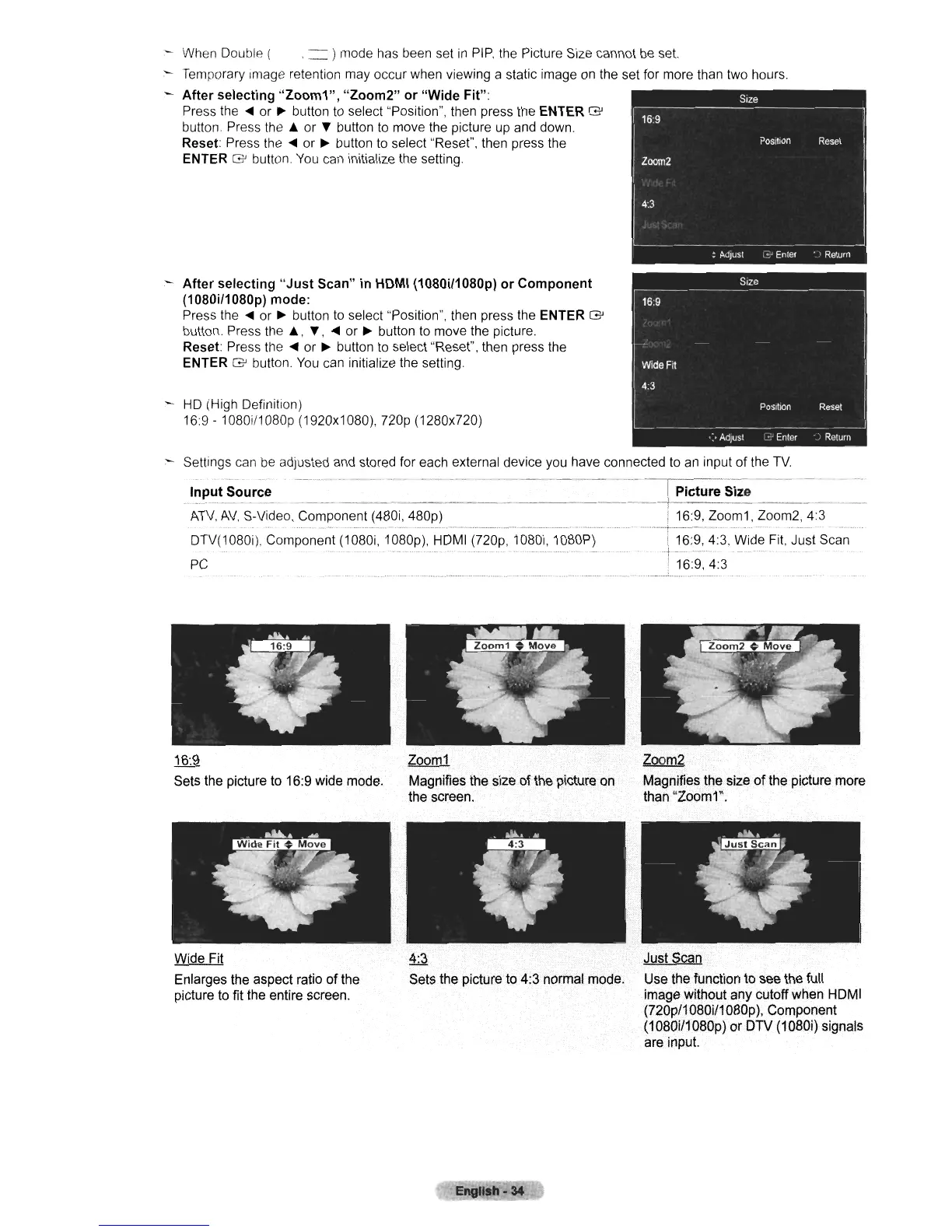
16:9
Sets the picture to 16:9 wide mode.
Zoom1
Magnifies the size
of
the picture on
the screen,
~
Magnifies the size
of
the picture more
than "Zoom1",
Wide Fit
Enlarges the aspect ratio
of
the
picture to fit the entire screen.
4:3
Sets the picture to 4:3 normal mode.
EI1gllah.34
Just Scan
Use the function to see the full
image without any cutoff when HOMI
(720p/1 080i/1 080p), Component
(1080i/1080p)
or
OTV (1080i) signals
are input.












 To Next Page