3.
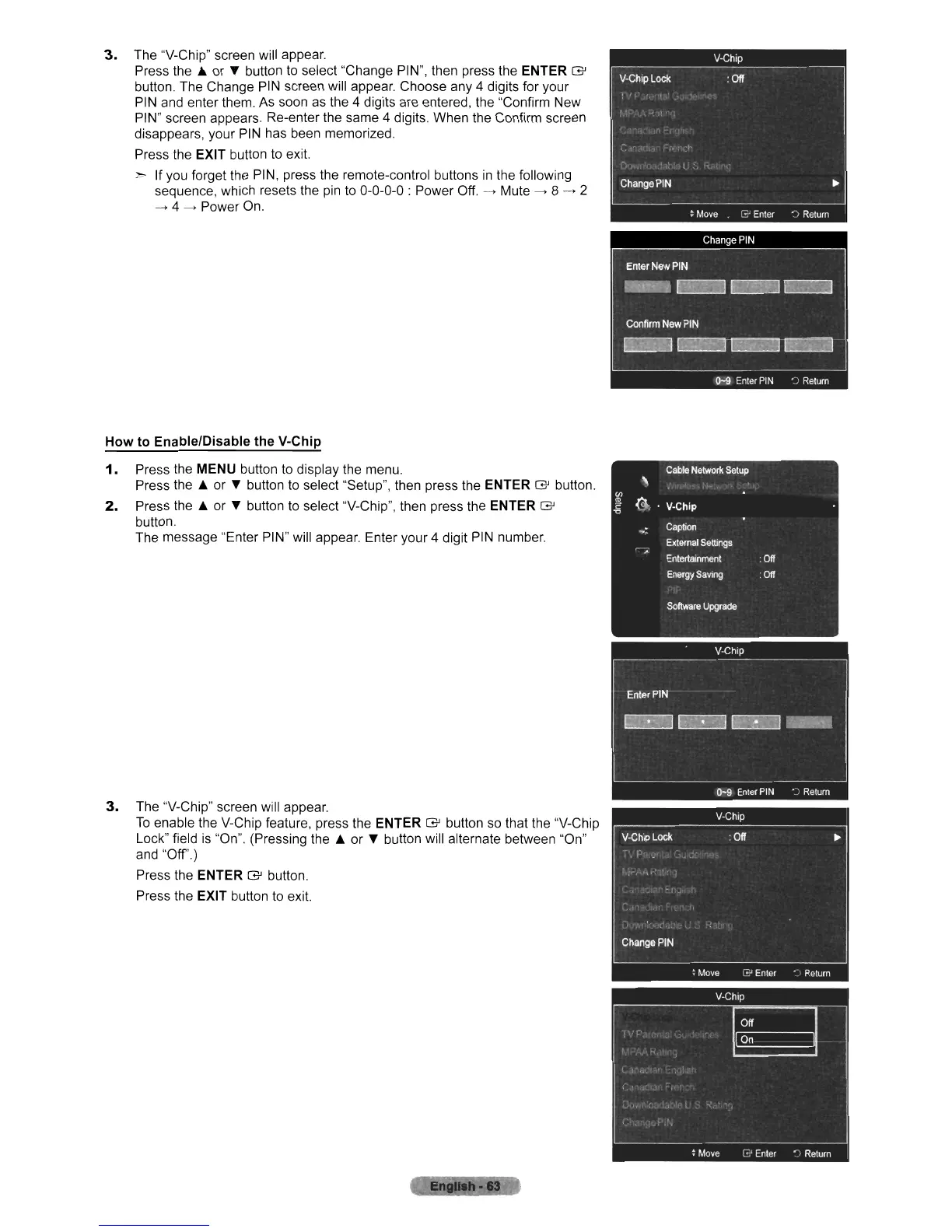
The "V-Chip" screen will appear.
Press
the'"
or T button to select "Change PIN", then press the ENTER G
button. The Change
PIN
screen will appear. Choose any 4 digits for your
PIN and enter them.
As
soon as the 4 digits are entered, the "Confirm New
PIN" screen appears. Re-enter the same 4 digits. When the Confirm screen
disappears, your
PIN has been memorized.
Press the
EXIT button
to
exit.
> If you forget the PIN, press the remote-control buttons
in
the following
sequence, which resets the
pin
to 0-0-0-0 : Power
Off.
--->
Mute
--->
8
--->
2
--->
4
--->
Power
On.
How to EnablelDisable the V-Chip
1.
Press the MENU button
to
display the menu.
Press
the'"
or T button to select "Setup", then press the
ENTER
G button.
2.
Press
the'"
or T button to select "V-Chip", then press the ENTER G
button.
The message "Enter PIN" will appear. Enter your 4 digit
PIN
number.
3.
The "V-Chip" screen will appear.
To
enable the V-Chip feature, press the ENTER G button
so
that the "V-Chip
Lock" field
is
"On". (Pressing
the'"
or T button will alternate between "On"
and
"Off')
Press the ENTER G button.
Press the
EXIT button to exit.












 To Next Page