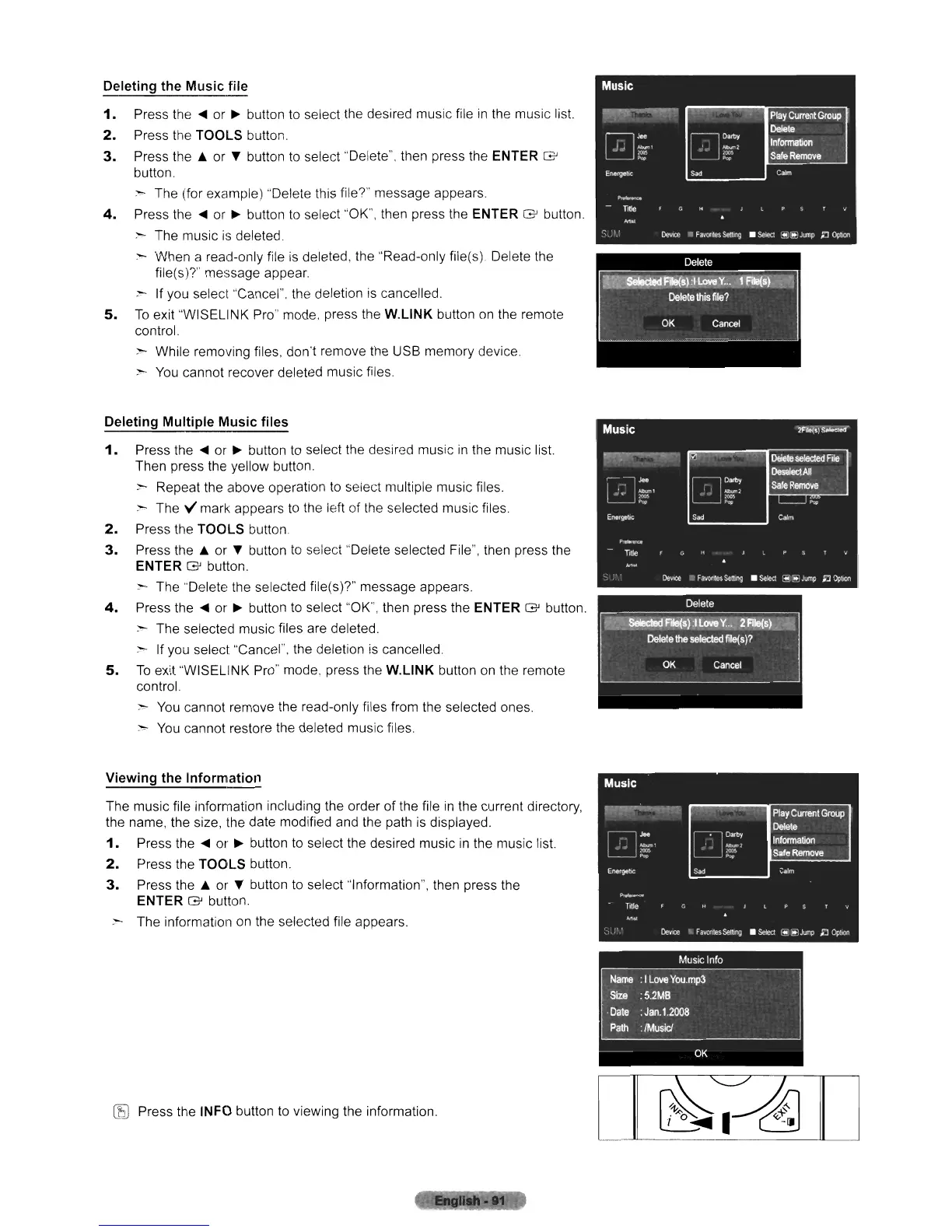
Deleting the Music file
1.
Press the
~
or
~
button to select the desired music file
in
the music list.
2.
Press the TOOLS button
3.
Press the
.&
or T button
to
select "Delete", then press the ENTER G
button,
~ The (for example) "Delete this file?" message appears,
4.
Press
the'"
or
~
button to select "OK", then press the ENTER G button,
~
The music
is
deleted
:-
When a read-only file
is
deleted, the "Read-only file(s). Delete the
file(s)?" message appear,
,,"
If
you select "Cancel". the deletion is cancelled.
5.
To
exit "WISELINK Pro" mode, press the
W,L1NK
button
on
the remote
control.
:-
While removing files, don't remove the USB memory device,
~
You
cannot recover deleted music files
Deleting Multiple Music files
1.
Press
the'"
or
~
button to select the desired music
in
the music list.
Then press the yellow button.
:-
Repeat the above operation to select multiple music files
:-
The V mark appears to the left of the selected music files
..
2.
Press the
TOOLS
button
3.
Press the
.&
or T button
to
select "Delete selected File", then press the
ENTER G button.
:-
The "Delete the selected file(s)?" message appears.
4.
Press the
~
or
~
button to select "OK", then press the ENTER G button.
:-
The selected music files are deleted,
:-
If
you select "Cancel", the deletion
is
cancelled.
5.
To
exit ''WISELINK
Pro"
mode. press the
W.L1NK
button
on
the remote
control.
>
You
cannot remove the read-only files from the selected ones.
:-
You
cannot restore the deleted music files.
Viewing the Information
The music file information including the order of the file
in
the current directory,
the name, the size, the date modified and the path
is
displayed.
1.
Press the
~
or
~
button
to
select the desired music
in
the music list.
2.
Press the
TOOLS
button.
3.
Press the
.&
or T button to select "Information", then press the
ENTER G button.
:-
The information on the selected file appears.
(E)
Press the INFO button to viewing the information.












 To Next Page