Chapter 4: Scanner Modes
Scantron Score Emulation Mode
66 Scantron OpScan 4ES and iNSIGHT 4ES Scanners
Marking Keys and
Scoring Tests
For Single Sided Keys:
Mark the Key
1 Mark the key using the same form used by stu-
dents.
2 Find the key marking row immediately above
the first question.
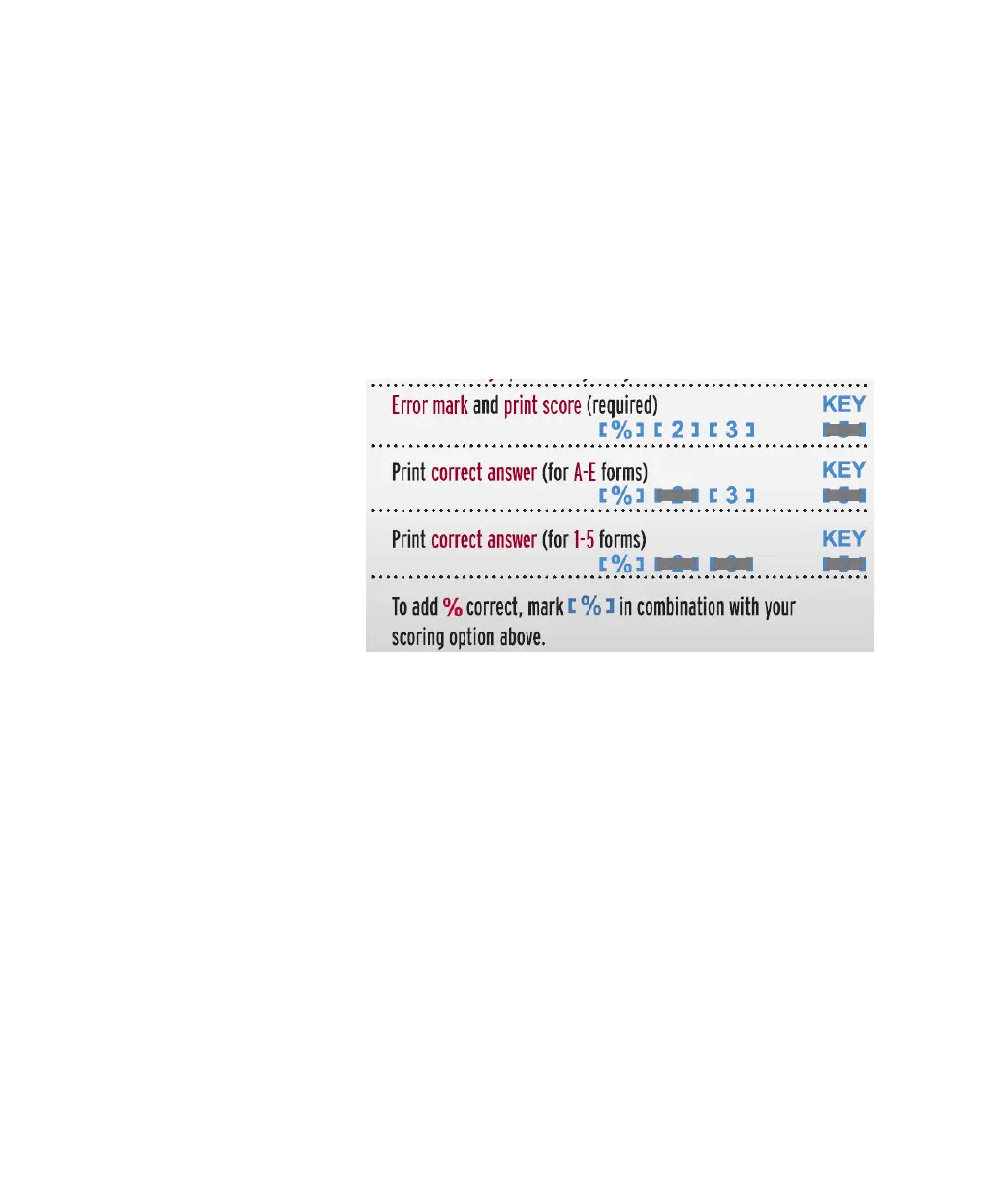
3 Mark a scoring option using the following
guidelines:
4 Mark the correct answer to each question.
Score the Tests
1Press Start.
2 Load the tests and keys into the hopper with
the keys on top (so they will scan first).
3 (optional) Feed an item analysis form by fol-
lowing the instructions on the form and on the
screen.
4 When finished feeding forms, press End.
NOTE: If scanning to software (for example,
Remark Classic OMR) press Save to transfer
the data to the computer before pressing End.



 To Next Page