

 Need help?
Do you have a question about the SICK microScan3 and is the answer not in the manual?
Describes the purpose and content of the operating instructions.
Defines the products and document identification covered by the manual.
Identifies intended readers and relevant chapters.
Points to additional resources available online from SICK.
Explains symbols, notes, and instructions used throughout the document.
Provides essential safety information regarding product integration and laser class.
Specifies the permissible applications and limitations for the safety laser scanner.
Warns against improper applications and consequences of misuse.
Discusses cybersecurity threats and the need for a comprehensive concept.
Outlines the necessary expertise for safe handling and operation.
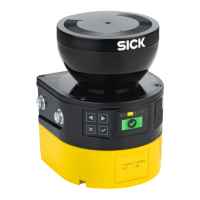
Details the physical components and layout of the safety laser scanner.
Explains the working principle and basic operation of the device.
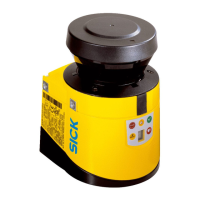
Describes variants, connection types, and scanning ranges of the device.
Illustrates typical use cases like hazardous area and point protection.
Addresses safety considerations for the machine manufacturer during project planning.
Outlines responsibilities and safety aspects for the machine operator.
Covers crucial prerequisites and considerations for mounting the device.
Provides essential information for electrical installation and system integration.
Details critical safety precautions and requirements for mounting the device.
Instructions for checking components and handling the device during unpacking.
Describes available mounting options and essential installation guidelines.
Highlights safety requirements and electrical connection guidelines for the device.
Shows system plugs and their respective connections for different variants.
Details the pin configurations for voltage supply and Ethernet connectors.
Specifies the initial unconfigured state of the device.
Guides through installing and using the configuration software.
Explains the Safety Designer overview dialog and device information.
Covers PROFINET addressing, naming, and communication parameters.
Describes how to read and verify device configuration settings.
Details how to assign names and information for project and device identification.
Explains PROFINET protocol settings, including F-destination address.
Allows selection of application type (Stationary/Mobile) and display language.
Covers configuration of monitoring planes, tasks, and object resolution.
Describes how to define and use reference contours for monitoring.
Details the use of the field editor for creating protective, warning, and contour fields.
Explains how to configure input sources and restart behavior for network outputs.
Covers the setup and configuration of different monitoring cases and switching sequences.
Describes how to visualize the configured safety functions and fields.
Explains how to configure data output via UDP or TCP/IP.
Guides on transferring and verifying device configurations.
Details manual control of the safety function.
Describes how to generate and save device configuration reports.
Covers device restart, factory settings, password management, and access control.
Highlights safety precautions and checks before and during commissioning.
Describes options for precisely aligning the safety laser scanner.
Details the device's internal tests and start-up process after power on.
Ensures hazardous area monitoring and prevention of access during setup.
Emphasizes safety precautions for maintenance, alignment, and fault diagnosis.
Specifies checks to ensure hazardous area monitoring and access prevention.
Explains the meaning of LEDs and display information for device status.
Highlights safety precautions against improper work and product modification.
Provides instructions and precautions for cleaning the optics cover.
Details the procedure and calibration required after replacing the optics cover.
Guides on replacing a damaged or defective safety laser scanner.
Describes the procedure for replacing a damaged or defective system plug.
Ensures the protective device monitors the hazardous area and prevents access.
Emphasizes immediate machine shutdown and securing if faults are unclear.
Explains how to navigate menus and view device information via pushbuttons.
Details fault types, causes, and troubleshooting steps shown on the device display.
Covers diagnostic tools like data recorder, event history, and PROFINET status.
Explains access to process map, I&M data, and alarms via the control.
Provides guidance on the proper disposal of unusable devices.
Lists device variants, type codes, and ordering information.
Details functional scope based on version numbers and device labels.
Provides detailed features, safety-related parameters, and interfaces.
Explains how scan cycle time, interference, and sampling affect response time.
Details protective field ranges based on variant, scan cycle, and object resolution.
Covers process images, available data, and communication protocols.
Provides mechanical dimensions and mounting details for different connection types.
Lists the items included in the product package.
Provides part numbers and specifications for ordering different device variants.
Lists spare parts for safety laser scanners without the system plug.
Details part numbers for system plugs based on connection type.
Lists spare parts like optics covers and cover plates with part numbers.
Lists ordering information for various mounting kits and brackets.
Provides ordering information for the alignment aid accessory.
Lists ordering information for anti-static plastic cleaner and lens cloth.
Provides ordering information for test rods and holders.
Lists reference targets and testing equipment for collision protection.
Provides information on obtaining declarations of conformity and certificates.
Lists relevant standards and their regional equivalents.
A checklist for manufacturers and installers for initial setup and inspection.
Details mounting methods to prevent interference between safety laser scanners.









 To Next Page


 General