Configuration Options
2-10
ET 200X Distributed I/O Device
EWA 4NEB 780601602-06
2.5 Connecting and looping through the load voltage
Necessity
A load voltage is only necessary if you wish to use a basic module/expansion
module(s) with outputs (e. g. DO) and/or motor starters/frequency converters.
In the case of the ET 200X-DESINA and ET 200X-ECOFAST, the load voltage is
carried by the DESINA hybrid cable.
Connection
You can hook up the load voltage by means of a connector on the basic module of
the ET 200X. Power can also be supplied from a power module or a SITOP power.
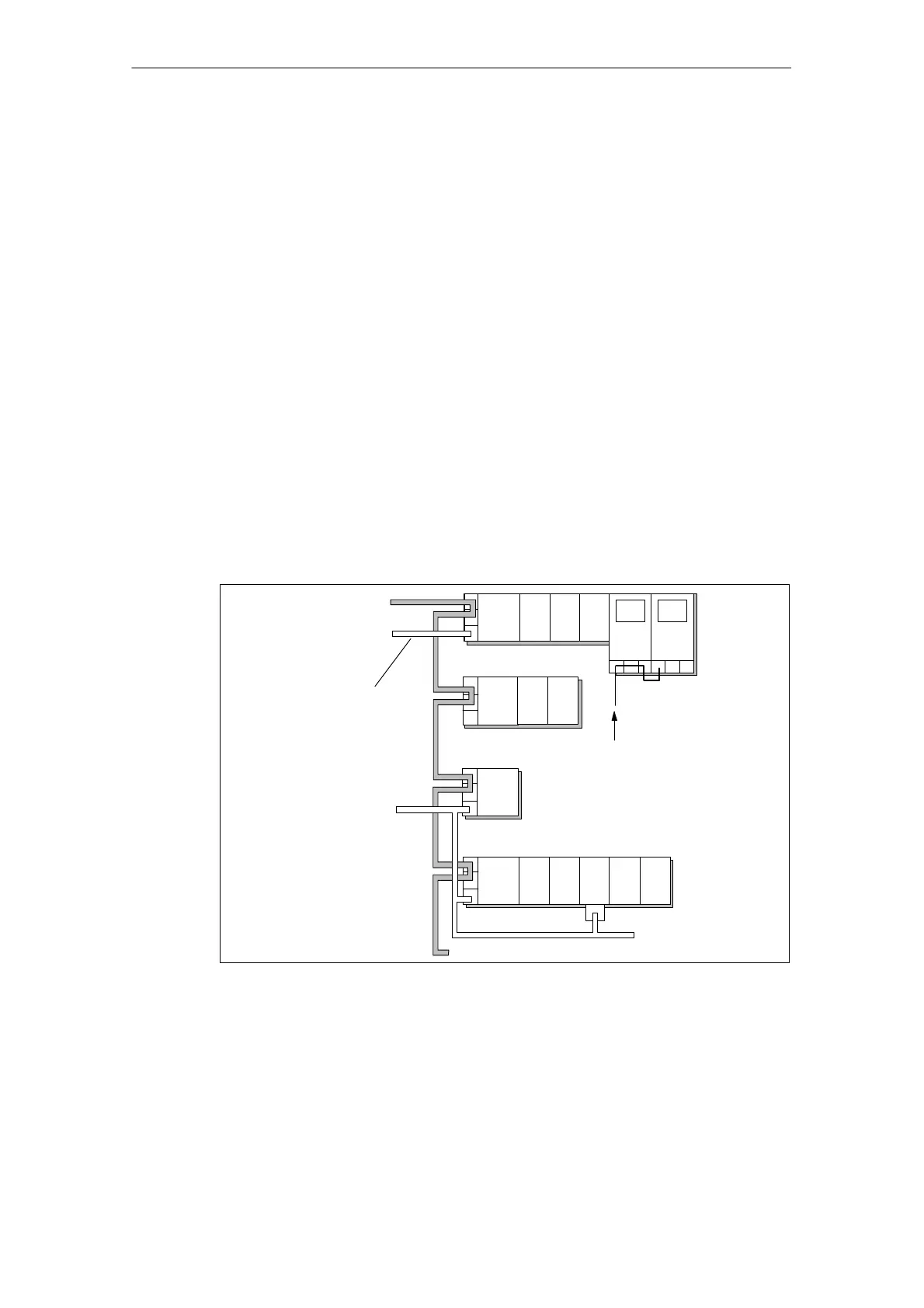
Configuration example
The diagrams below show you a configuration with basic/expansion modules that
have digital outputs (DO). Please refer to Section 7.1 for a list of the modules that
can be used.
Supply voltage +
PROFIBUS-DP
Load voltage
Load voltage
BM
EM EMEM
BM
BM
EM EM
DI DI
DI
DI DI
DO
DO DO
3-core cable
...
BM
DO
...
MS
MS
Feeding of the
load supply vol-
tage
EM
DO
EM
DI
PM
DO
EM
DO
EM
DI
Figure 2-7 Connecting and looping through the load voltage
Looping through
The load voltage can be looped through from one ET 200X to the next by wiring
the load voltage connector accordingly (see Section 4.4.2).



 To Next Page