Installation
3-14
ET 200X Distributed I/O Device
EWA 4NEB 780601602-06
Installing a FESTO valve island and pneumatic interface module
Prerequisite: You have installed the ET 200X (see Chapter 3.1).
If you want to install a pneumatic interface module or a PM 148 DO 4DC 24V/2A
power module directly next to a motor starter, the motor starter must be version
02.
A maximum of six pneumatic interface modules can be plugged into an ET 200X.
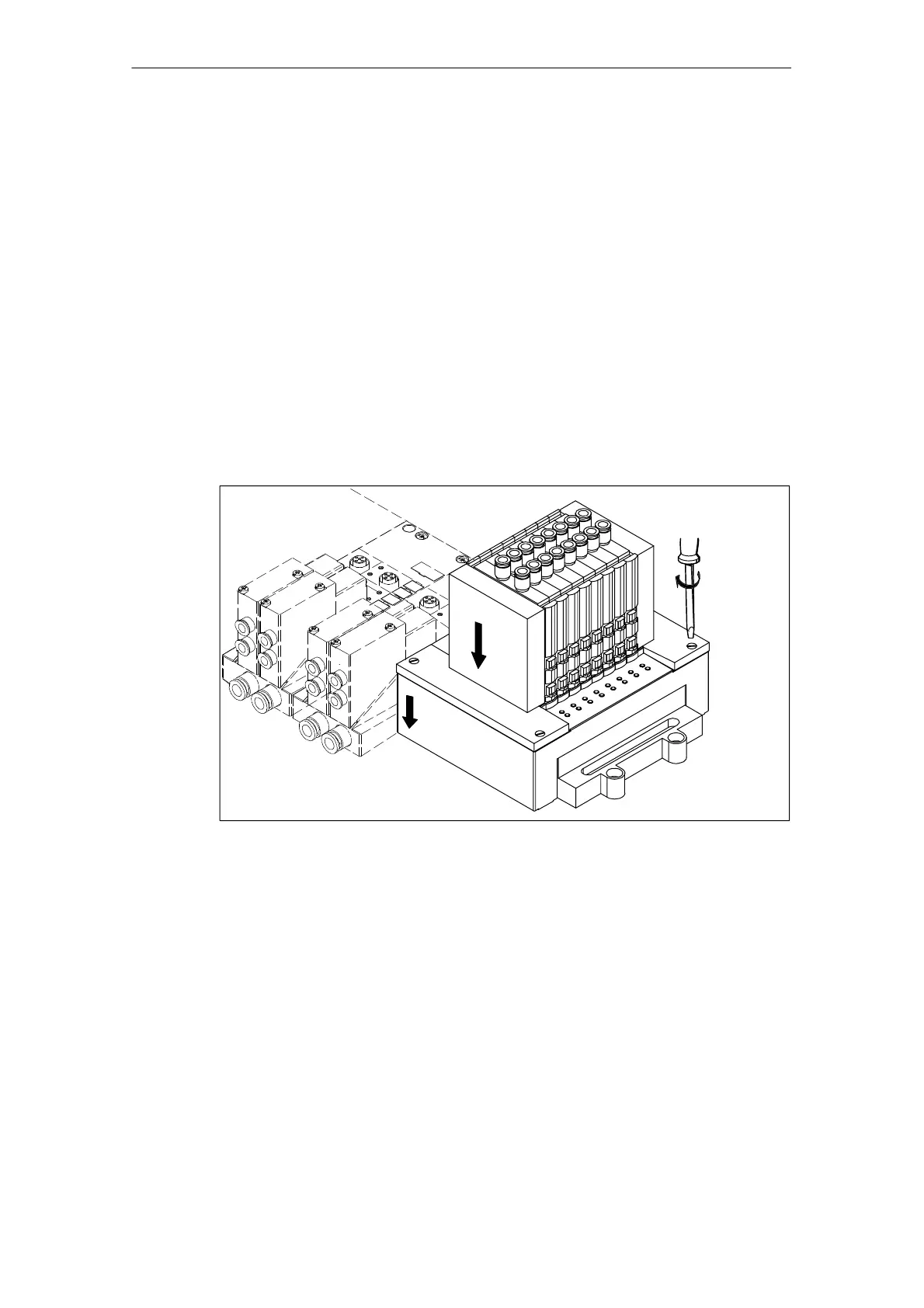
To install, perform the followings steps:
1. Slide the pneumatic interface module into the expansion interface of the
preceding module.
2. Tighten the securing screws of the extension interface.
3. Plug the valve island in the interface module.
4. Screw the valve island and the interface module tightly to the rail (see Section
3.1).
6
5
4
Figure 3-9 Installing a valve island with an interface module



 To Next Page