Page 109 of 292
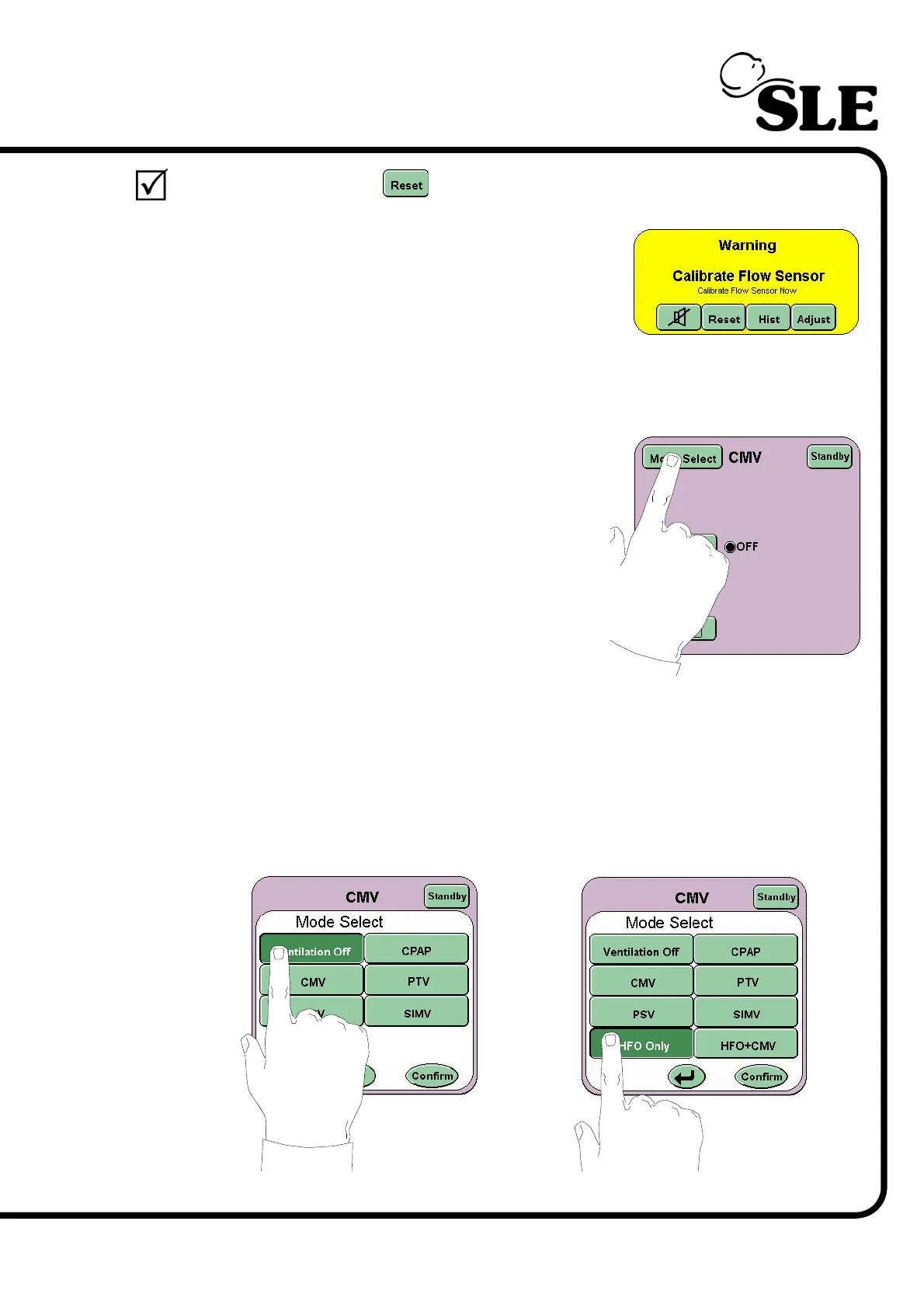
Press the reset button to clear the alarm panel of the alarm notification.
Step 31 Reconnect the flow sensor and a new audible /
visual alarm Calibrate Flow Sensor should be
activated and replace the Connect Flow Sensor
alarm.
Recalibrate the flow sensor. Repeat Step 4 and then advance to Step 32.
Step 32 Press the Mode Select button to enter the Mode
select panel.
Step 33 For the SLE4000 ventilator: Select Ventilation Off from the Mode Select
panel. Press the confirm button. Advance to Step 42.
For the SLE5000 ventilator: Select HFO Only from the Mode Select panel, but
do not press the confirm button. Advance to Step 34.
SLE4000
SLE5000



 To Next Page